Go Bobber go!
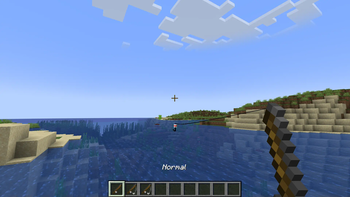
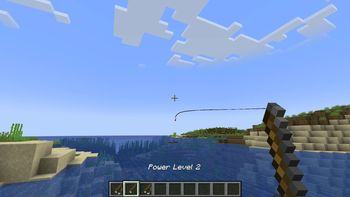
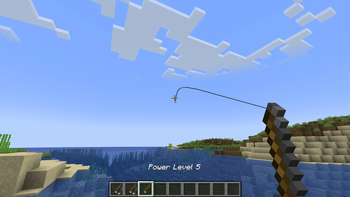
New attribute added to Fishing rods called 'Power', this allows you to get a fishing rod that sends the bobber farther than normal.
Screenshots
About this Mod
Go Bobber Go!
Give your fishing rod a power boost!
This mod introduces a brand-new "Power" attribute to vanilla fishing rods, letting you send your fishing bobber soaring even farther and faster than ever before.
Ever dreamed of casting your bobber like a pro fisherman… or maybe just having some fun launching it into the sunset?
Now you can! Whether you want to reach that tricky spot across the lake or just feel like a fishing legend, Go Bobber Go! gives you that extra reach.
Features:
- Adds a customizable Power attribute to fishing rods.
- Boosts bobber launch speed and distance based on the Power attribute.
- Fully compatible with vanilla fishing mechanics.
Get ready to cast farther, explore more, and maybe even fish from twenty blocks away!
How to get these powered fishing rods?:
For 1.20.0–1.20.4, use:
/give <player> minecraft:fishing_rod{Power:X}For 1.20.5–1.20.6, use:
/pgive Xor/powergive X
(Defaults to power 2.0 if no number is provided)(the error doesn't mean it doesn't work, I'm just too lazy to fix it)
Version guide:
- Versions ending in
.0: for Minecraft 1.20.0–1.20.4 - Versions ending in
.5: for Minecraft 1.20.5–1.20.6 .1and.6: small updates and bugfixes for the above
Available Versions
How to Install Go Bobber go! on Your Server
Order Server
Order a Minecraft Java server with at least 3 GB RAM (4 GB recommended).
Set fabric Loader
In the panel under "Egg", select the fabric loader and matching Minecraft version (1.20.6).
Install Mod
Open the mod browser in the dashboard and search for "Go Bobber go!". Click "Install" – done! Alternatively, upload the .jar via SFTP to the /mods folder.
Compatibility
Mod Loaders
Minecraft Versions
1.20.6, 1.20.5, 1.20.4 (+3 more)
Server-side
✓ RequiredRecommended RAM
4 GB(min. 3 GB)Frequently Asked Questions
Go Bobber go! server crashes on startup – what to do?
Most common cause: wrong fabric version or insufficient RAM. Check the server log (latest.log) for "OutOfMemoryError" or "Mixin" errors. With Mado Hosting: ensure at least 3 GB RAM is allocated and the loader matches the mod version (1.20.6). You can switch loaders with one click in the panel.
Is Go Bobber go! compatible with fabric?
Go Bobber go! officially supports fabric for Minecraft 1.20.6, 1.20.5, 1.20.4. The Mado dashboard automatically detects incompatible loader combinations.
Server lagging with Go Bobber go! – how to optimize performance?
Recommended RAM: 4 GB (per 8 players). Use /spark profiler to check if Go Bobber go! consumes the most tick time. Common fixes: reduce server view-distance to 8-10, install "performant" or "starlight" as supplementary mods on Forge. With Mado Hosting, your server runs on NVMe SSDs with dedicated CPU cores for minimal latency.
Similar Mods



![[TaCZ] Timeless and Classics Zero](https://cdn.modrinth.com/data/SzzJttH8/fd27766d2bb8390d284696b1dbd358f87e081439_96.webp)


Rent Modded Server
Install Go Bobber go! with just one click on your server.