
Googun
Adds several new types of Googun™ Goo that can be shot onto terrain, changing how you traverse the world! Inspired by Portal 2's Gels.
Screenshots

About this Mod
Googun
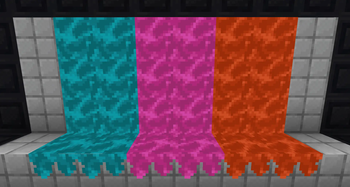
Googun adds several new types of Googun™ Goo that you can load into guns and shoot onto blocks. These all have different effects on your movement, and can be combined for puzzles, traversing the world, and more! This is heavily inspired by Portal 2 and its Gels!
Instructions
GOOGUN™ GOO BLASTER MANUAL - DO NOT DISCARD
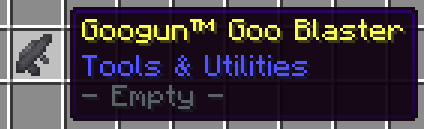
The Googun™ Goo Blaster is a redstone-powered gun designed by Googun Co. It can be loaded with Googun™ Goo Pods. The transparent Goo Tank on the top of the gun shows the user which type of goo is currently loaded. To reload, hold any Goo Pod in your offhand and right-click the gun— this will load it with four Goo Bullets per pod.
There are four types of Goo Pod that exist, each one has its own use.
The first, and most generic, is the Cleansing Pod. This pod simply cleanses any and all goo within a short range. Please do not drink the water contained inside the Googun™ Cleansing Pods. They are not safe to drink.
Secondly, the Bouncy Goo Pod. This pod creates a soft and bouncy goo when hitting blocks. Landing on the Bouncy Goo removes most* risk of kinetic injury.
Next, the Speedy Goo Pod. The Goo inside this pod is moist and slippery, and stepping on it will greatly increase your momentum.
Finally, is the Sticky Goo Pod. This pod uses new developments in sticky science! Placing the Sticky Goo on a wall and sliding down it will greatly slow down your vertical momentum, while still allowing you to move horizontally.
*Please use the Googun™ Goo products at your own risk. Note that Googun Co. is not responsible for any injuries or other misfortune that you could receive while using Googun™ products. These may include: Brain damage, Broken limbs, Paper cuts, Vomiting, Blindness, Memory loss, Loss of speech or cognitive function, Drowning, Dissolving, Being eaten from the inside, Carpet burn, Electric shock, Static shock, Vomiting, Déjà vu, Concussion, Heat stroke, Vaporisation of teeth or dental fillings, Sprained ankles, Hallucination, Death, etc.
Have fun!

Available Versions
How to Install Googun on Your Server
Order Server
Order a Minecraft Java server with at least 3 GB RAM (4 GB recommended).
Set fabric Loader
In the panel under "Egg", select the fabric loader and matching Minecraft version (1.21.8).
Install Mod
Open the mod browser in the dashboard and search for "Googun". Click "Install" – done! Alternatively, upload the .jar via SFTP to the /mods folder.
Compatibility
Mod Loaders
Minecraft Versions
1.21.8
Server-side
✓ RequiredRecommended RAM
4 GB(min. 3 GB)Frequently Asked Questions
Googun server crashes on startup – what to do?
Most common cause: wrong fabric version or insufficient RAM. Check the server log (latest.log) for "OutOfMemoryError" or "Mixin" errors. With Mado Hosting: ensure at least 3 GB RAM is allocated and the loader matches the mod version (1.21.8). You can switch loaders with one click in the panel.
Is Googun compatible with fabric?
Googun officially supports fabric for Minecraft 1.21.8. The Mado dashboard automatically detects incompatible loader combinations.
Server lagging with Googun – how to optimize performance?
Recommended RAM: 4 GB (per 8 players). Use /spark profiler to check if Googun consumes the most tick time. Common fixes: reduce server view-distance to 8-10, install "performant" or "starlight" as supplementary mods on Forge. With Mado Hosting, your server runs on NVMe SSDs with dedicated CPU cores for minimal latency.
Similar Mods




![[TaCZ] Timeless and Classics Zero](https://cdn.modrinth.com/data/SzzJttH8/fd27766d2bb8390d284696b1dbd358f87e081439_96.webp)

Rent Modded Server
Install Googun with just one click on your server.