
Gothic RPG
Adds dark fantasy creatures and content from Gothic series. Vanilla style.
Screenshots
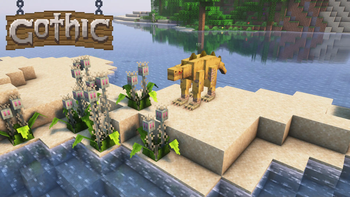
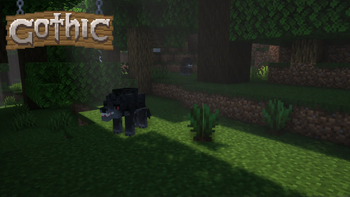
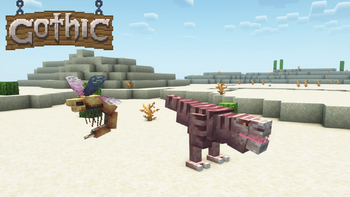
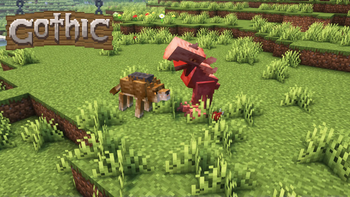
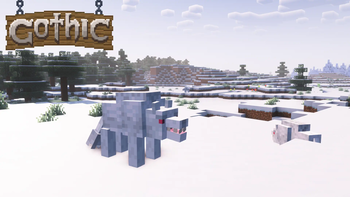
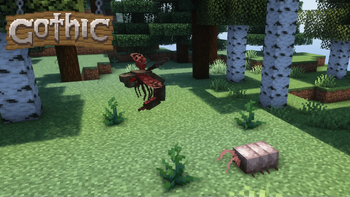
About this Mod

A mod that adds various content from Gothic series to Minecraft.
Mainly the mod is focused on content of Gothic I and Gothic II: Night of the Raven.
Requires GeckoLib.
My mod is also available on Curseforge
Start your journey and discover new content:
- Hunt beasts ranging from weak scavengers and molerats to lurkers and shadowbeasts. Each one is animated and has sounds!
- Meet new traders and buy Hunting Guide books, to learn how to obtain more trophies from enemies.
- Catch meatbugs and make your own bug farm!
- Gather wild herbs and crops to heal yourself or make early-game potions.
- Gear up with a handy pickaxe from Old Mineshaft and a new armor sets that are available through trading.
- And much more...
Credits:
- NoCube - mod developer, sprite artist, modeler and animator.
- BlackAures - builder and a person thanks to whom this mod has gone this far.
- MCreator, PaintNet and Blockbench were used in creation of this mod.
- Screenshots are made with Complimentary Reimagined shaders.
- Gothic series is made by Piranha Bytes.
Permissions & FAQ:
- You are allowed to use my mod in your videos and modpacks as long as credited and download link leads here.
- You are not allowed to re-upload my mod to other websites and launchers. This also means no Aternos.
- Backports or Fabric port are not planned.
- Bug reports and re-balance ideas are welcome.
Available Versions
How to Install Gothic RPG on Your Server
Order Server
Order a Minecraft Java server with at least 4 GB RAM (6 GB recommended).
Set forge Loader
In the panel under "Egg", select the forge loader and matching Minecraft version (1.19.4).
Install Mod
Open the mod browser in the dashboard and search for "Gothic RPG". Click "Install" – done! Alternatively, upload the .jar via SFTP to the /mods folder.
Compatibility
Mod Loaders
Minecraft Versions
1.19.4, 1.19.2, 1.18.2
Server-side
✓ RequiredRecommended RAM
6 GB(min. 4 GB)Frequently Asked Questions
Gothic RPG server crashes on startup – what to do?
Most common cause: wrong forge version or insufficient RAM. Check the server log (latest.log) for "OutOfMemoryError" or "Mixin" errors. With Mado Hosting: ensure at least 4 GB RAM is allocated and the loader matches the mod version (1.19.4). You can switch loaders with one click in the panel.
Is Gothic RPG compatible with forge?
Gothic RPG officially supports forge for Minecraft 1.19.4, 1.19.2, 1.18.2. The Mado dashboard automatically detects incompatible loader combinations.
Server lagging with Gothic RPG – how to optimize performance?
Recommended RAM: 6 GB (per 5 players). Use /spark profiler to check if Gothic RPG consumes the most tick time. Common fixes: reduce server view-distance to 8-10, install "performant" or "starlight" as supplementary mods on Forge. With Mado Hosting, your server runs on NVMe SSDs with dedicated CPU cores for minimal latency.
Similar Mods




Rent Modded Server
Install Gothic RPG with just one click on your server.