
Gpt-Assistant
Adds an in-game AI assistant that answers your questions using Mistral. Use /ask to chat directly from Minecraft.
Screenshots
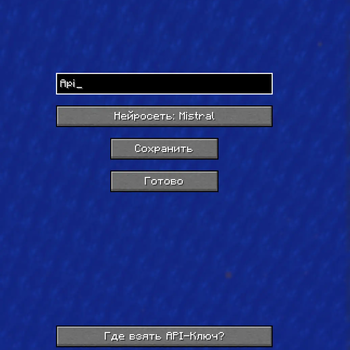
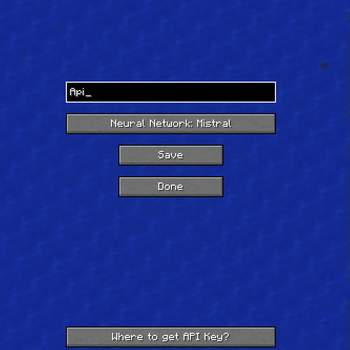
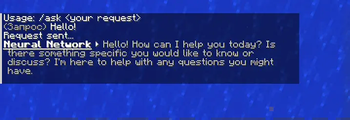
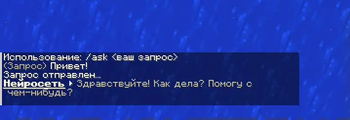
About this Mod
🇬🇧 English
Gpt Assistant is a Minecraft mod that adds an integrated chat assistant based on the ChatGPT and Mistral neural networks.
Key Features:
/askcommand directly in the in-game chat- API key setup in mod settings (press "I" to open, and it can be changed in settings)
- Mistral support
- API key verification and saving via buttons
- Disable text formatting in responses
How to use:
- Open Mods → Gpt Assistant → Settings by pressing the "i" button
- Paste your Mistral API key
- Click "Verify"
- After successful verification, click "Save"
- Type
/ask your queryin chat
How to get API keys:
For Mistral:
- Register at Mistral.ai
- Go to API Keys in your account
- Create and copy your key
If no key is provided, a warning message will appear in the chat.
Multiline responses and text formatting removal are supported.
🇷🇺 Русский
Gpt Assistant мод для Minecraft, добавляющий встроенного чат-помощника на базе нейросетей ChatGPT и Mistral.
Основные возможности:
- Команда
/askпрямо в игровом чате - Настройка API ключа в параметрах мода что бы открыть их нажмите I можно заменить в настройках
- Поддержка Mistral
- Проверка и сохранение API ключа через кнопки
- Отключение форматирования текста в ответах
Как пользоваться:
- Откройте Mods → Gpt Assistant → Настройки нажав на кнопку i откроются
- Вставьте API ключ от Mistral
- Нажмите "Проверить"
- После успешной проверки нажмите "Сохранить"
- Введите
/ask ваш запросв чат
Как получить API ключи:
- Для Mistral:
- Зарегистрируйтесь на Mistral.ai
- В личном кабинете перейдите в API Keys
- Создайте и скопируйте ключ
Если ключ не указан, в чате появится сообщение с предупреждением.
Поддерживаются многострочные ответы и очистка форматирования.
Available Versions
How to Install Gpt-Assistant on Your Server
Order Server
Order a Minecraft Java server with at least 3 GB RAM (4 GB recommended).
Set fabric Loader
In the panel under "Egg", select the fabric loader and matching Minecraft version (1.21.7).
Install Mod
Open the mod browser in the dashboard and search for "Gpt-Assistant". Click "Install" – done! Alternatively, upload the .jar via SFTP to the /mods folder.
Compatibility
Mod Loaders
Minecraft Versions
1.21.7, 1.21.6, 1.21.5 (+12 more)
Server-side
✗ UnsupportedRecommended RAM
4 GB(min. 3 GB)Frequently Asked Questions
Gpt-Assistant server crashes on startup – what to do?
Most common cause: wrong fabric version or insufficient RAM. Check the server log (latest.log) for "OutOfMemoryError" or "Mixin" errors. With Mado Hosting: ensure at least 3 GB RAM is allocated and the loader matches the mod version (1.21.7). You can switch loaders with one click in the panel.
Is Gpt-Assistant compatible with fabric?
Gpt-Assistant officially supports fabric for Minecraft 1.21.7, 1.21.6, 1.21.5. The Mado dashboard automatically detects incompatible loader combinations.
Server lagging with Gpt-Assistant – how to optimize performance?
Recommended RAM: 4 GB (per 8 players). Use /spark profiler to check if Gpt-Assistant consumes the most tick time. Common fixes: reduce server view-distance to 8-10, install "performant" or "starlight" as supplementary mods on Forge. With Mado Hosting, your server runs on NVMe SSDs with dedicated CPU cores for minimal latency.
Similar Mods






Rent Modded Server
Install Gpt-Assistant with just one click on your server.