
Gr33n's Technica
A Simple Item Based Tech Mod NO RF
Screenshots
About this Mod
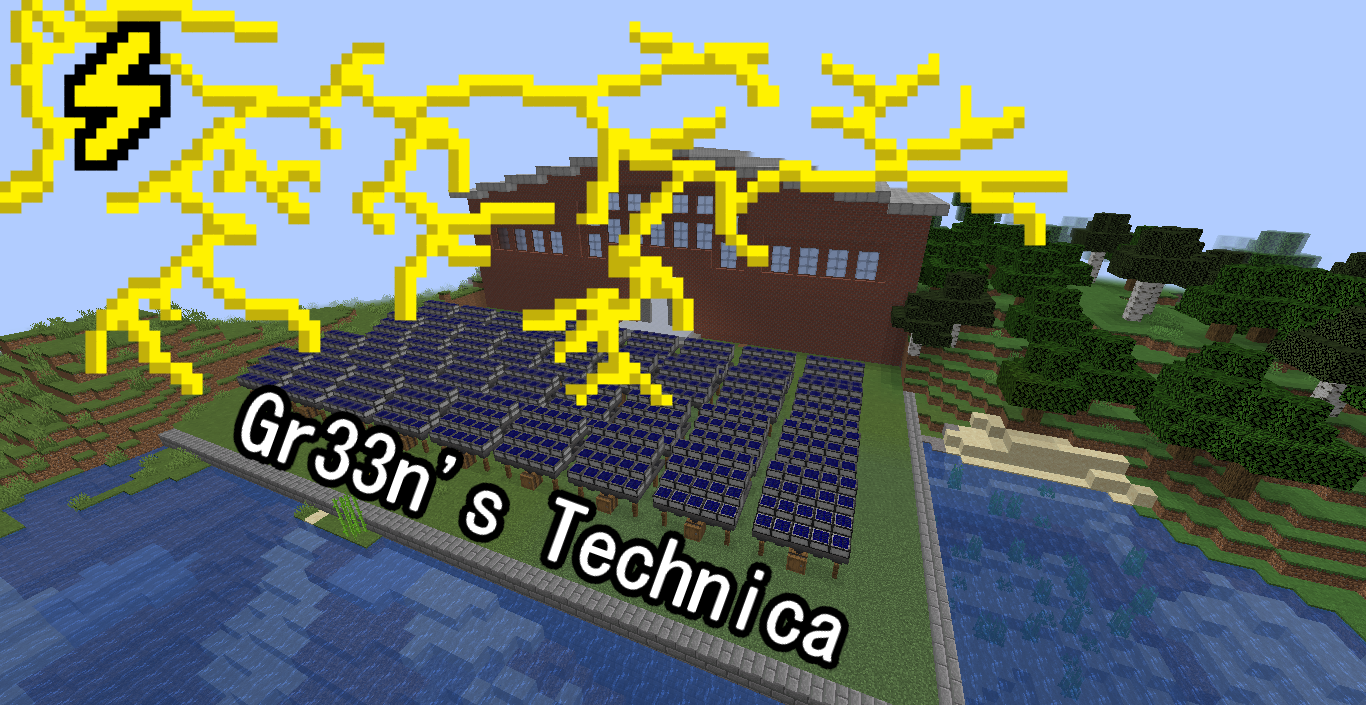
Gr33n's Technica Is An Item Based Tech Mod
The Goal Is To Feel Closer to Vanilla And Older Tech Mods
While Still Being Unique
This Mod Adds Various Machines, Items, And An Enchantment (all Blocks Require a Redstone Pulse to do their task)
Energy Makers:
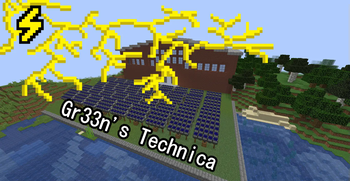
Steam Generator: uses Various Flammable Materials (Like Coal and planks) and Water From a source above it
To make Energy Items
Solar Panels: Slowly Produces Energy Items As long as it is day and can see the sky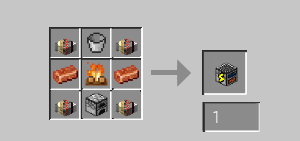
Energy Consumers:
The Grinder: Converts ores, Some Items, And Some Blocks Into Specific Ore Chunks or Gems
The Electric Furnace: used Energy Items to smelt
The Block Breaker: Breakes the Blocks in Infront of it
The Cobble Generator: Makes Cobble From Energy
The XP Extractor: Turns some Mob Drops Into Bottles Of EXP
The Tesla Coil: Uses A Stack Of Energy Items To Strick Lightning On Top of Its Self
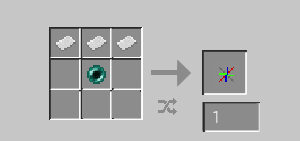
The Matter Transporter: Teleports the player to the coordinates stored on the XYZ Itme That is inside the blocks Shift on top to activate
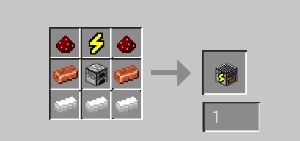
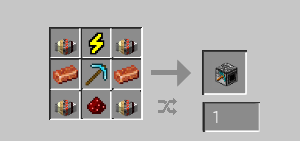
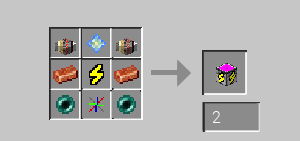
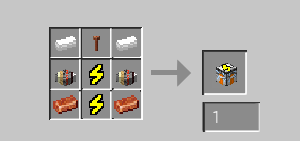
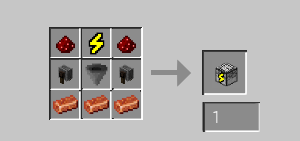
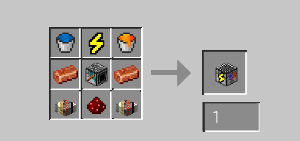
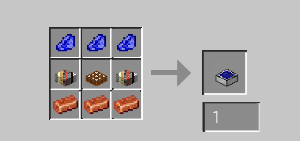
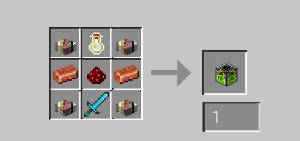
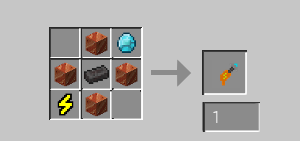
Grinder RecipeElectric Furnace RecipeBlock Breaker RecipeCobble Generator RecipeXp Extractor RecipeTesla Coil RecipeMatter Transporter Recipe
Items/Enchantments:
Drill: Uses Energy From the player's inventory to Break Blocks Instead of durability (right click) doesn't currently have a Recipe WIP
XYZ: an item that stores the Cordanets of a matter transporter that It was shift right clicked on and used in another to set its destination
Enchantment:
Energized On Pick: uses energy from players' inventory to mine 3x3 of stone/rock uses 9x energy
Energized On Shovel: uses energy from players' inventory to mine 3x3 of dirt (not grass) and uses 9x energy
Energized On Axes: Little Finicky Breaks 5 blocks above the log broken with enchantment uses 1x energy
Energized On Bows: Shoots arrows without the need for arrows in the inventory uses 1x energy per arrow
Check Out Kinetic For Server Hosting
Available Versions
How to Install Gr33n's Technica on Your Server
Order Server
Order a Minecraft Java server with at least 3 GB RAM (4 GB recommended).
Set forge Loader
In the panel under "Egg", select the forge loader and matching Minecraft version (1.20.1).
Install Mod
Open the mod browser in the dashboard and search for "Gr33n's Technica". Click "Install" – done! Alternatively, upload the .jar via SFTP to the /mods folder.
Compatibility
Mod Loaders
Minecraft Versions
1.20.1, 1.20, 1.19.4 (+4 more)
Server-side
✓ RequiredRecommended RAM
4 GB(min. 3 GB)Frequently Asked Questions
Gr33n's Technica server crashes on startup – what to do?
Most common cause: wrong forge version or insufficient RAM. Check the server log (latest.log) for "OutOfMemoryError" or "Mixin" errors. With Mado Hosting: ensure at least 3 GB RAM is allocated and the loader matches the mod version (1.20.1). You can switch loaders with one click in the panel.
Is Gr33n's Technica compatible with forge?
Gr33n's Technica officially supports forge for Minecraft 1.20.1, 1.20, 1.19.4. The Mado dashboard automatically detects incompatible loader combinations.
Server lagging with Gr33n's Technica – how to optimize performance?
Recommended RAM: 4 GB (per 8 players). Use /spark profiler to check if Gr33n's Technica consumes the most tick time. Common fixes: reduce server view-distance to 8-10, install "performant" or "starlight" as supplementary mods on Forge. With Mado Hosting, your server runs on NVMe SSDs with dedicated CPU cores for minimal latency.
Similar Mods





Rent Modded Server
Install Gr33n's Technica with just one click on your server.