
Gracebound
May grace guide your way.
Screenshots

About this Mod






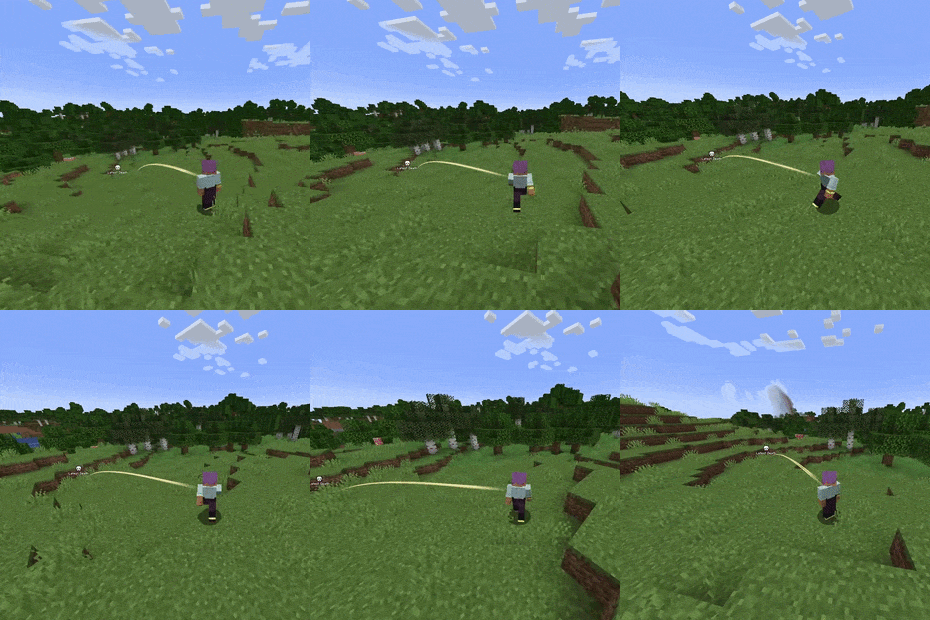
Gracebound adds a guidance trail inspired by Elden Ring's "Guidance of Grace". It helps point you back toward important locations without opening a map or cluttering your screen.
By default, Gracebound appears after death and guides you back toward your last known death location. If you hold a compass, the guidance changes based on the compass type instead.
- Death guidance points toward your last death location
ON / configurable - Recovery compass guidance points toward your recovery compass target (aka death location)
Configurable / not required if "Death Guidance" is ON - Regular compass guidance points toward world spawn
- Lodestone compass guidance points toward the compass’ linked lodestone
- Cross-dimension protection prevents misleading guidance when the target is in another dimension
If grace cannot guide you across dimensions, the mod will let you know instead of pointing you in the wrong direction.


Gracebound is designed to feel lightweight and atmospheric rather than intrusive. The trail renders as a twirling stream near the player, fading in and out smoothly as guidance becomes available or disappears.
Current functionality includes:
- A configurable grace guidance trail
- Automatic death-location guidance
- Compass-based guidance overrides
- Support for regular, recovery, and lodestone compasses
- Fade in/out behavior
- Adjustable beam density, origin, distance, and vertical offset
- Optional client-side guidance messages
- Per-compass guidance toggles


Default keybinds
- Toggle Guidance Rendering -
]- Cycles between:
- On Death
- Always Active
- Off
- Cycles between:
Guidance Modes
- On Death
- Gracebound appears when death guidance is available
- This is the default mode
- Always Active
- Gracebound stays active whenever a valid guidance target exists
- Off
- Disables Gracebound rendering

Configuration
Gracebound includes in-game/client configuration options for tuning how guidance behaves and looks.
You can configure:
- Enable Fading
- Toggles fade in/out behavior
- Fade In Ticks
- Controls how quickly the guidance appears
- Fade Out Ticks
- Controls how quickly the guidance disappears
- Beam Density
- Controls how many wispy strands are drawn in the stream
- Beam Origin Offset
- Adjusts how far forward the stream starts from the player
- Beam Start Distance
- Adds extra distance before rendering begins
- Beam Vertical Offset
- Moves the trail origin up or down from eye level
- Max Beam Distance
- Controls the maximum visual guidance distance
- Show Guidance Messages
- Toggles small client-side status messages
- Compass Guidance Toggles
- Enable or disable guidance for:
- lodestone compasses
- recovery compasses
- regular compasses
- Enable or disable guidance for:

Compatibility
Gracebound currently includes optional compatibility support for:
- Xaero's Minimap
- Adds Gracebound guidance visuals to the minimap when available
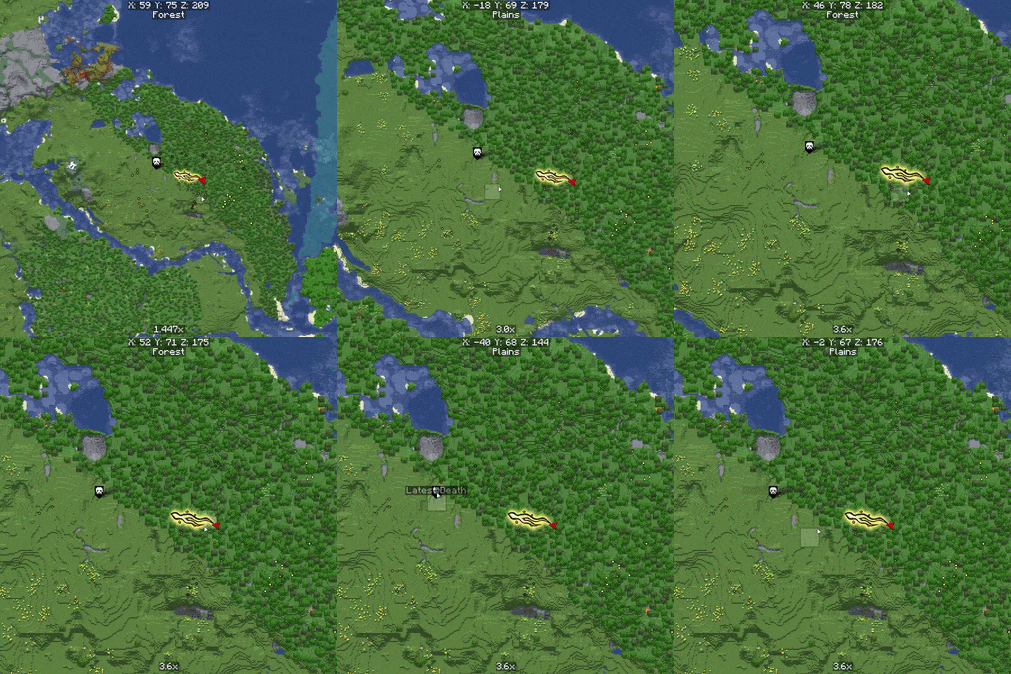
- Xaero's World Map
- Adds Gracebound guidance visuals to the world map when available
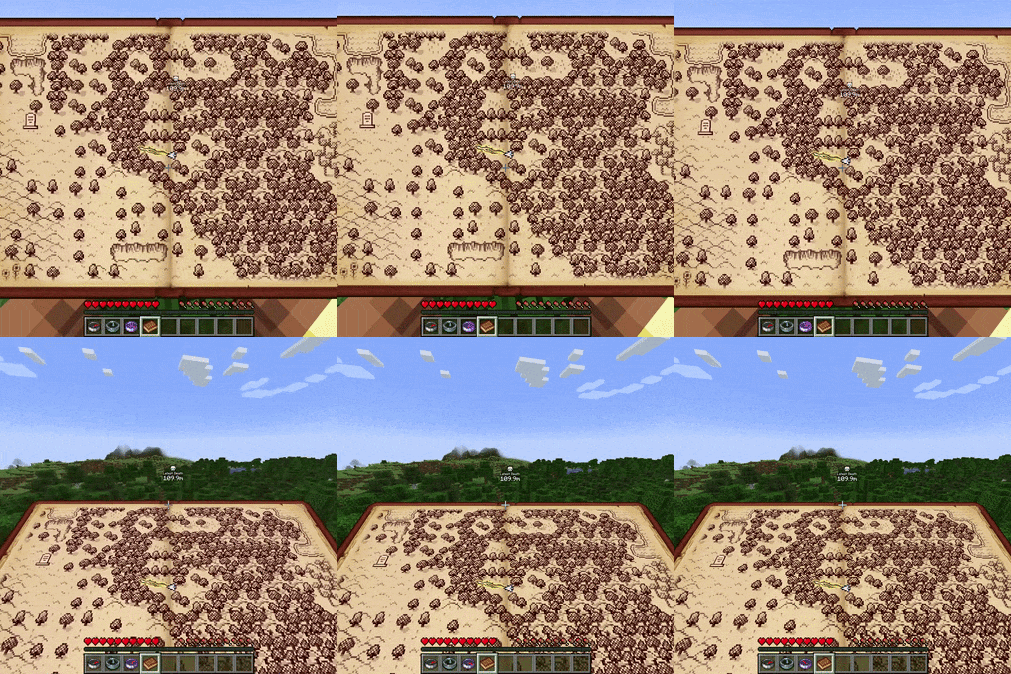
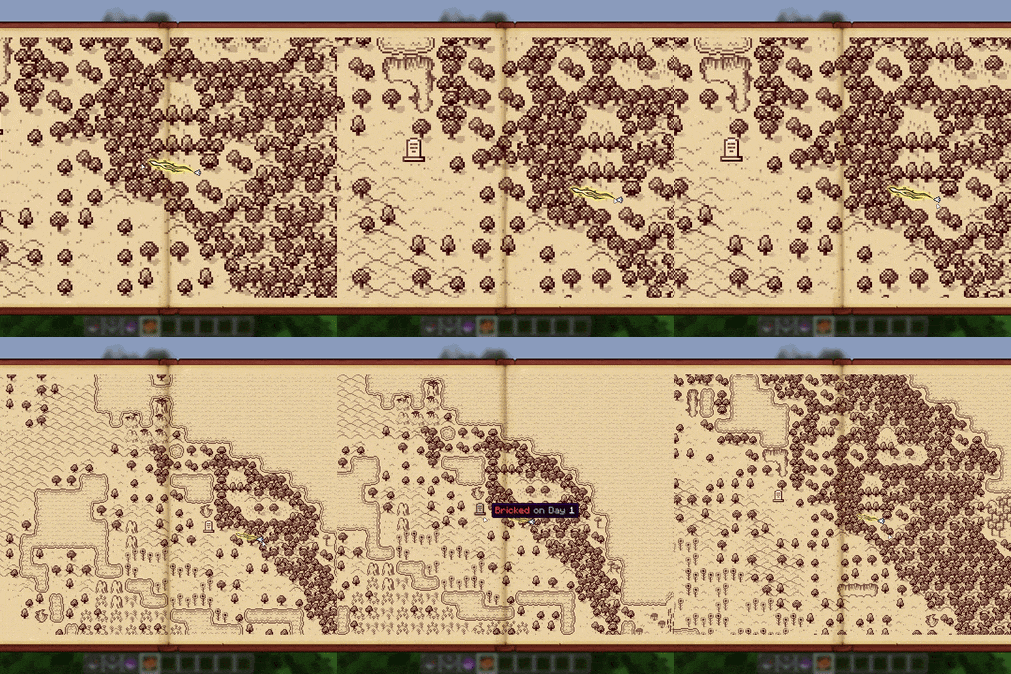
- Antique Atlas
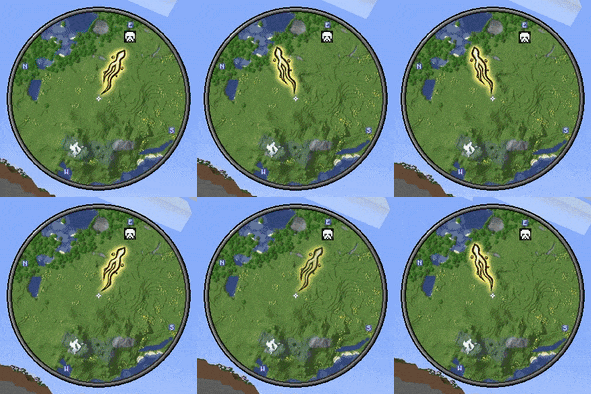
- Adds Gracebound guidance overlays to the atlas when available
These mods are optional. Gracebound can still be used without them.
If there is a specific mod you would like compatibility support for, feel free to open an issue on the GitHub repo.

Version and Loader
- ✅ NeoForge 1.21.1 [Active development]
- ⛔ NeoForge 1.20.1 [Not planned]
- ⛔ Forge 1.21.1 [Not planned]
- 🚧 Forge 1.20.1 [Planned port]
- 🚧 Fabric 1.21.1 [Planned port]
- 🚧 Fabric 1.20.1 [Planned port]
- Eventually, will skip straight to 26.1/whatever the newest standard will be for modding.
Planned Features
- More visual polish and customization for the guidance trail
- More map/minimap compatibility support for mods like Map Atlases/JourneyMap (if demand is there)
- More optional server-side controls for pack/server owners
- More tuning for how guidance behaves near its destination
- API for adding custom destinations, entity targeting, and structure targeting. Good for mod developers/modpack creators.

License
All Rights Reserved.
Feel free to use this mod in modpacks, videos, etc. Just provide a link back to this page if possible :)
Please don't port this mod without express permission from me.
For any general queries/unlisted questions, DM me on Twitter (@prodbyjvn) / Discord (ijvn).
⚠ This mod ONLY exists on Modrinth & CurseForge as of April 2026. Any sites hosting this mod outside of Modrinth/CurseForge are not official releases. ⚠
Available Versions
How to Install Gracebound on Your Server
Order Server
Order a Minecraft Java server with at least 3 GB RAM (4 GB recommended).
Set neoforge Loader
In the panel under "Egg", select the neoforge loader and matching Minecraft version (1.21.1).
Install Mod
Open the mod browser in the dashboard and search for "Gracebound". Click "Install" – done! Alternatively, upload the .jar via SFTP to the /mods folder.
Compatibility
Mod Loaders
Minecraft Versions
1.21.1
Server-side
~ OptionalRecommended RAM
4 GB(min. 3 GB)Frequently Asked Questions
Gracebound server crashes on startup – what to do?
Most common cause: wrong neoforge version or insufficient RAM. Check the server log (latest.log) for "OutOfMemoryError" or "Mixin" errors. With Mado Hosting: ensure at least 3 GB RAM is allocated and the loader matches the mod version (1.21.1). You can switch loaders with one click in the panel.
Is Gracebound compatible with neoforge?
Gracebound officially supports neoforge for Minecraft 1.21.1. The Mado dashboard automatically detects incompatible loader combinations.
Server lagging with Gracebound – how to optimize performance?
Recommended RAM: 4 GB (per 8 players). Use /spark profiler to check if Gracebound consumes the most tick time. Common fixes: reduce server view-distance to 8-10, install "performant" or "starlight" as supplementary mods on Forge. With Mado Hosting, your server runs on NVMe SSDs with dedicated CPU cores for minimal latency.
Similar Mods




Rent Modded Server
Install Gracebound with just one click on your server.