
Gravity Mod
Add realistic physics, gravity-defying staves, tactical grenades, and chaos hammers to your survival world!
Screenshots
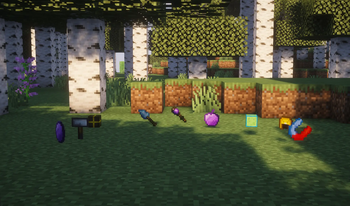


About this Mod
Gravity Mod brings actual physics to Minecraft 1.20.1. Blocks placed by players or hit with special tools now obey gravity—break the support, and everything above comes crashing down.
🔥 New in v2.0: The Anomaly Generator 🔥
The biggest addition to the mod. It’s a machine that completely disables gravity in a 15-block radius.
How it works: Place it, open the custom UI, and turn the power on. Any unsupported blocks in its range will freeze in mid-air instead of falling. Perfect for building sky bases or floating islands. You can also toggle a particle border to see the exact range.
The catch: If you turn the generator off or break it, gravity instantly kicks back in. Every single block that was floating will collapse at the exact same time.
Tools & Items:
Chaos Hammer: Whack a block to update its physics. It and everything attached above it will fall.
Gravity Stick: Freeze a single block in the air so it doesn't fall. Essential for building roofs.
Levitation Staff: Launch a target block high into the sky.
Gravity Grenade: Creates a kinetic shockwave that launches nearby blocks around.
Super Slime Block: Acts as a bounce pad for falling blocks.
Loot Magnet: Sucks up all dropped items in a wide radius.
Hard Hat: Wear this so you don't get crushed by your own collapsing buildings.
Gravity Apple: Gives you a quick Levitation effect.
Survival Ready: Everything is craftable and balanced for regular playthroughs. Basic tools require early-game materials (copper, clay, feathers), while the Anomaly Generator requires gold and coal.
Requires Minecraft Forge 1.20.1.
Available Versions
How to Install Gravity Mod on Your Server
Order Server
Order a Minecraft Java server with at least 3 GB RAM (4 GB recommended).
Set forge Loader
In the panel under "Egg", select the forge loader and matching Minecraft version (1.20.1).
Install Mod
Open the mod browser in the dashboard and search for "Gravity Mod". Click "Install" – done! Alternatively, upload the .jar via SFTP to the /mods folder.
Compatibility
Mod Loaders
Minecraft Versions
1.20.1
Server-side
✗ UnsupportedRecommended RAM
4 GB(min. 3 GB)Frequently Asked Questions
Gravity Mod server crashes on startup – what to do?
Most common cause: wrong forge version or insufficient RAM. Check the server log (latest.log) for "OutOfMemoryError" or "Mixin" errors. With Mado Hosting: ensure at least 3 GB RAM is allocated and the loader matches the mod version (1.20.1). You can switch loaders with one click in the panel.
Is Gravity Mod compatible with forge?
Gravity Mod officially supports forge for Minecraft 1.20.1. The Mado dashboard automatically detects incompatible loader combinations.
Server lagging with Gravity Mod – how to optimize performance?
Recommended RAM: 4 GB (per 8 players). Use /spark profiler to check if Gravity Mod consumes the most tick time. Common fixes: reduce server view-distance to 8-10, install "performant" or "starlight" as supplementary mods on Forge. With Mado Hosting, your server runs on NVMe SSDs with dedicated CPU cores for minimal latency.
Similar Mods




Rent Modded Server
Install Gravity Mod with just one click on your server.