
GrimMotionBlur
GrimMotionBlur is a lightweight and highly customizable visual enhancement mod that adds smooth motion blur effects to your gameplay for a more cinematic and immersive experience.
Screenshots
About this Mod
GrimMotionBlur
GrimMotionBlur is a lightweight and highly customizable visual enhancement mod that adds smooth motion blur effects to Minecraft, creating a more immersive and modern gameplay experience.
Whether you're PvPing, exploring, building, or creating content, GrimMotionBlur makes movement feel smoother and more fluid while remaining optimized for performance.
Features
Smooth and customizable motion blur effects
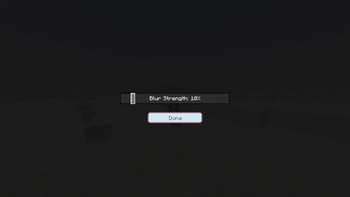
Adjustable blur strength and visual settings
Lightweight and performance-friendly
Clean and easy-to-use configuration menu
Works seamlessly with most client-side mods
Designed for both casual and competitive gameplay
Configuration
GrimMotionBlur allows you to customize the effect to match your preferences:
Adjust motion blur intensity
Fine-tune visual settings
Enable or disable motion blur at any time
Create a setup that fits PvP, survival, or content creation
Opening the Configuration Menu
To open the GrimMotionBlur configuration menu, press J while in-game.
Compatibility
Client-side only
Works on multiplayer servers
Fabric supported
Compatible with most optimization and PvP mods
Future Updates
The mod will continue to receive updates and improvements, including:
Additional motion blur presets
More customization options
Improved visual effects
Further performance optimizations
Requirements
Fabric Loader
Fabric API
GrimMotionBlur is designed to enhance the visual feel of Minecraft by providing smooth motion blur effects without unnecessary complexity, giving players a cleaner and more immersive experience.
Available Versions
How to Install GrimMotionBlur on Your Server
Order Server
Order a Minecraft Java server with at least 3 GB RAM (4 GB recommended).
Set fabric Loader
In the panel under "Egg", select the fabric loader and matching Minecraft version (1.21.11).
Install Mod
Open the mod browser in the dashboard and search for "GrimMotionBlur". Click "Install" – done! Alternatively, upload the .jar via SFTP to the /mods folder.
Compatibility
Mod Loaders
Minecraft Versions
1.21.11
Server-side
✓ RequiredRecommended RAM
4 GB(min. 3 GB)Frequently Asked Questions
GrimMotionBlur server crashes on startup – what to do?
Most common cause: wrong fabric version or insufficient RAM. Check the server log (latest.log) for "OutOfMemoryError" or "Mixin" errors. With Mado Hosting: ensure at least 3 GB RAM is allocated and the loader matches the mod version (1.21.11). You can switch loaders with one click in the panel.
Is GrimMotionBlur compatible with fabric?
GrimMotionBlur officially supports fabric for Minecraft 1.21.11. The Mado dashboard automatically detects incompatible loader combinations.
Server lagging with GrimMotionBlur – how to optimize performance?
Recommended RAM: 4 GB (per 8 players). Use /spark profiler to check if GrimMotionBlur consumes the most tick time. Common fixes: reduce server view-distance to 8-10, install "performant" or "starlight" as supplementary mods on Forge. With Mado Hosting, your server runs on NVMe SSDs with dedicated CPU cores for minimal latency.
Similar Mods




Rent Modded Server
Install GrimMotionBlur with just one click on your server.