
GT Community Additions
GregTech Modern Add-on New multiblocks, materials, etc
Screenshots
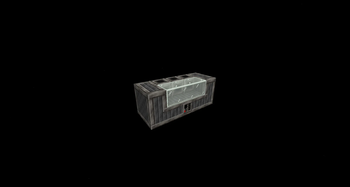
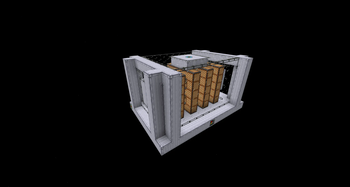
About this Mod

THIS MOD REQUIRES:
- GTCEu Modern (1.6.1+ since version 1.2.0; 7.0.0+ since version 2.0.0; 7.2.0+ since version 2.1.0)
- GT-- 1.1.2+(Optional, but recommended) without it some recipes will be missing!
GTCA aka GregTech Community Additions!
Addon is in development, feedback appreciated(Official GregTech CEu discord, tag @mordgren or @sensesgone)
This mod adds some things from GT++, BartWorks, GTNH Modpack and also original ones
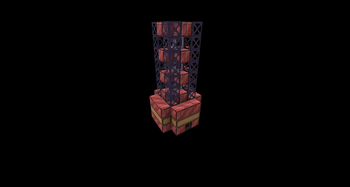
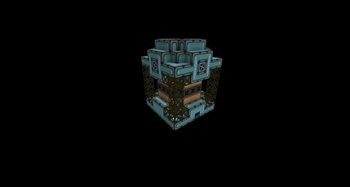
- Advanced EBF (Aka reworked Volcanus from GT++)
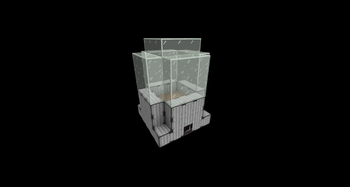
- Green House (Finally no need for kubejs one)
- Steam Pressurizer (Original)
- Chemical Combustion engines (Original)
- Polymerizer (Original)
- Extreme Heat Exchanger (GTNH)
- SuperCritical Steam Turbine (GTNH)
- Mega Oil Cracker (GTNH)
- Mega Chemical Reactor (GTNH)
- Industrial Coke Oven (GTNH)
- Thermal Reaction Chamber (Original)
- COMET Cyclotron (GTNH)
- IsaMill (GTNH)
- Flotation Cell Regulator (GTNH)
- Tegmark Forge (Original)
- PCB Factory (GTNH)
- Nano Forge (GTNH)
Also added:
- New fuels
- Some chemical chains
- Ore processing Chains
In plans:

Available Versions
How to Install GT Community Additions on Your Server
Order Server
Order a Minecraft Java server with at least 3 GB RAM (4 GB recommended).
Set forge Loader
In the panel under "Egg", select the forge loader and matching Minecraft version (1.20.1).
Install Mod
Open the mod browser in the dashboard and search for "GT Community Additions". Click "Install" – done! Alternatively, upload the .jar via SFTP to the /mods folder.
Compatibility
Mod Loaders
Minecraft Versions
1.20.1
Server-side
✓ RequiredRecommended RAM
4 GB(min. 3 GB)Frequently Asked Questions
GT Community Additions server crashes on startup – what to do?
Most common cause: wrong forge version or insufficient RAM. Check the server log (latest.log) for "OutOfMemoryError" or "Mixin" errors. With Mado Hosting: ensure at least 3 GB RAM is allocated and the loader matches the mod version (1.20.1). You can switch loaders with one click in the panel.
Is GT Community Additions compatible with forge?
GT Community Additions officially supports forge for Minecraft 1.20.1. The Mado dashboard automatically detects incompatible loader combinations.
Server lagging with GT Community Additions – how to optimize performance?
Recommended RAM: 4 GB (per 8 players). Use /spark profiler to check if GT Community Additions consumes the most tick time. Common fixes: reduce server view-distance to 8-10, install "performant" or "starlight" as supplementary mods on Forge. With Mado Hosting, your server runs on NVMe SSDs with dedicated CPU cores for minimal latency.
Similar Mods






Rent Modded Server
Install GT Community Additions with just one click on your server.