
Gregtech Terminals
An improved QoL for GregTechCEu with enhanced features
Screenshots

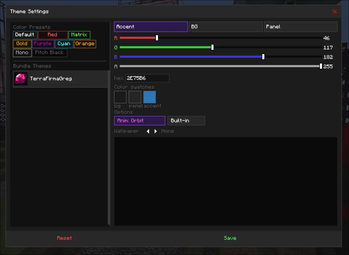
About this Mod
A Lightweight GregTech Modern Addon

What makes our terminals so great?
GregTech Terminals offers three very useful Quality of Life gadgets for your modpack experience; the Multi-Structure Manager, the Schematic Interface, and the Dismantler.
Multi-Structure Manager:
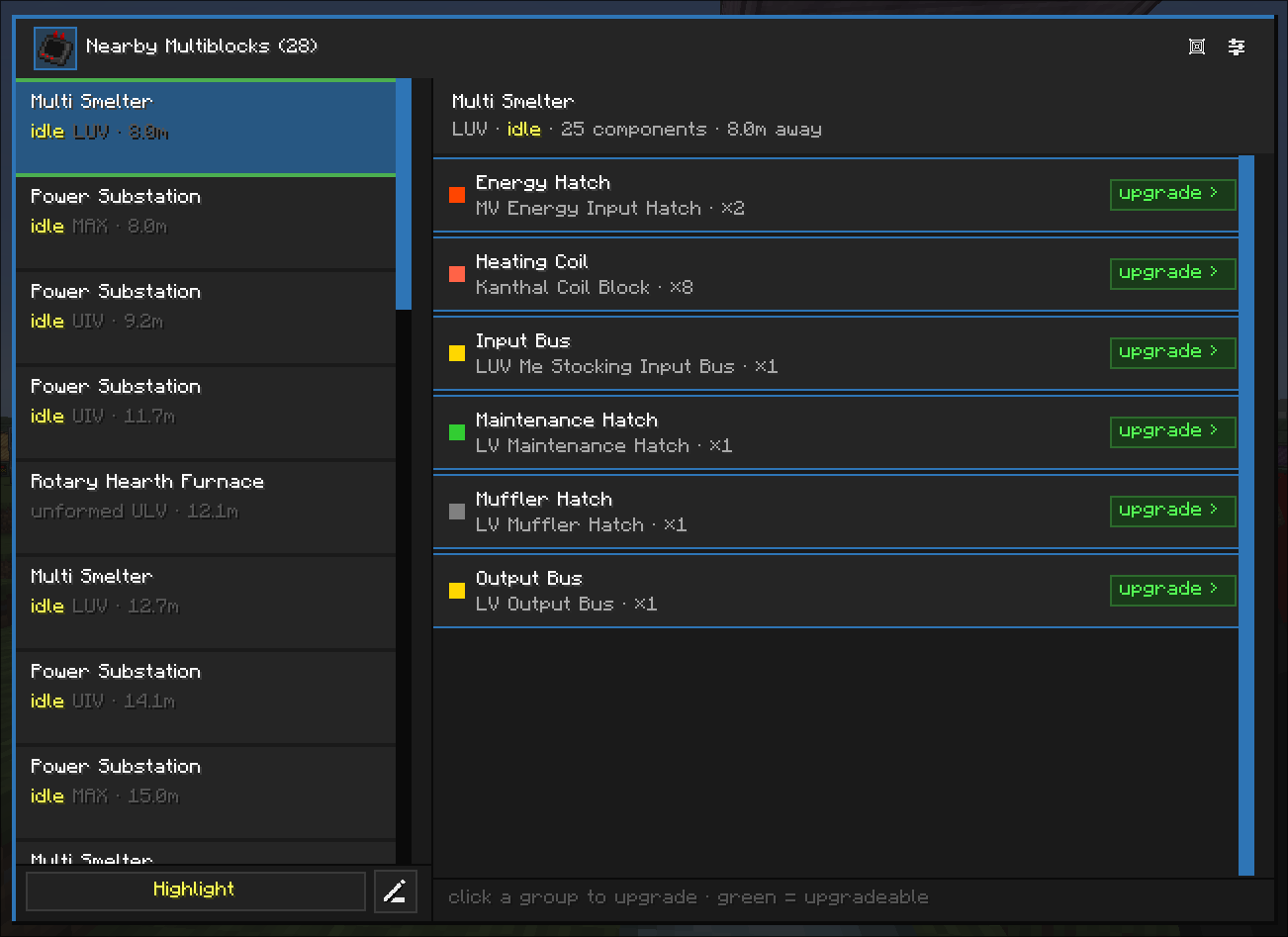
This gadget sees all multiblocks within a 32-block radius and allows you to upgrade any tiered blocks such as Coils, I/O Hatches, I/0 Buses, Energy Hatches, Parallel Hatches, Mufflers, and even custom Tiered Casings, directly from the player's inventory or AE2! It connects straight to your ME Network through a ME Wireless Access Point just like a Wireless Terminal, and also has the ability to request blocks for you. (requesting is currently a planned feature and not complete)
Schematic Interface:
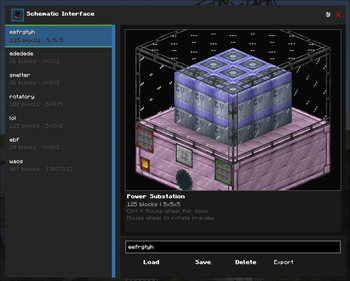
This gadget allows you to shift + right-click a multiblock controller in order to copy all blocks that are part of a structure to save it as a named blueprint for easy pasting later. It also allows you to connect it to your ME Network to paste blocks from it and request blocks for you that aren't available in your inventory or network. (requesting is currently a planned feature and not complete)
Dismantler:
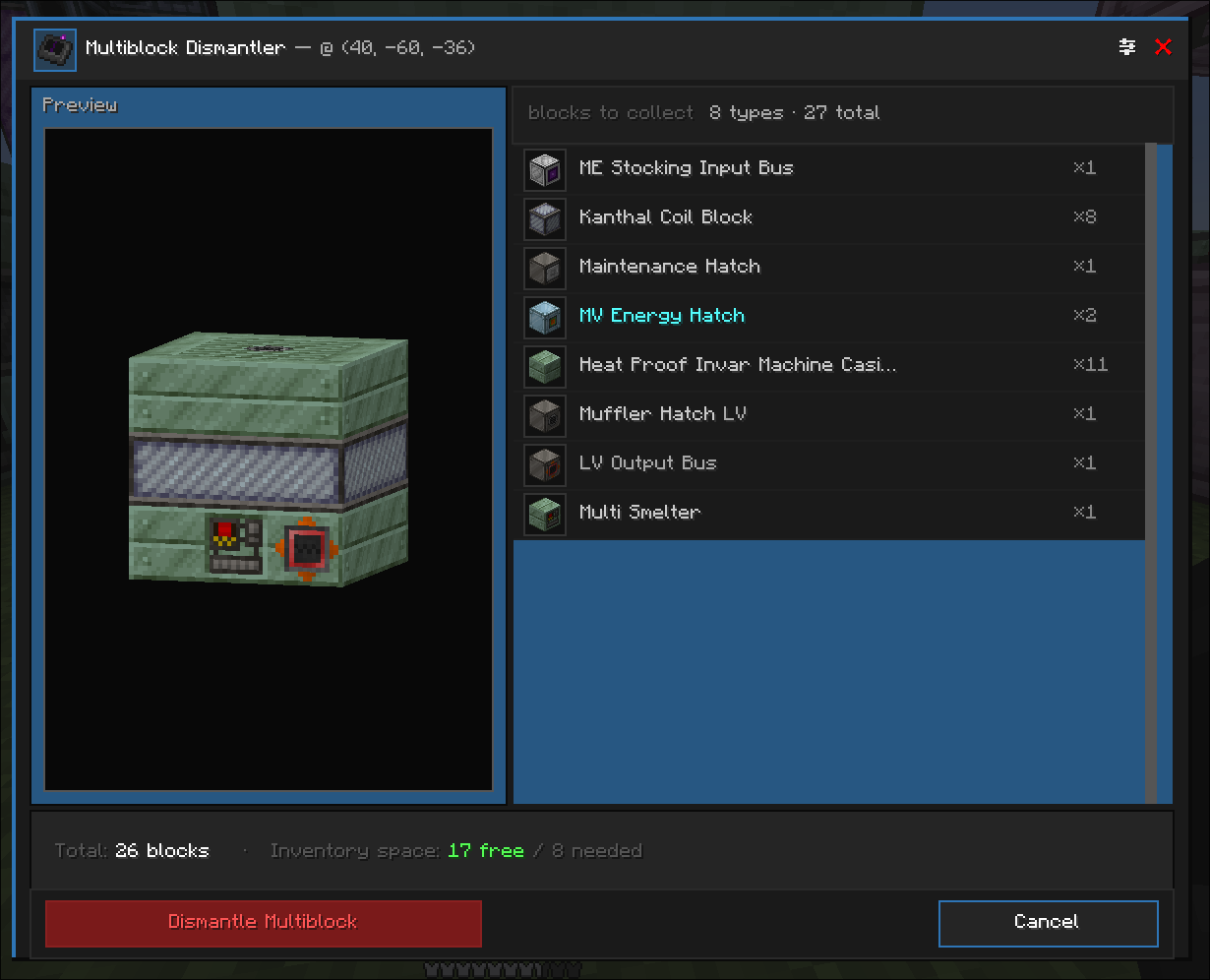
This gadget allows you to shift + right-click a multiblock controller in order to pick up all blocks that are a part of the structure and put them in the player's inventory. Any excess blocks picked up by the dismantler will be dropped on the ground if player inventory is full.
Energy Analyzer:
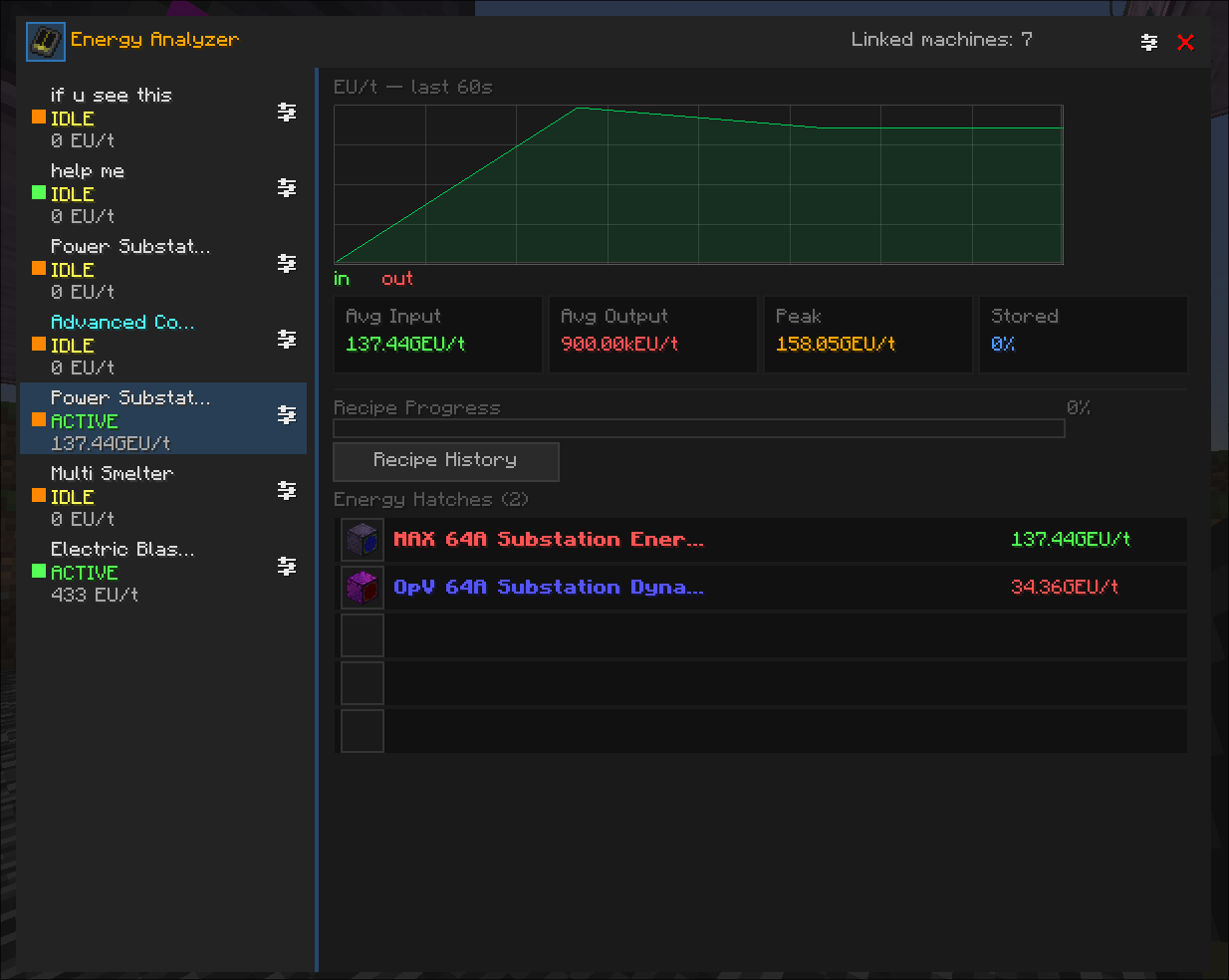
This final gadget allows you to record and monitor the energy usage of your machines; it can link Multiblocks, I/O Energy Hatches, singleblocks, and Battery Boxes?? (This items does not have a recipe, so you may need to cheat or give it a recipe as a packdev)
Supported Mods & Packs (coming soon)
Any mods or modpacks listed below will have specially-tailored integrations for unique types of hatches and tiered casings within the mods.
- AstroGreg:Exsilium
- TerraFirmaGreg
- Phoenix Forge Technologies
- GTM Things
Please report any bugs specific to these projects here so we can continue to support them. If you would like your project to be integrated feel free to leave a suggestion here on GitHub or contact us on Discord.
Credits
Special Thanks to Haze Vista, for providing textures and ideas.
yan (yan072600) for translating the mod to simplified chinese and make the mod able to translate to another languages.
GTM Things for inspiring Multi-Structure Manager.
GregTech CEu Modern.
WhitePhant0m for adding support for AE2 Wireless terminals in Curio slots.
Contributors are welcomed and encouraged!
Available Versions
How to Install Gregtech Terminals on Your Server
Order Server
Order a Minecraft Java server with at least 3 GB RAM (4 GB recommended).
Set forge Loader
In the panel under "Egg", select the forge loader and matching Minecraft version (1.20.1).
Install Mod
Open the mod browser in the dashboard and search for "Gregtech Terminals". Click "Install" – done! Alternatively, upload the .jar via SFTP to the /mods folder.
Compatibility
Mod Loaders
Minecraft Versions
1.20.1
Server-side
✓ RequiredRecommended RAM
4 GB(min. 3 GB)Frequently Asked Questions
Gregtech Terminals server crashes on startup – what to do?
Most common cause: wrong forge version or insufficient RAM. Check the server log (latest.log) for "OutOfMemoryError" or "Mixin" errors. With Mado Hosting: ensure at least 3 GB RAM is allocated and the loader matches the mod version (1.20.1). You can switch loaders with one click in the panel.
Is Gregtech Terminals compatible with forge?
Gregtech Terminals officially supports forge for Minecraft 1.20.1. The Mado dashboard automatically detects incompatible loader combinations.
Server lagging with Gregtech Terminals – how to optimize performance?
Recommended RAM: 4 GB (per 8 players). Use /spark profiler to check if Gregtech Terminals consumes the most tick time. Common fixes: reduce server view-distance to 8-10, install "performant" or "starlight" as supplementary mods on Forge. With Mado Hosting, your server runs on NVMe SSDs with dedicated CPU cores for minimal latency.
Similar Mods






Rent Modded Server
Install Gregtech Terminals with just one click on your server.