
Guide
An interactive in-game guidebook mod featuring smooth UI rendering, Markdown parsing, and 3D multiblock previews.
Screenshots
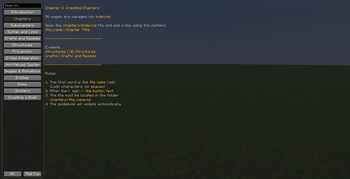
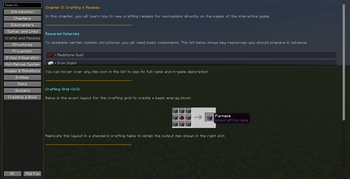
About this Mod
Guide — Interactive In-Game Mod Documentation
Guide is a powerful, lightweight, and developer-friendly documentation mod for Minecraft 1.20.1 (Forge). It allows modpack creators and developers to build beautiful, responsive in-game guidebooks using simple configurations.
No more clunky and heavy books — Guide provides a clean, modern screen interface with smooth scrolling, precise scissor rendering, and zero layout shifting.
📖 Built-in Book Index (Features & Chapters)
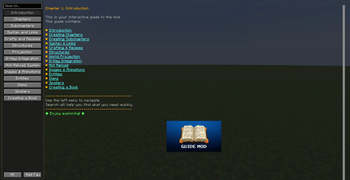
- Introduction — Welcome guide and basic mod concepts.
- Chapters Management — How to properly add and structure chapters.
- Subchapters Support — Nested documentation layout guidelines.
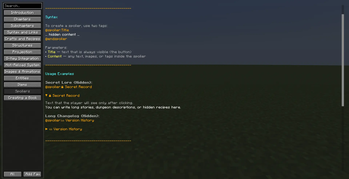
- Syntax & Links — Full rich-text formatting and internal link handling.
- Crafts & Recipes — Integrated Just Enough Items (JEI) recipe display.
- Structures Preview — Multi-block configuration and schematics.
- 3D Projection — Real-world multiblock hologram previews on the ground.
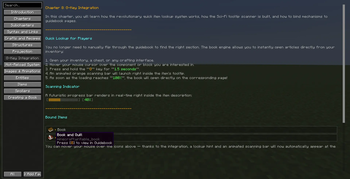
- "G" Key Integration — Open specific guide pages instantly by hovering items and pressing "G".
- Hot Reload — Refresh your guidebook content instantly in-game without restarting the client.
- Images & GIFs — Full support for custom static textures and animated layouts.
- Entities Display — Interactive rendering of rotating 3D mob models inside the UI.
- Item Tooltips — Custom item element rendering with proper vanilla formatting.
- Modular Spoilers — Collapsible text sections for clean formatting and hidden secrets.
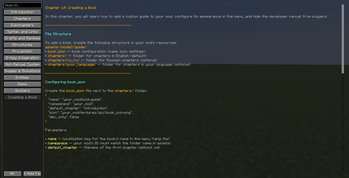
- Custom Book Creation — Step-by-step developer setup for registering multiple unique books.
🌟 Key Features
- Markdown Format Support — Write your text naturally without tedious, multi-layered vanilla structures.
- Smooth UI Performance — Fully optimized custom UI engine featuring adaptive scrolling and pixel-perfect element rendering.
- Developer Oriented — Designed from the ground up to be easily integrated into other mods or custom modpack questing trees.
🛠️ Configuration & Source
- Open Source: Check out our GitHub repository for integration guides and API documentation.
- Issues & Suggestions: Found a bug or want to request a feature? Use our Issue Tracker on GitHub.
Licensed under the MIT License. Built with ❤️ by deaddiesel.
Available Versions
How to Install Guide on Your Server
Order Server
Order a Minecraft Java server with at least 3 GB RAM (4 GB recommended).
Set forge Loader
In the panel under "Egg", select the forge loader and matching Minecraft version (1.20.1).
Install Mod
Open the mod browser in the dashboard and search for "Guide". Click "Install" – done! Alternatively, upload the .jar via SFTP to the /mods folder.
Compatibility
Mod Loaders
Minecraft Versions
1.20.1
Server-side
✓ RequiredRecommended RAM
4 GB(min. 3 GB)Frequently Asked Questions
Guide server crashes on startup – what to do?
Most common cause: wrong forge version or insufficient RAM. Check the server log (latest.log) for "OutOfMemoryError" or "Mixin" errors. With Mado Hosting: ensure at least 3 GB RAM is allocated and the loader matches the mod version (1.20.1). You can switch loaders with one click in the panel.
Is Guide compatible with forge?
Guide officially supports forge for Minecraft 1.20.1. The Mado dashboard automatically detects incompatible loader combinations.
Server lagging with Guide – how to optimize performance?
Recommended RAM: 4 GB (per 8 players). Use /spark profiler to check if Guide consumes the most tick time. Common fixes: reduce server view-distance to 8-10, install "performant" or "starlight" as supplementary mods on Forge. With Mado Hosting, your server runs on NVMe SSDs with dedicated CPU cores for minimal latency.
Similar Mods



Rent Modded Server
Install Guide with just one click on your server.