Haemorrhage
Makes player get Bleeding status effect after taking damage and adds bandages
Screenshots
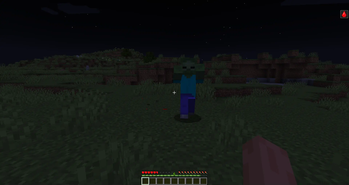
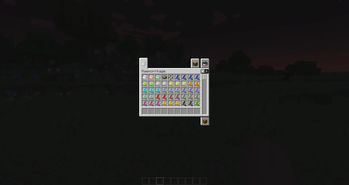
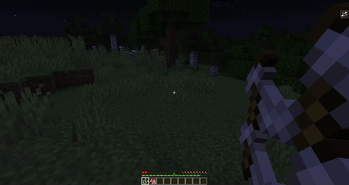
About this Mod
Forge: Requires Sinytra Connector
Note: 1.20.2 is no longer supported
Haemorrhage adds 4 status effects (Bleeding, Bleedout, Broken and Health Loss) and healing items.
Player gets these effects after taking damage. Bleeding is most common and its length depends on damage taken and players armor.
Configuration:
Config files are inside 'imbleeding' folder
Main file (imbleeding.json) can be accessed via Mod Menu
To configure bleeding protection provided by armors, use armor_bleed_prot_values.json (if you don't see this file, run minecraft, join any world and then leave)
Datapacks:
You can exclude mobs from giving Bleeding and select items which remove effects from this mod.
More info here.
Detailed description of effects and items:
Spoiler
Bleeding effect - deals 0.5 health per tick and stops food healing. If your hp is 0.5 or below, Bleeding will apply Bleedout effect instead of damaging you
Bleedout effect - reduces your max hp by 12 points and kills you if player has Bleeding effect AND Bleedout duration is longer than 1m and 30s
Broken effect - reduces your movement speed by the same amount as slowness and prevents sprinting
Health Loss effect - reduces your max hp by 2 points per level
Bandage - heals 2 hp and removes Bleeding
Sticky Bandage - shorter use time, same effects as Bandage
Honey Bandage - heals 5 hp, removes: Bleeding, Health Loss and Poison
Soaked Bandage - applies status effect (similar to tipped arrows)
Herbal Balm - heals 3 hp, and lowers amplifier and duration of Bleeding and Health Loss
Splint - replaces Broken effect with slowness
Additionally:
- Milk bucket doesn't remove Bleeding, Bleedout and Broken
- Honey bottle removes Health Loss and heals 1 hp
- Enchanted golden apple removes Bleeding and Bleedout
- Player gets darkness effect after taking damage at low hp and blindness effect when barely alive
- Fire damage lowers Bleeding duration
- Player leaves red particles when bleeding and shakes when bleeding out
Compatibility:
- Player is unable to roll (Combat Roll) with Broken effect
Available Versions
How to Install Haemorrhage on Your Server
Order Server
Order a Minecraft Java server with at least 3 GB RAM (4 GB recommended).
Set fabric Loader
In the panel under "Egg", select the fabric loader and matching Minecraft version (1.21.1).
Install Mod
Open the mod browser in the dashboard and search for "Haemorrhage". Click "Install" – done! Alternatively, upload the .jar via SFTP to the /mods folder.
Compatibility
Mod Loaders
Minecraft Versions
1.21.1, 1.21, 1.20.2 (+2 more)
Server-side
✓ RequiredRecommended RAM
4 GB(min. 3 GB)Frequently Asked Questions
Haemorrhage server crashes on startup – what to do?
Most common cause: wrong fabric version or insufficient RAM. Check the server log (latest.log) for "OutOfMemoryError" or "Mixin" errors. With Mado Hosting: ensure at least 3 GB RAM is allocated and the loader matches the mod version (1.21.1). You can switch loaders with one click in the panel.
Is Haemorrhage compatible with fabric?
Haemorrhage officially supports fabric for Minecraft 1.21.1, 1.21, 1.20.2. The Mado dashboard automatically detects incompatible loader combinations.
Server lagging with Haemorrhage – how to optimize performance?
Recommended RAM: 4 GB (per 8 players). Use /spark profiler to check if Haemorrhage consumes the most tick time. Common fixes: reduce server view-distance to 8-10, install "performant" or "starlight" as supplementary mods on Forge. With Mado Hosting, your server runs on NVMe SSDs with dedicated CPU cores for minimal latency.
Similar Mods




Rent Modded Server
Install Haemorrhage with just one click on your server.