Hardcore Ender Expansion
Overhauls the End with many new areas to explore, bosses to fight and rewards to gain.
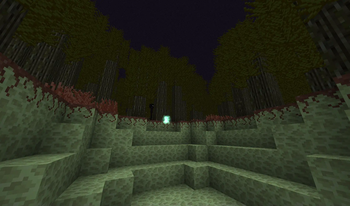
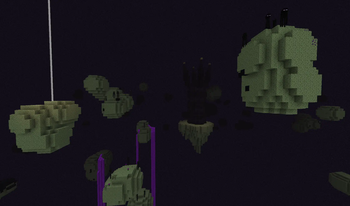
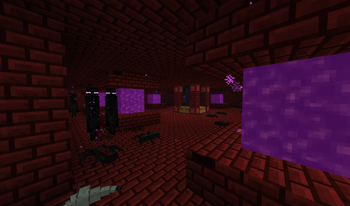
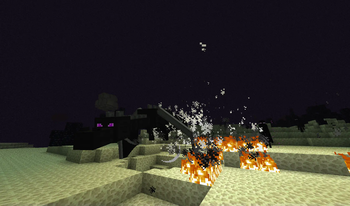
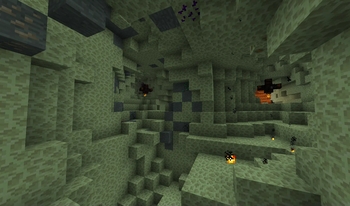
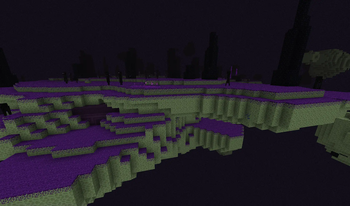
Screenshots
About this Mod
Visit the official website for updates about HEE 2!
First time I battled the dragon, it was a great experience but I never felt like doing it again. The lack of proper challenge made the battle dull, and so I created the Hardcore Enderdragon mod way back in March 2012.
After some time, the mod has expanded from the dragon battle to the whole End dimension, and I felt like the name needed to change too. Welcome to Hardcore Ender Expansion!
The End Has Been Redefined
Hardcore Ender Expansion offers unique, new content across the End. The dragon became a truly challenging boss with a great reward, but the adventure doesn't end there. The End is no longer just an island. Go investigate unique ores, battle new mobs, travel to new biomes, the death awaits you! ... I mean, adventure. Adventure awaits you.
To get familiar with the mod, use the Ender Compendium, which is a source of information about every feature of the mod! By exploring new blocks, items and mobs, you gain points which you can use to unlock information about these objects. You can open the Ender Compendium using the 'P' key by default.
Another important part of the mod are achievements, which will guide you through the main features. You can access them via the Compendium as well.
Custom Music
The mod supports custom music, which plays during various events in the End dimension, and can also be found as Music Discs in loot chests in the End. The official resource pack includes 10 tracks composed by qwertygiy.
Links and Websites
The mod has an official website hee.chylex.com, where you can find everyone who helped creating the mod, version history, configuration guide as well as all older versions of the mod.
Source code and issue tracker can be found on the official GitHub repository. If you are interested in translating the mod, visit hee-translate.chylex.com, do not edit the language files manually.
You can also follow me on Twitter and support me monetarily on Patreon. Any support and feedback is greatly appreciated!
Installation Guide
This mod requires Java 7 or newer. If you are not sure whether the mod will run, download Java Version Checker and install it alongside the mod.
Client
- Download Forge installer, open it and install
- Open the Minecraft launcher and select Forge in the profile list
- Click Edit Profile and Open Game Dir, this opens a folder
- Create a new folder called mods
- Download the mod .jar file and drag it into the mods folder
- Go back to Minecraft launcher and play!
Server
- Download Forge installer, open it, select Install server, choose the location and install
- Create a new folder called mods
- Download the mod .jar file and drag it into the mods folder
- Run forge-(...)-universal.jar to start the server!
Terms of Use
For latest license information and modpack policy, please visit the official website.
Available Versions
How to Install Hardcore Ender Expansion on Your Server
Order Server
Order a Minecraft Java server with at least 3 GB RAM (4 GB recommended).
Set forge Loader
In the panel under "Egg", select the forge loader and matching Minecraft version (1.7.10).
Install Mod
Open the mod browser in the dashboard and search for "Hardcore Ender Expansion". Click "Install" – done! Alternatively, upload the .jar via SFTP to the /mods folder.
Compatibility
Mod Loaders
Minecraft Versions
1.7.10
Server-side
✓ RequiredRecommended RAM
4 GB(min. 3 GB)Frequently Asked Questions
Hardcore Ender Expansion server crashes on startup – what to do?
Most common cause: wrong forge version or insufficient RAM. Check the server log (latest.log) for "OutOfMemoryError" or "Mixin" errors. With Mado Hosting: ensure at least 3 GB RAM is allocated and the loader matches the mod version (1.7.10). You can switch loaders with one click in the panel.
Is Hardcore Ender Expansion compatible with forge?
Hardcore Ender Expansion officially supports forge for Minecraft 1.7.10. The Mado dashboard automatically detects incompatible loader combinations.
Server lagging with Hardcore Ender Expansion – how to optimize performance?
Recommended RAM: 4 GB (per 8 players). Use /spark profiler to check if Hardcore Ender Expansion consumes the most tick time. Common fixes: reduce server view-distance to 8-10, install "performant" or "starlight" as supplementary mods on Forge. With Mado Hosting, your server runs on NVMe SSDs with dedicated CPU cores for minimal latency.
Similar Mods




Rent Modded Server
Install Hardcore Ender Expansion with just one click on your server.