
Hardcore Revive Mode
Enhances the hardcore, survival experience for servers!
Screenshots
About this Mod
JakeCCz' Revive Hardcore Players Mod!
Have you ever wanted to play minecraft hardcore with friends but they're really bad at the game and keep on dying? Well luckily for you, I've created this Minecraft Mod to fix this very problem and make Hardcore Mode alot more fun for multiplayer, smps ect..
So then...
What have you changed?
Don't worry, it's not much... I am a personal fan of minecraft mods "that respect the source material". This means that this mod will fit perfectly into the vanilla experience without any major differences. Kind of like; "Why hasn't this already been added to the game???"
Features
- Fully Dead Players can now be revived back into your minecraft world
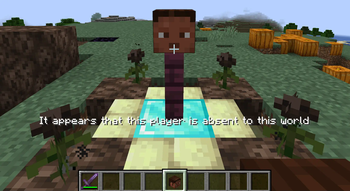
Alive Players must adventure out into the world in search of the Dead Player's player head, located at death position, and construct an ultimate summoning ritual in order to revive the Dead Player, add this player back into the world.
- Players now drop their respective player head upon death
Whenever a player in a hardcore world dies, they will drop their player head at the position they died. This gives the other players in the world the opportunity to find it and revive this player. NOTE: The player head item is extremely tangible and is easily lost by natural world events such as, burning in lava or a tnt explosion.
- A new craftable player head that allows any Alive Player to get any Dead Player's player head
Incase ever lost somehow.
Reviving Players
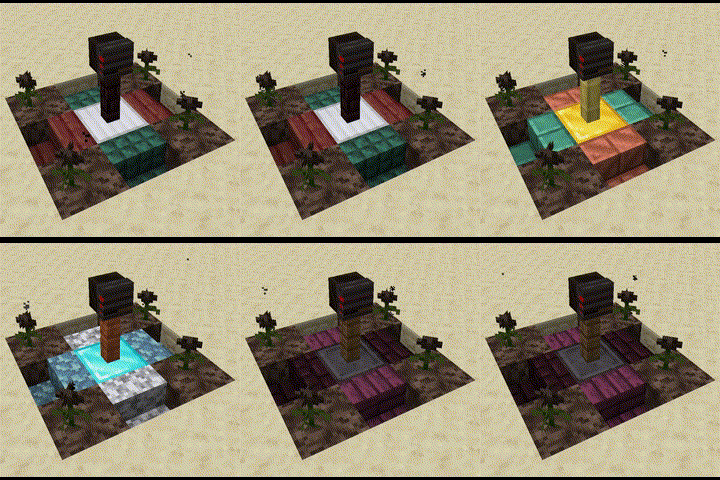
How to build the Revival Structure
To build this structure you will need: 4 Blocks of Soul Sand, 4 Wither Roses, 4 Stair Blocks of any type, 1 Fence Block of any type, 1 Ore Block and the head dropped by the player. The dimension of the entire structure is 3x3x3 blocks in any direction.
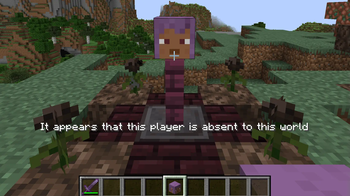
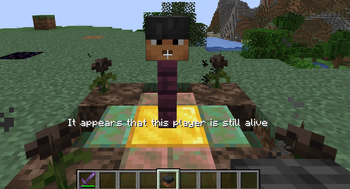
Firstly, You must place your 4 blocks of soul sand on the four corners of the structure. Place your 4 wither roses on top of each soul sand block. Next, place your 4 stair blocks into the spaces between the soul sand blocks recently place. Then, place your Ore Block in the middle of the current structure, whether it be diamond, iron, gold or emerald once it is able to activate a beacon it will work, and place your desired fence block on top of it. Lastly, place your friend's player head onto the fence and they will be revived!
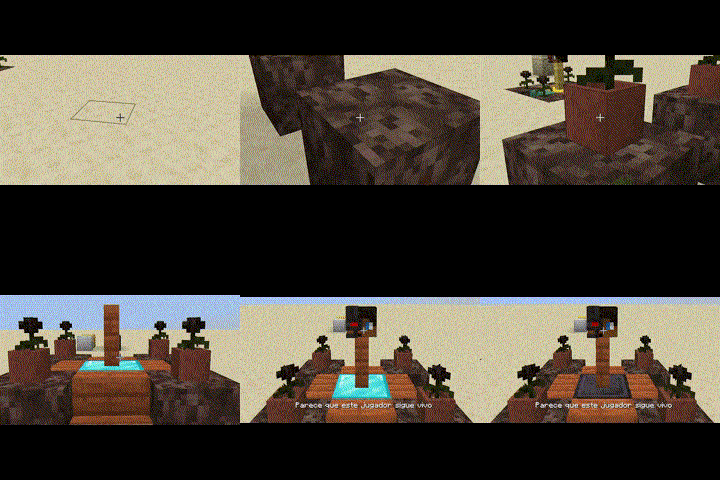
Structure Feature
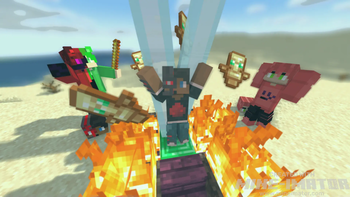
Once successful, lightning will strike the structure and your friend will appear back into existence. They will receive a small buff for 5 seconds.
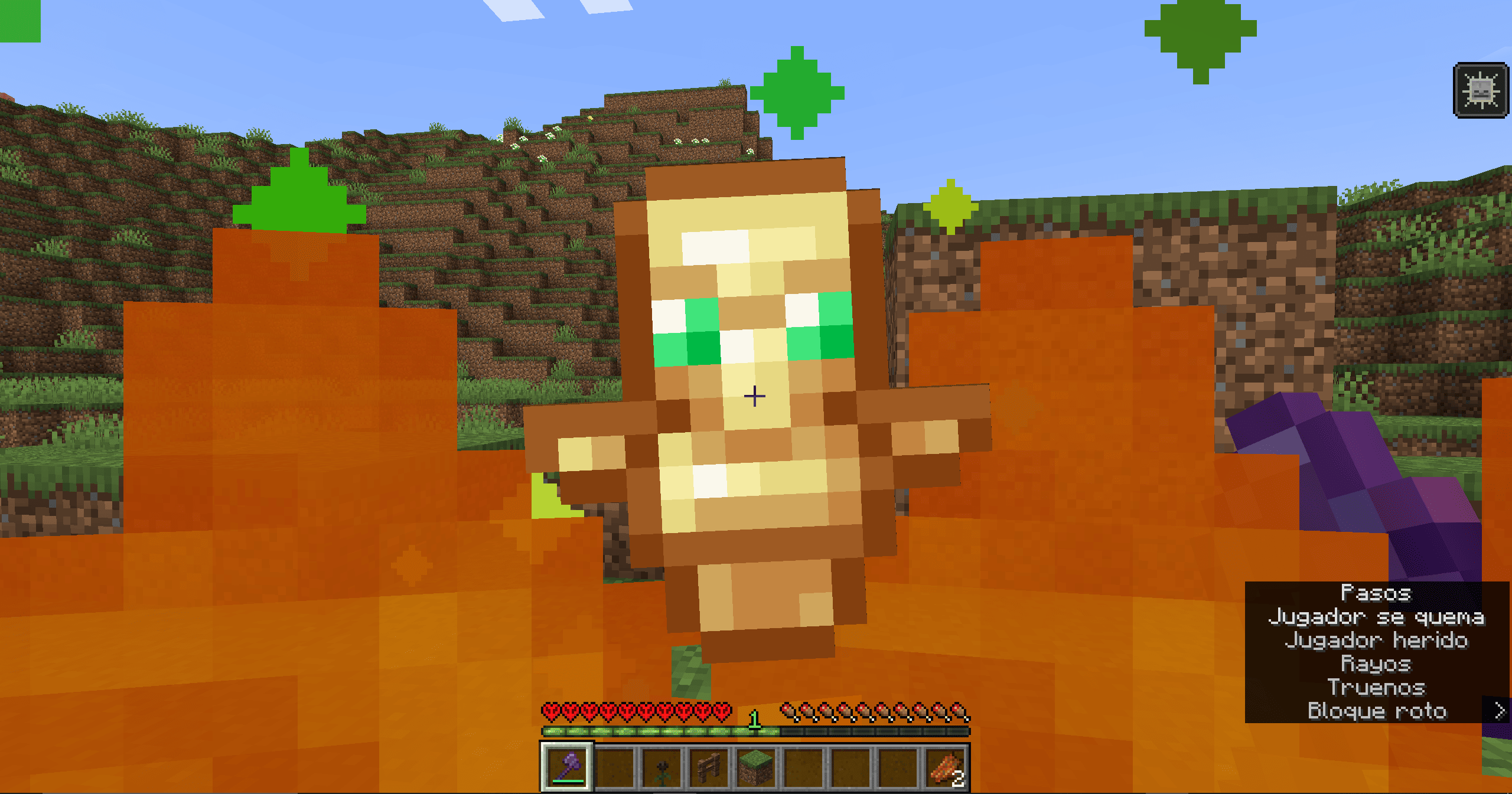
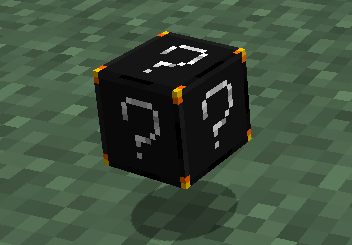
Craftable Head Item
Crafting The Item
This item can be crafted using 4 obsidian, 2 ghast tears, 2 totems of undying and any skull item as the centre piece.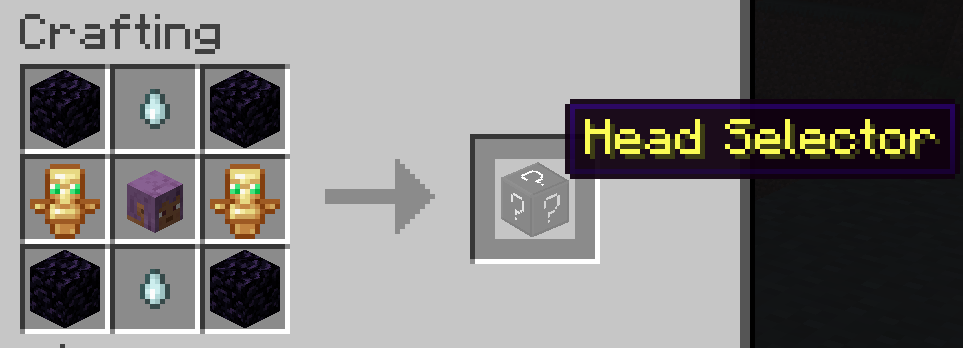
Item Feature
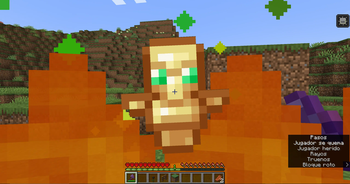
A custom menu opens upon item interaction. The menu displays a list of every player in the server with helpful statuses shown beside the players name. When a menu item is selected, you receive that respective player's head item. Only when the player is dead you can select an option.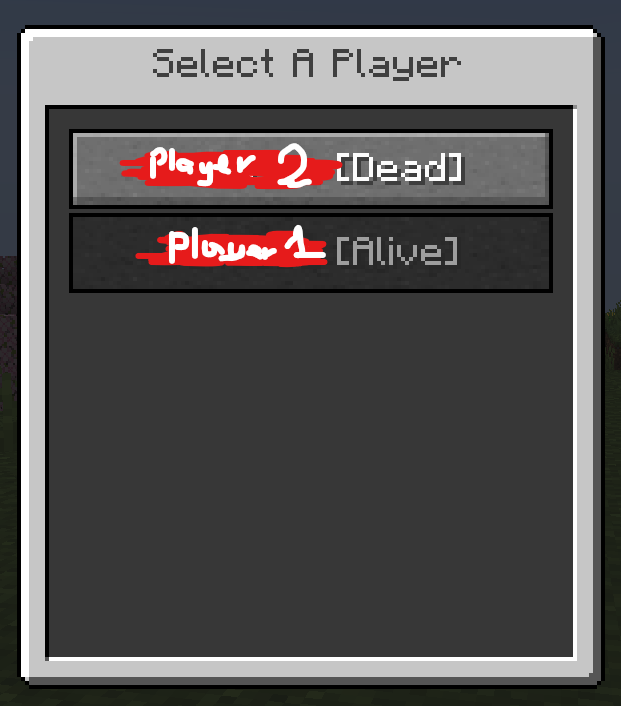
Extra Features
Access Mod Config via command;
/hardcoreconfig < MODIFY:SET > < STRUCTURE:GAMERULE >
Wearing a Dead Player's Player Head grants your player;
Health Boost V (An extra row of hearts),
Resistance I,
Slowness I,
Nausea I (for 10 seconds),
once worn.
Requirements
Showcase

Available Versions
How to Install Hardcore Revive Mode on Your Server
Order Server
Order a Minecraft Java server with at least 3 GB RAM (4 GB recommended).
Set bukkit Loader
In the panel under "Egg", select the bukkit loader and matching Minecraft version (1.21.10).
Install Mod
Open the mod browser in the dashboard and search for "Hardcore Revive Mode". Click "Install" – done! Alternatively, upload the .jar via SFTP to the /mods folder.
Compatibility
Mod Loaders
Minecraft Versions
1.21.10, 1.21.9, 1.21.8 (+14 more)
Server-side
✓ RequiredRecommended RAM
4 GB(min. 3 GB)Frequently Asked Questions
Hardcore Revive Mode server crashes on startup – what to do?
Most common cause: wrong bukkit version or insufficient RAM. Check the server log (latest.log) for "OutOfMemoryError" or "Mixin" errors. With Mado Hosting: ensure at least 3 GB RAM is allocated and the loader matches the mod version (1.21.10). You can switch loaders with one click in the panel.
Is Hardcore Revive Mode compatible with bukkit and fabric and paper and purpur and spigot?
Hardcore Revive Mode officially supports bukkit, fabric, paper, purpur, spigot for Minecraft 1.21.10, 1.21.9, 1.21.8. The Mado dashboard automatically detects incompatible loader combinations.
Server lagging with Hardcore Revive Mode – how to optimize performance?
Recommended RAM: 4 GB (per 8 players). Use /spark profiler to check if Hardcore Revive Mode consumes the most tick time. Common fixes: reduce server view-distance to 8-10, install "performant" or "starlight" as supplementary mods on Forge. With Mado Hosting, your server runs on NVMe SSDs with dedicated CPU cores for minimal latency.
Similar Mods




Rent Modded Server
Install Hardcore Revive Mode with just one click on your server.
Details
- License
- Creative Commons Attribution Non Commercial No Derivatives 4.0 International
- Server-side
- Required