
Harder Wardens
Customize the Wardens health and attack damage. Get rewarded with loot.
Screenshots
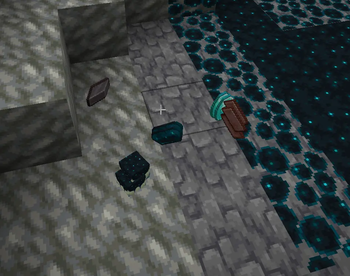

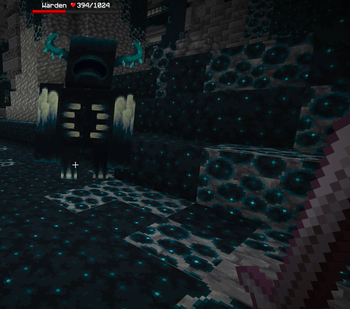
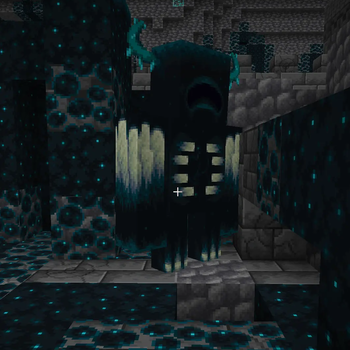
About this Mod

Harder Wardens
Wardens gain more HP, deal more damage, and drop better loot and XP or you make the Warden a one hit kill and deal almost zero damage, it's completely up to you. Fully configurable!
⚙️ Config (config/harder_wardens.json)
Generated automatically on first launch. You can edit it directly or use Mod Menu when both Mod Menu and Cloth Config are installed on the client:
{
  "difficulty": "NORMAL",
  "customHealth": 500.0,
  "customDamageMultiplier": 1.5,
  "customLootPreset": "NORMAL",
  "customXpReward": 25
}
difficulty
| Value | HP | Damage | XP | Loot drops |
|---|---|---|---|---|
EASY |
500 | 1.0x | 15 | 1-3 Echo Shards |
NORMAL |
500 | 1.5x | 25 | 2-5 Echo Shards, 1 Sculk Catalyst |
HARD |
750 | 2.0x | 45 | 3-7 Echo Shards, 1-2 Sculk Catalyst, 1-3 Diamond |
NIGHTMARE |
850 | 2.5x | 55 | 5-10 Echo Shards, 1-3 Sculk Catalyst, 1-3 Diamond, 1-2 Netherite Scrap |
INSANE |
1000 | 3.0x | 70 | 7-15 Echo Shards, 2-5 Sculk Catalyst, 2-4 Diamond, 1-3 Netherite Scrap, 1-2 Netherite Ingot |
CUSTOM |
-> | -> | -> | Uses the custom fields below |
Vanilla Warden baseline: 500 HP, 30 base attack damage.
Minecraft clampsminecraft:max_healthto1024, so presets stay below that vanilla limit.
customHealth (CUSTOM only)
Maximum HP for the Warden. Default: 500.0
customDamageMultiplier (CUSTOM only)
Multiplier on the Warden's base attack damage. Default: 1.5
Example: 2.0 = double damage (60 base → 90 on Hard game difficulty)
customLootPreset (CUSTOM only)
Which loot table preset to use: NONE, EASY, NORMAL, HARD, NIGHTMARE, or INSANE
NONE disables all extra loot drops.
customXpReward (CUSTOM only)
How much XP the Warden drops. Default: 25
Minimum: 0
Maximum: 100
Values above 100 are automatically clamped back to 100.
🎮 Commands
| Command | Permission | Description |
|---|---|---|
/harderwardens reload |
OP (lvl 2) | Reloads the config from disk |
/harderwardens info |
OP (lvl 2) | Shows current difficulty settings |
Existing Wardens keep their current stats after
/harderwardens reload.
Loot table changes still require/reloador a restart.
🏜️ Test Server
Feel free to join my Minecraft server to test my mods: play.swordfishbe.eu
⁉️ Credits/Idea
Fabric mod based on the HarderWardens Spigot plugin by JustErikSK.
Available Versions
How to Install Harder Wardens on Your Server
Order Server
Order a Minecraft Java server with at least 3 GB RAM (4 GB recommended).
Set fabric Loader
In the panel under "Egg", select the fabric loader and matching Minecraft version (26.2).
Install Mod
Open the mod browser in the dashboard and search for "Harder Wardens". Click "Install" – done! Alternatively, upload the .jar via SFTP to the /mods folder.
Compatibility
Mod Loaders
Minecraft Versions
26.2, 26.1.2, 26.1.1 (+2 more)
Server-side
✓ RequiredRecommended RAM
4 GB(min. 3 GB)Frequently Asked Questions
Harder Wardens server crashes on startup – what to do?
Most common cause: wrong fabric version or insufficient RAM. Check the server log (latest.log) for "OutOfMemoryError" or "Mixin" errors. With Mado Hosting: ensure at least 3 GB RAM is allocated and the loader matches the mod version (26.2). You can switch loaders with one click in the panel.
Is Harder Wardens compatible with fabric?
Harder Wardens officially supports fabric for Minecraft 26.2, 26.1.2, 26.1.1. The Mado dashboard automatically detects incompatible loader combinations.
Server lagging with Harder Wardens – how to optimize performance?
Recommended RAM: 4 GB (per 8 players). Use /spark profiler to check if Harder Wardens consumes the most tick time. Common fixes: reduce server view-distance to 8-10, install "performant" or "starlight" as supplementary mods on Forge. With Mado Hosting, your server runs on NVMe SSDs with dedicated CPU cores for minimal latency.
Similar Mods





Rent Modded Server
Install Harder Wardens with just one click on your server.