
Hats Renewed
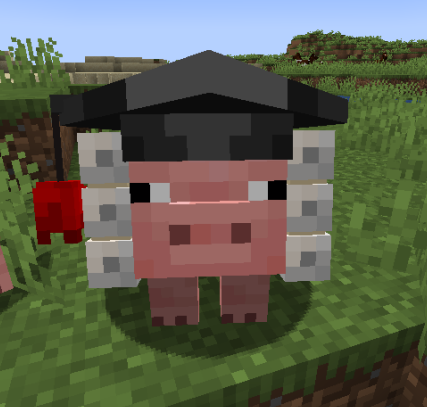
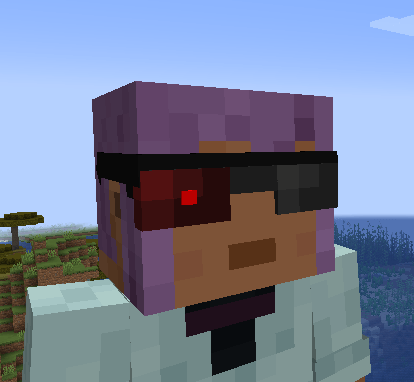
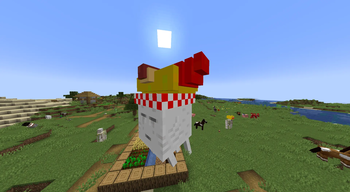
Hats adds in more than 430+ collectible hats & accessories for players to unlock!
Screenshots
About this Mod
Hats 🎩
Hats adds in more than 430+ collectible hats & accessories for players to unlock. Features rarity tiers, customizable colors, and unlockable accessories for you to tweak & change your hats to your liking.
How to unlock hats:
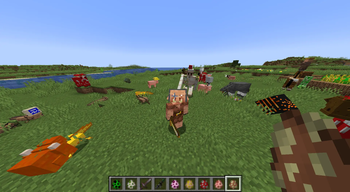
Hats are wearable cosmetics that can appear on mobs and be collected by players. When mobs spawn, a percentage of them are randomly assigned a hat, kill these mobs & collect their hats.
How to equip/check your hats:
By default, you can access the Hats GUI by pressing the "H" key on your keyboard.
Customization 🎨
Browse hundreds of unique hats, unlock increasingly rare designs, and manage everything through a dedicated, user-friendly interface. Whether you're collecting everything or just looking for the perfect style, the system scales with your progression.
From this interface, you can:
- Browse your entire collection
- Equip and unequip hats instantly
- Customize colors and visual properties
- Search and sort hats for easier navigation
Accessories 🧩
Current Features:
- All legacy hats & accesories from the original Hats mod.
- Hat tweaking controls (Color tweaking, transparency tweaking, hat searching & sorting options)
- Trading (fully interactible UI for trading)
- Hat Launcher (launch your hats away!)
- New hats with different accesories
Compatible with:
- Geckolib & Azurelib mods (any mods that depend on these)
- Epic Fight
- PlayerAnimator Library mods (such as BetterCombat)
Important Notice
This is the 1.20+ port of Hats, originally made by iChun for Forge 1.6.2-1.16.5.
The original project is licensed under LGPL. Development of the original mod stopped in 2023, and this version continues the project for modern versions of the game, with support for Forge, NeoForge, and Fabric in 1.20+. This version isn't a 1:1 port of the old mod, i've taken the core idea of the mod, and re-made it in a way that's easier to maintain & create on top of. Some of the ideas like Hat Trading were also implemented into this port & i've removed some things that i deemed unecessary like the point system.
Credit goes to iChun for the original concept and implementation. If you enjoy this mod, consider supporting his other work ❤️.
Available Versions
How to Install Hats Renewed on Your Server
Order Server
Order a Minecraft Java server with at least 3 GB RAM (4 GB recommended).
Set fabric Loader
In the panel under "Egg", select the fabric loader and matching Minecraft version (1.21.1).
Install Mod
Open the mod browser in the dashboard and search for "Hats Renewed". Click "Install" – done! Alternatively, upload the .jar via SFTP to the /mods folder.
Compatibility
Mod Loaders
Minecraft Versions
1.21.1, 1.20.1
Server-side
✓ RequiredRecommended RAM
4 GB(min. 3 GB)Frequently Asked Questions
Hats Renewed server crashes on startup – what to do?
Most common cause: wrong fabric version or insufficient RAM. Check the server log (latest.log) for "OutOfMemoryError" or "Mixin" errors. With Mado Hosting: ensure at least 3 GB RAM is allocated and the loader matches the mod version (1.21.1). You can switch loaders with one click in the panel.
Is Hats Renewed compatible with fabric and forge and neoforge?
Hats Renewed officially supports fabric, forge, neoforge for Minecraft 1.21.1, 1.20.1. Note: Forge and Fabric mods are NOT cross-compatible – pick one loader and stick with it. The Mado dashboard automatically detects incompatible loader combinations.
Server lagging with Hats Renewed – how to optimize performance?
Recommended RAM: 4 GB (per 8 players). Use /spark profiler to check if Hats Renewed consumes the most tick time. Common fixes: reduce server view-distance to 8-10, install "performant" or "starlight" as supplementary mods on Forge. With Mado Hosting, your server runs on NVMe SSDs with dedicated CPU cores for minimal latency.
Similar Mods






Rent Modded Server
Install Hats Renewed with just one click on your server.