
Have a Bad Day
A mod with the sole purpose of making playing the game unbearable.
Screenshots

About this Mod

Have a Bad Day
A mod with the sole purpose of making playing the game unbearable.
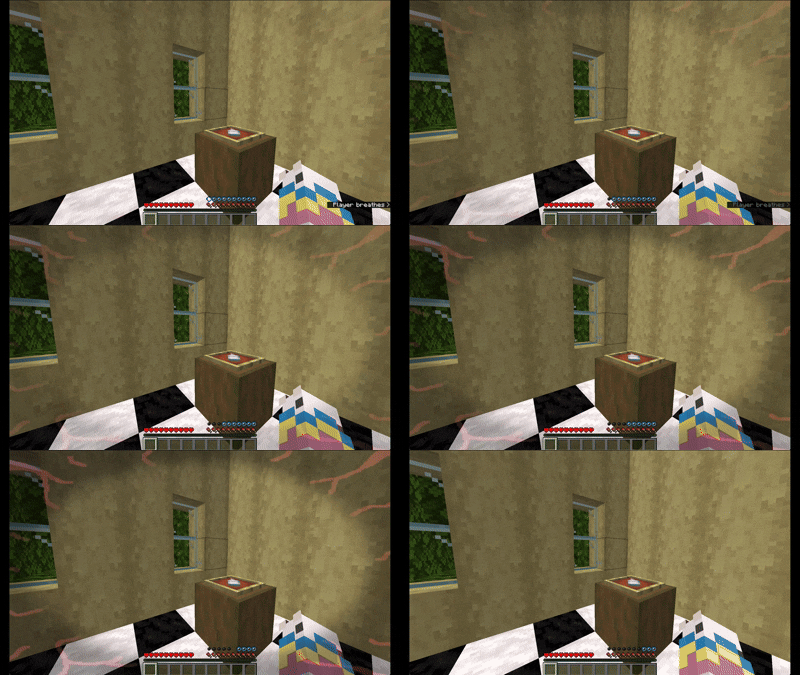
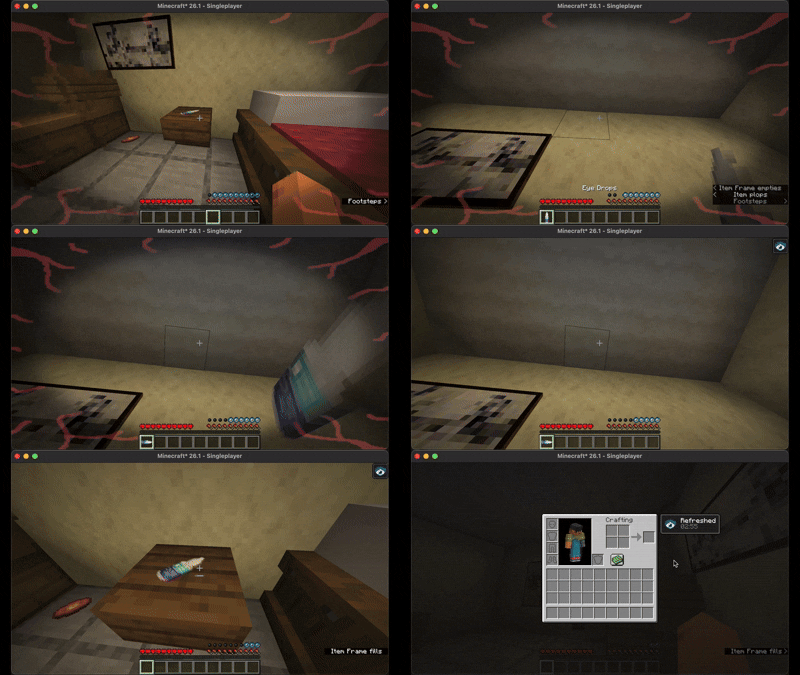
Have a Bad Day adds blinking and breathing that the player must manually activate regularly.
How to use
Keybinds
Pressing v to breathe will refill your oxygen bar unless you're underwater or on fire. Pressing b to blink will remove the eye strain overlay and reset the amount of time until you next need to blink.
Items
Eye drops will keep the player from needing to blink for three minutes by giving them the "Refreshed" potion effect. They can be applied by looking up and right-clicking while holding them.
Recipes
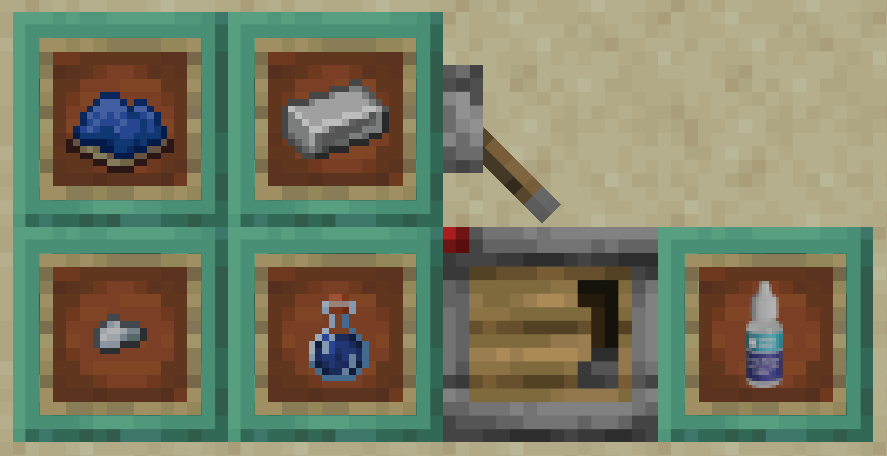
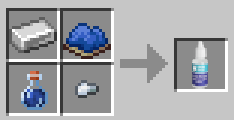
Eye drops can be craft with an iron ingot, any type of dye, a water bottle, and an iron nugget.
Gamerules
There's two gamerules. require_blinking and require_breathing. These can be changed in the world creation screen under the PLAYER category or by using the command /gamerule have-a-bad-day:gamerule true/false.
require_blinking when set to false disables the need to blink, though blinking is still possible.
require_breathing when set to false returns the oxygen bar back to the vanilla system. Breathing is not possible while this is disabled.
Available Versions
How to Install Have a Bad Day on Your Server
Order Server
Order a Minecraft Java server with at least 3 GB RAM (4 GB recommended).
Set fabric Loader
In the panel under "Egg", select the fabric loader and matching Minecraft version (26.1.2).
Install Mod
Open the mod browser in the dashboard and search for "Have a Bad Day". Click "Install" – done! Alternatively, upload the .jar via SFTP to the /mods folder.
Compatibility
Mod Loaders
Minecraft Versions
26.1.2, 26.1.1, 26.1
Server-side
✓ RequiredRecommended RAM
4 GB(min. 3 GB)Frequently Asked Questions
Have a Bad Day server crashes on startup – what to do?
Most common cause: wrong fabric version or insufficient RAM. Check the server log (latest.log) for "OutOfMemoryError" or "Mixin" errors. With Mado Hosting: ensure at least 3 GB RAM is allocated and the loader matches the mod version (26.1.2). You can switch loaders with one click in the panel.
Is Have a Bad Day compatible with fabric?
Have a Bad Day officially supports fabric for Minecraft 26.1.2, 26.1.1, 26.1. The Mado dashboard automatically detects incompatible loader combinations.
Server lagging with Have a Bad Day – how to optimize performance?
Recommended RAM: 4 GB (per 8 players). Use /spark profiler to check if Have a Bad Day consumes the most tick time. Common fixes: reduce server view-distance to 8-10, install "performant" or "starlight" as supplementary mods on Forge. With Mado Hosting, your server runs on NVMe SSDs with dedicated CPU cores for minimal latency.
Similar Mods





Rent Modded Server
Install Have a Bad Day with just one click on your server.