
HavenBuild
Unsure which mods are allowed on HavenBuild.de? The official HavenBuild Mod packs all you need: custom HUD, minimap, waypoints, chat tools, and FPS boosts into one server-compliant interface. Enhance your gameplay safely and never risk a ban!
Screenshots
About this Mod
HavenBuild Client Mod
The official client for HavenBuild.de
Built for a clean, safe, and comfortable gameplay experience on the server.
Safe. Clean. Built for HavenBuild.
What is the HavenBuild Client?
The HavenBuild Client is a server-approved all-in-one modification for HavenBuild.de.
Instead of downloading many separate mods that may be outdated, incompatible, or not allowed, this client gives you a complete package of useful quality-of-life features, clean menus, and exclusive HavenBuild tools.
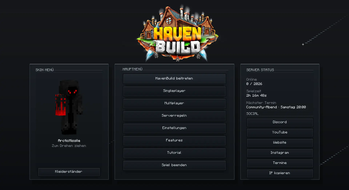
The client replaces the classic Minecraft settings menu with a modern interface and brings all important features together in one place.
Why use this client?
The HavenBuild Client was designed specifically for daily gameplay on HavenBuild.de.
You can easily switch between different profiles, such as:
- PvP Profile
- CityBuild Profile
- Farming World Profile
- Everyday Profile
This allows your HUD, interface, and features to always match your current playstyle.
Features
Chat and Communication
More control over your chat, better private messages, and modern communication tools directly inside Minecraft.
The chat system has been improved to help you find important messages faster and organize conversations more easily.
Included chat features
Private Message Hub
Private messages are displayed in a dedicated and clean interface.Contact List with History
View active conversations, previous messages, and contacts directly inside the client.Pinned Messages
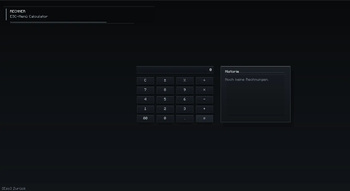
Save important coordinates, trade agreements, or notes directly in private chats.Chat Calculator
Type simple calculations into chat and let the client evaluate them automatically.Chat Heads
Player avatars are shown next to chat messages so you can instantly recognize who is speaking.Anti-Spam System
Repeated messages are automatically collapsed to keep your chat clean.Streamer Mode
Hides sensitive information such as the server IP, private messages, or selected waypoints.
Perfect for players who trade, build, farm, or stream frequently.
HUD and Visual Clarity
Keep all important information visible without overloading your screen.
The client includes a customizable HUD with many useful displays for PvP, CityBuild, and general gameplay.
Information displays
- Coordinates
- FPS
- Light level
- Target information
- Entity counter
- Item counter
- Totem counter
PvP and combat displays
- Keystrokes
- Armor HUD
- TNT Timer
Improved visibility
- Low Fire
- Low Shield
- Menu Blur
- Clean F3 Mode
Clean F3 Mode removes unnecessary debug information and only keeps the most important data visible.
Inventory Convenience
The HavenBuild Client makes inventory management much more practical.
Useful inventory features
- Preview Shulker Box contents directly inside your inventory
- View maps inside your inventory without placing them
- Get a faster overview of important items
- Spend less time opening and closing unnecessary menus
More control over your inventory, less time wasted searching.
Navigation and Waypoints
Find your way faster, whether you are in the CityBuild world, farming world, or working on your own projects.
The client includes integrated navigation tools so you can always find important locations again.
Map features
- Integrated Minimap
- World Map
- Real-time overview of your surroundings
Waypoint features
- Create 3D waypoints for important locations
- Add waypoints with a hotkey
- Rename waypoints
- Delete waypoints
- Color-code waypoints for better organization
Perfect for:
- Homes
- Shops
- Farms
- Bases
- Cities
- Community locations
HavenBuild Exclusive Features
Special tools designed specifically for HavenBuild.de and its community.
Skin Studio and Wardrobe
Change your skin directly inside the client.
Features
- Load skins using a URL
- Apply skins from a username
- Edit your own skins
- Pixel-perfect skin editor directly in-game
Create, edit, and manage your skin without external programs.
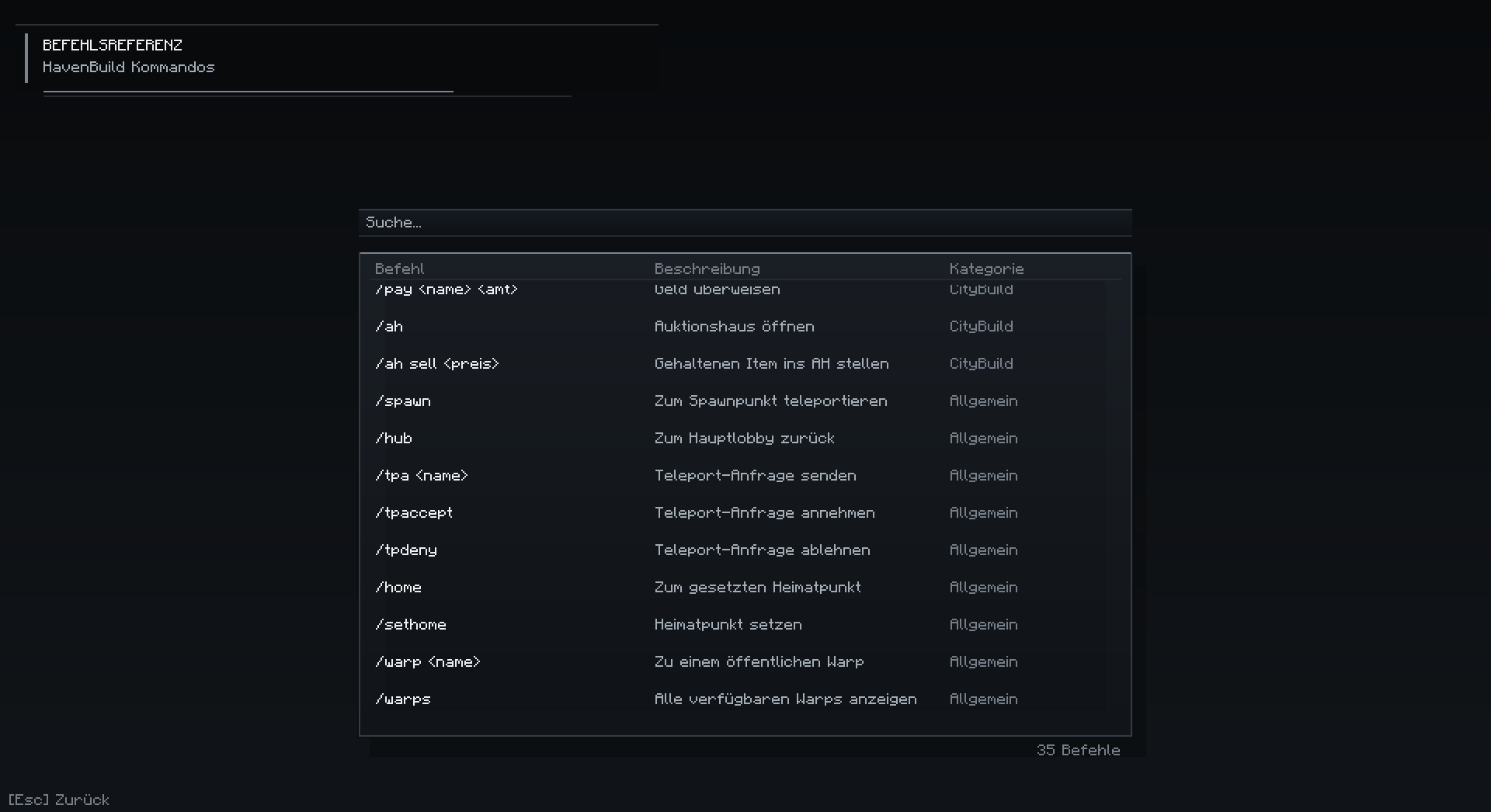
Command Reference
The client includes a built-in overview of HavenBuild commands.
Benefits
- Look up commands directly in-game
- Clean categories for better organization
- No need to switch to websites or Discord
- Useful for both new and experienced players
Rules Directly In-Game
Server and Discord rules can be opened directly inside the client.
This allows you to quickly check important information without leaving Minecraft.
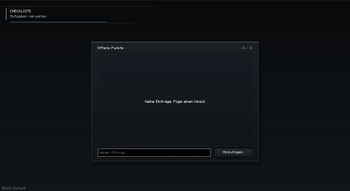
Checklist Panel
Plan your projects directly in-game.
Useful for:
- CityBuild projects
- Build plans
- Daily tasks
- Farming routes
- Trade lists
- Personal goals
Name Generator
The integrated name generator helps you come up with creative ideas.
For example:
- Cities
- Shops
- Clans
- Projects
- Plots
Screenshot Gallery
Manage your screenshots directly inside the game.
Features
- View screenshots
- Rename screenshots
- Mark screenshots as favorites
- Delete screenshots
- No need to search through your file explorer
Manage your memories directly inside the client.
Performance and Security
Performance Mode
Performance Mode helps you get more FPS out of Minecraft.
Optimizable effects
- Reduce particles
- Disable block-breaking animations
- Disable fluid animations
- Reduce additional visual effects
Especially useful on weaker PCs or in areas with many players and builds.
Join Protection with PIN Code
The HavenBuild Client includes extra protection for joining the server.
How it works
You can set your own 6-digit PIN code.
The client locks the HavenBuild server join button until the correct PIN has been entered.
This is especially useful if multiple people have access to your PC.
More security for your account, your items, and your progress.
Installation
Requirements
- Minecraft with Fabric
- The correct version of the HavenBuild Client
- Access to HavenBuild.de
Installation steps
- Download the
.jarfile. - Open your Fabric mods folder.
- Place the file into the
modsfolder. - Start Minecraft with Fabric.
- Join HavenBuild.de with the official client.
Summary
The HavenBuild Client is the official all-in-one modification for HavenBuild.de.
It includes:
- Modern chat features
- Customizable HUD displays
- Minimap and waypoints
- HavenBuild-specific tools
- Performance optimizations
- Additional join protection
- A clean and unified interface
The HavenBuild Client is made for players who want a safer, cleaner, and more comfortable experience on HavenBuild.de.
Available Versions
How to Install HavenBuild on Your Server
Order Server
Order a Minecraft Java server with at least 3 GB RAM (4 GB recommended).
Set fabric Loader
In the panel under "Egg", select the fabric loader and matching Minecraft version (1.21.11).
Install Mod
Open the mod browser in the dashboard and search for "HavenBuild". Click "Install" – done! Alternatively, upload the .jar via SFTP to the /mods folder.
Compatibility
Mod Loaders
Minecraft Versions
1.21.11
Server-side
✗ UnsupportedRecommended RAM
4 GB(min. 3 GB)Frequently Asked Questions
HavenBuild server crashes on startup – what to do?
Most common cause: wrong fabric version or insufficient RAM. Check the server log (latest.log) for "OutOfMemoryError" or "Mixin" errors. With Mado Hosting: ensure at least 3 GB RAM is allocated and the loader matches the mod version (1.21.11). You can switch loaders with one click in the panel.
Is HavenBuild compatible with fabric?
HavenBuild officially supports fabric for Minecraft 1.21.11. The Mado dashboard automatically detects incompatible loader combinations.
Server lagging with HavenBuild – how to optimize performance?
Recommended RAM: 4 GB (per 8 players). Use /spark profiler to check if HavenBuild consumes the most tick time. Common fixes: reduce server view-distance to 8-10, install "performant" or "starlight" as supplementary mods on Forge. With Mado Hosting, your server runs on NVMe SSDs with dedicated CPU cores for minimal latency.
Similar Mods




Rent Modded Server
Install HavenBuild with just one click on your server.