
Hbm's Nuclear Tech Mod Reloaded
HBM's Nuke Mod now ported to 1.12.2
Screenshots
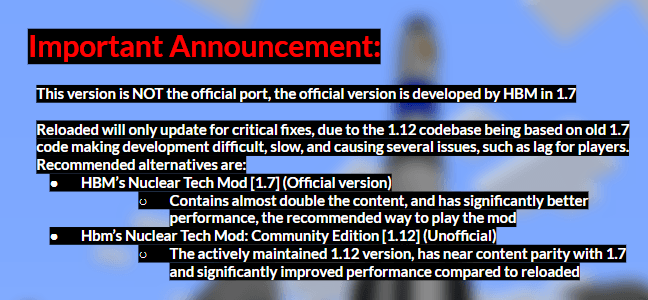
About this Mod
HBM made the original mod.
Link to original mod: https://github.com/HbmMods/Hbm-s-Nuclear-Tech-GIT
Drillgon200's 1.12.2 Port.
Link to Mod: https://github.com/Drillgon200/Hbm-s-Nuclear-Tech-GIT
This project will contain Drillgon200's releases, as well as my fork of his port.
Description:
Use of Just Enough Items strongly recommended!
Hbm's Nuclear Tech Mod is, as the name implies, all about technology, atomic science and nuclear weapons. It features an expansive tech tree of various processing and utility machines, craftable bombs and missiles, guns, and abandoned structures to explore. No longer are nukes just green TNT blocks - you will have to synthesize new types of explosives and enrich uranium before you can send nuclear missiles towards your pals.
Installation
HBM's NTM does not have any special dependencies, so the installation procedure is the usual:
Download the .jar file
Install Forge modloader on your 1.12.2 Minecraft profile
Launch the game once (or manually create the mods folder)
Navigate to .minecraft and drop the jar file into the mods folder
First steps
Getting started might be a bit confusing at first, so here's a list of things to do in survival
Craft a template folder
Craft a burner press
Make flat stamps
Use folder to turn flat stamps into plate stamps
Make copper plates
Craft a blast furnace
Make steel and Minecraft grade copper
Stamp copper into wires
Craft an assembly machine
Once you've gotten this far, you should have a feel for how the mod works and with the help of JEI you'll find out what you want to do next. For more information, check out the official wiki!
Special Thanks to HBM and Drillgon200.
Available Versions
How to Install Hbm's Nuclear Tech Mod Reloaded on Your Server
Order Server
Order a Minecraft Java server with at least 3 GB RAM (4 GB recommended).
Set forge Loader
In the panel under "Egg", select the forge loader and matching Minecraft version (1.12.2).
Install Mod
Open the mod browser in the dashboard and search for "Hbm's Nuclear Tech Mod Reloaded". Click "Install" – done! Alternatively, upload the .jar via SFTP to the /mods folder.
Compatibility
Mod Loaders
Minecraft Versions
1.12.2
Server-side
✓ RequiredRecommended RAM
4 GB(min. 3 GB)Frequently Asked Questions
Hbm's Nuclear Tech Mod Reloaded server crashes on startup – what to do?
Most common cause: wrong forge version or insufficient RAM. Check the server log (latest.log) for "OutOfMemoryError" or "Mixin" errors. With Mado Hosting: ensure at least 3 GB RAM is allocated and the loader matches the mod version (1.12.2). You can switch loaders with one click in the panel.
Is Hbm's Nuclear Tech Mod Reloaded compatible with forge?
Hbm's Nuclear Tech Mod Reloaded officially supports forge for Minecraft 1.12.2. The Mado dashboard automatically detects incompatible loader combinations.
Server lagging with Hbm's Nuclear Tech Mod Reloaded – how to optimize performance?
Recommended RAM: 4 GB (per 8 players). Use /spark profiler to check if Hbm's Nuclear Tech Mod Reloaded consumes the most tick time. Common fixes: reduce server view-distance to 8-10, install "performant" or "starlight" as supplementary mods on Forge. With Mado Hosting, your server runs on NVMe SSDs with dedicated CPU cores for minimal latency.
Similar Mods




![[TaCZ] Timeless and Classics Zero](https://cdn.modrinth.com/data/SzzJttH8/fd27766d2bb8390d284696b1dbd358f87e081439_96.webp)

Rent Modded Server
Install Hbm's Nuclear Tech Mod Reloaded with just one click on your server.