
Heartcore
A configurable Minecraft Hardcore mod that removes hearts when you die, with a few other added features.
Screenshots


About this Mod
Heartcore
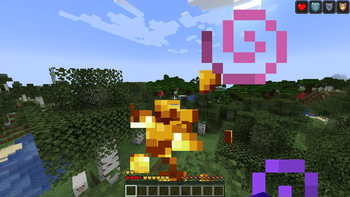
Heartcore is a twist on Minecraft's Hardcore mode. Instead of a single death ending your world, every death costs you a maximum heart. Run out of hearts, and you die forever.
Features
- Lose Max Hearts on Death: Each time you die, you permanently lose a configurable number of hearts.
- Regain Hearts with Items: By default, enchanted golden apples restore a heart—but you can customize or disable healing items entirely.
- Healing via NBT: Any food item can restore hearts if it includes the
heartcore:heart_modifierCustomData NBT tag. This tag accepts integers, allowing precise control over how many hearts are gained or lost. - Random Respawn Option: Players can respawn at a random location after death, with configurable min/max radius. Caves are now excluded to improve safety.
- Configurable and Dynamic: Change values like
heartsPerHealingItem,minHearts, andmaxHearts, and enforce max health limits for returning players withenforceMaxHealth. - Server Commands:
/heartcore config– Adjust settings live as a server operator./heartcore giftheart <player>– Let players share their max hearts with others.
Multiplayer Friendly
- Only the server host or world owner needs to install Heartcore.
- The only client side feature is changing the spectator button to say respawn on servers
Requirements
Available Versions
How to Install Heartcore on Your Server
Order Server
Order a Minecraft Java server with at least 3 GB RAM (4 GB recommended).
Set fabric Loader
In the panel under "Egg", select the fabric loader and matching Minecraft version (1.21.5).
Install Mod
Open the mod browser in the dashboard and search for "Heartcore". Click "Install" – done! Alternatively, upload the .jar via SFTP to the /mods folder.
Compatibility
Mod Loaders
Minecraft Versions
1.21.5, 1.21.4, 1.21.3 (+3 more)
Server-side
✓ RequiredRecommended RAM
4 GB(min. 3 GB)Frequently Asked Questions
Heartcore server crashes on startup – what to do?
Most common cause: wrong fabric version or insufficient RAM. Check the server log (latest.log) for "OutOfMemoryError" or "Mixin" errors. With Mado Hosting: ensure at least 3 GB RAM is allocated and the loader matches the mod version (1.21.5). You can switch loaders with one click in the panel.
Is Heartcore compatible with fabric?
Heartcore officially supports fabric for Minecraft 1.21.5, 1.21.4, 1.21.3. The Mado dashboard automatically detects incompatible loader combinations.
Server lagging with Heartcore – how to optimize performance?
Recommended RAM: 4 GB (per 8 players). Use /spark profiler to check if Heartcore consumes the most tick time. Common fixes: reduce server view-distance to 8-10, install "performant" or "starlight" as supplementary mods on Forge. With Mado Hosting, your server runs on NVMe SSDs with dedicated CPU cores for minimal latency.
Similar Mods




Rent Modded Server
Install Heartcore with just one click on your server.