
HephaesTools
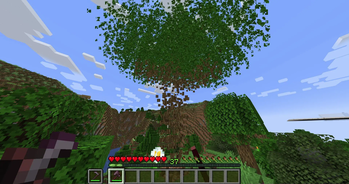
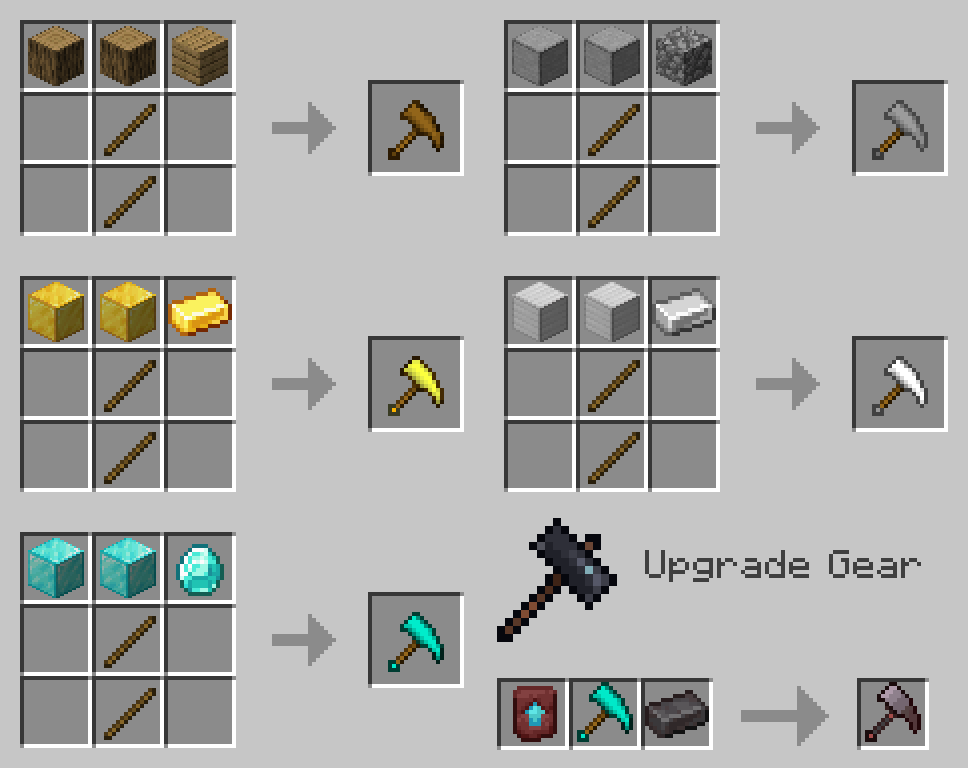
Adds advanced tools that add the ability to mine 3x3 blocks, cut whole trees and harvest with a right click.
Screenshots
About this Mod
This datapack adds advanced tools that add the ability to mine 3x3 blocks, cut whole trees and harvest with a right click.
Requires general GalLab resourcepack
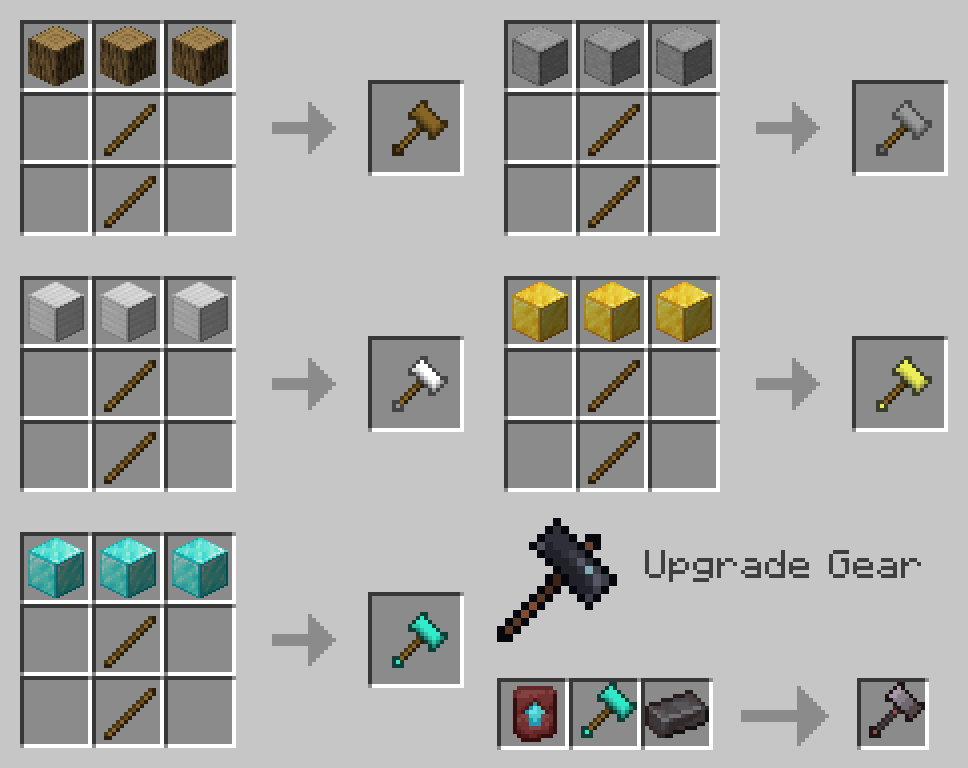
Hammer

Works like a pickaxe, but mines 3x3 blocks.
Netherite Hammer mines a 3x3x3 area.
If you take the Ender Pearl in the second hand, then the stone will not drop.
For the extraction of blocks, a system of heredity works. When mining more harder blocks, such as obsidian, less hard blocks will also be mined, but not vice versa, even if the level of Vein Miner allows you to get a more harder block.
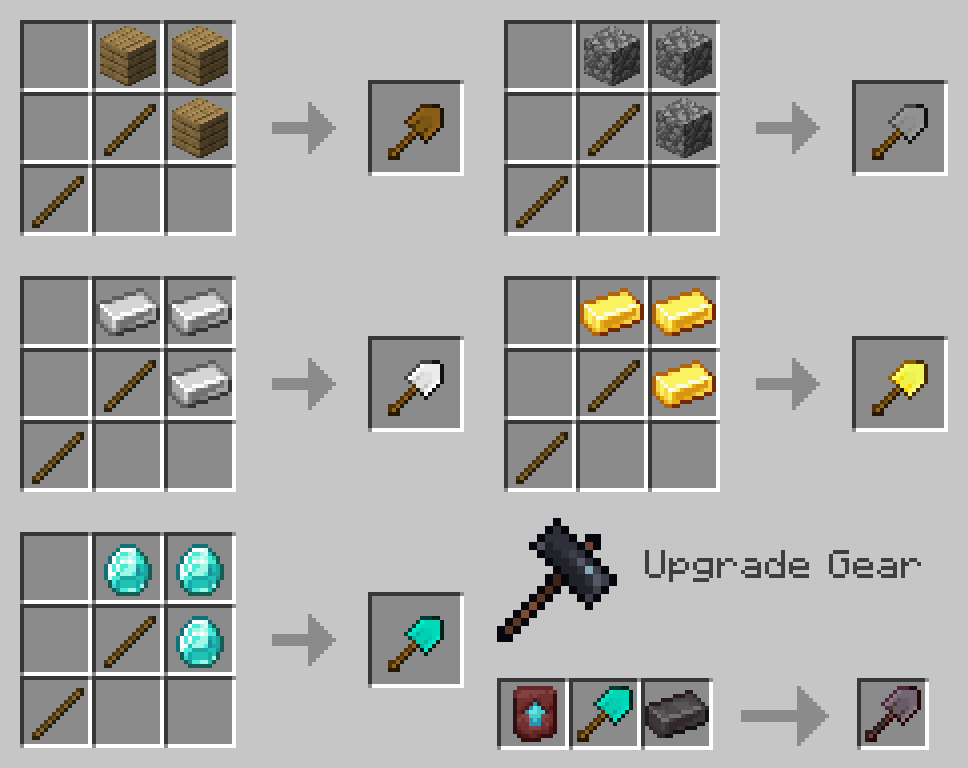
Excavator

Works like a shovel, but digs a 3x3 area.
The Diamond Excavator mines all the sand and gravel above the excavation site.
The Netherite Excavator also digs the 3x3x3 area and all the sand and gravel above.
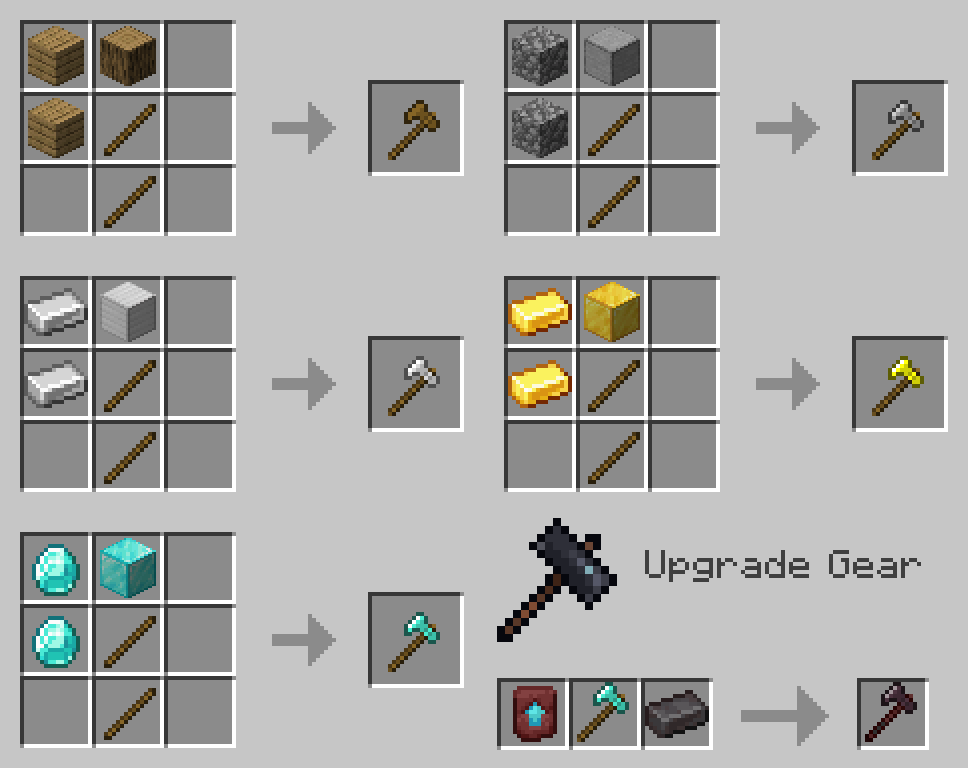
Lumberjack Axe

Cuts down a whole tree.
If you take any hoe or shears in the second hand, then this tool will be used to break the leaves.
Vein Miner

Mines the entire vein of ore.
Diamond and Netherite Vein Miner glows the mined ore for a while.
For mining ores, a system of heredity works. When mining a harder ore, such as Ancient Debris, a less hard ore will also be mined, but not vice versa, even if the Vein Miner level allows you to mine a harder ore.
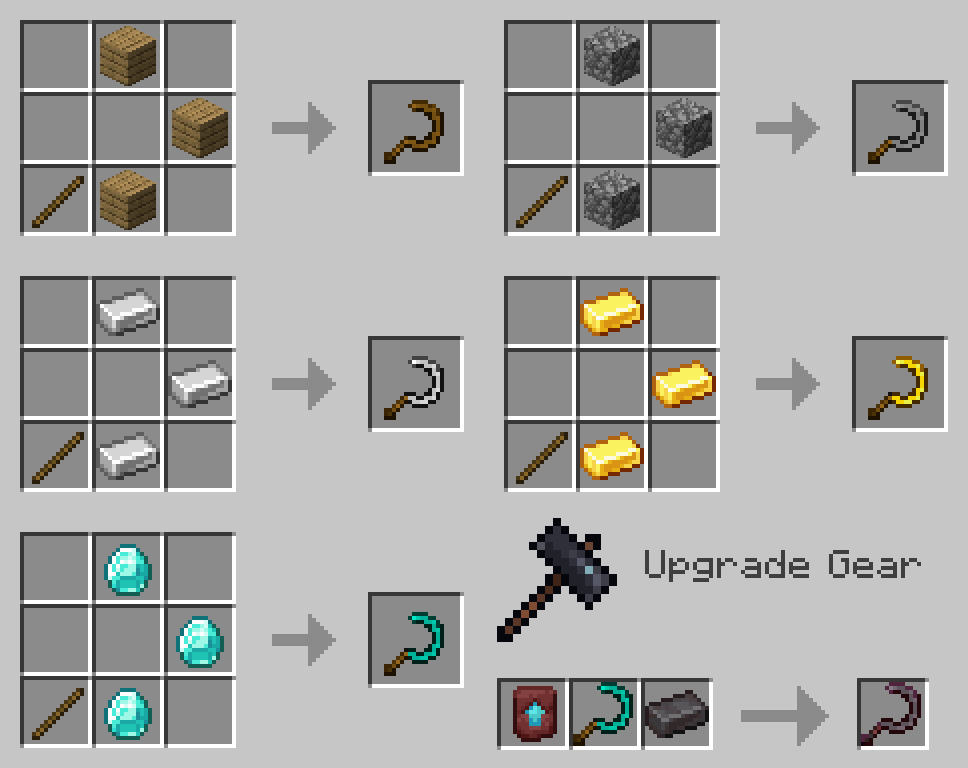
Sickle

Harvests by right click.
Diamond Sickle harvests in a 3x3 area, Netherite - 5x5.
Trivia
All tools except the Sickle will consume a small amount of food.
Hammer and Vein Miner slightly slows the player down when the tool is in hand.
Any vanilla enchantments are supported for all tools. With one exception, due to Minecraft restrictions, you can't enchant Fortune on a Sickle in the vanilla way, so to do this you need to throw a Sickle and an enchantment book with Fortune on an anvil.
Coding things - GalSergey
Worked on textures - IDarkSun
Helped with names - Matin aka MatinTheBoy
Available Versions
How to Install HephaesTools on Your Server
Order Server
Order a Minecraft Java server with at least 3 GB RAM (4 GB recommended).
Set datapack Loader
In the panel under "Egg", select the datapack loader and matching Minecraft version (1.20.4).
Install Mod
Open the mod browser in the dashboard and search for "HephaesTools". Click "Install" – done! Alternatively, upload the .jar via SFTP to the /mods folder.
Compatibility
Mod Loaders
Minecraft Versions
1.20.4, 1.20.3, 1.20.2 (+2 more)
Server-side
✓ RequiredRecommended RAM
4 GB(min. 3 GB)Frequently Asked Questions
HephaesTools server crashes on startup – what to do?
Most common cause: wrong datapack version or insufficient RAM. Check the server log (latest.log) for "OutOfMemoryError" or "Mixin" errors. With Mado Hosting: ensure at least 3 GB RAM is allocated and the loader matches the mod version (1.20.4). You can switch loaders with one click in the panel.
Is HephaesTools compatible with datapack and fabric and forge and quilt?
HephaesTools officially supports datapack, fabric, forge, quilt for Minecraft 1.20.4, 1.20.3, 1.20.2. Note: Forge and Fabric mods are NOT cross-compatible – pick one loader and stick with it. The Mado dashboard automatically detects incompatible loader combinations.
Server lagging with HephaesTools – how to optimize performance?
Recommended RAM: 4 GB (per 8 players). Use /spark profiler to check if HephaesTools consumes the most tick time. Common fixes: reduce server view-distance to 8-10, install "performant" or "starlight" as supplementary mods on Forge. With Mado Hosting, your server runs on NVMe SSDs with dedicated CPU cores for minimal latency.
Similar Mods




![[TaCZ] Timeless and Classics Zero](https://cdn.modrinth.com/data/SzzJttH8/fd27766d2bb8390d284696b1dbd358f87e081439_96.webp)

Rent Modded Server
Install HephaesTools with just one click on your server.