
hfobjectives
"HF Objectives is a dynamic mod that brings a fresh layer of excitement to your gameplay with customizable objectives. Whether it’s gathering resources, eliminating mobs, or surviving unique challenges like standing on a block without taking damage.
Screenshots
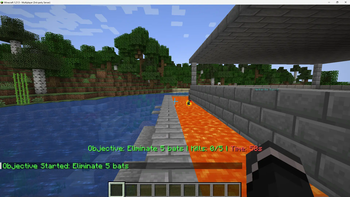
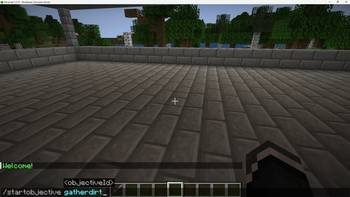
About this Mod
HF Objectives: Custom Challenges
Video demo here!
https://vimeo.com/1075429635
The HF Objectives mod enhances your Minecraft experience by introducing a range of dynamic, timed objectives. Test your skills and adaptability with tasks that challenge you in unique ways. Whether you're a seasoned adventurer or a casual player, this mod adds an exciting layer of progression and fun.
Features:
Diverse Objectives:
Gather: Collect a specified amount of items (e.g., "Gather 10 arrows").
Mob Kill: Defeat a certain number of specific mobs (e.g., "Eliminate 3 zombies").
Don't Get Hit: Survive for a duration without taking any damage.
Stand: Stand on a specific block for a set amount of time (e.g., "Stand on a gold block for 5 seconds").
Timed Challenges: Each objective has a time limit, adding urgency to your tasks.
Configurable: Customize objectives and text display colors to your liking via the config file ( config/hfobjectives.json ).
Auto-Random Objectives: Enable auto-random mode to receive a new objective automatically upon completion of the previous one.
Commands:
/startobjective
/completeobjective: Manually complete your current objective.
/randobj: Starts a random objective.
/hfreloadobjectives: Reloads the objectives configuration from the config file. Requires operator permissions (permission level 2).
/autorandom: Toggles auto-random objectives on or off.
Configuration:
The mod's behavior and appearance can be modified through the config/hfobjectives.json file. Here you can:
Define custom objectives.
Adjust text colors for objective messages and timers.
Default Objectives:
The mod includes several default objectives to get you started:
Gather dirt/stone/arrows.
Eliminate zombies.
Survive without taking damage.
Stand on a gold block.
Important Notes:
This mod is for Fabric.
Ensure you have the Fabric API installed.
Configuration file is located at config/hfobjectives.json.
Available Versions
How to Install hfobjectives on Your Server
Order Server
Order a Minecraft Java server with at least 3 GB RAM (4 GB recommended).
Set fabric Loader
In the panel under "Egg", select the fabric loader and matching Minecraft version (1.21.5).
Install Mod
Open the mod browser in the dashboard and search for "hfobjectives". Click "Install" – done! Alternatively, upload the .jar via SFTP to the /mods folder.
Compatibility
Mod Loaders
Minecraft Versions
1.21.5
Server-side
~ OptionalRecommended RAM
4 GB(min. 3 GB)Frequently Asked Questions
hfobjectives server crashes on startup – what to do?
Most common cause: wrong fabric version or insufficient RAM. Check the server log (latest.log) for "OutOfMemoryError" or "Mixin" errors. With Mado Hosting: ensure at least 3 GB RAM is allocated and the loader matches the mod version (1.21.5). You can switch loaders with one click in the panel.
Is hfobjectives compatible with fabric?
hfobjectives officially supports fabric for Minecraft 1.21.5. The Mado dashboard automatically detects incompatible loader combinations.
Server lagging with hfobjectives – how to optimize performance?
Recommended RAM: 4 GB (per 8 players). Use /spark profiler to check if hfobjectives consumes the most tick time. Common fixes: reduce server view-distance to 8-10, install "performant" or "starlight" as supplementary mods on Forge. With Mado Hosting, your server runs on NVMe SSDs with dedicated CPU cores for minimal latency.
Similar Mods




Rent Modded Server
Install hfobjectives with just one click on your server.