
HighLightItem
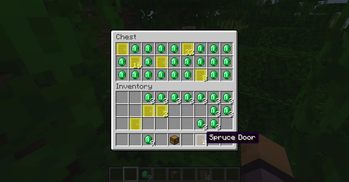
Minecraft mod that highlights inventory items similar to the one hovered over.
Screenshots
About this Mod
What is the mod doing?
Minecraft mod that highlights inventory items similar to the one hovered over.
Features (only 1.0.0 or superior versions)
You can use differents comparaison modes :
- ITEM_ONLY : This mode will only compare if the materials are identicals for example if it's a oak door or not. It's how the mod has compared ItemStack until this feature was added and it's the default mode
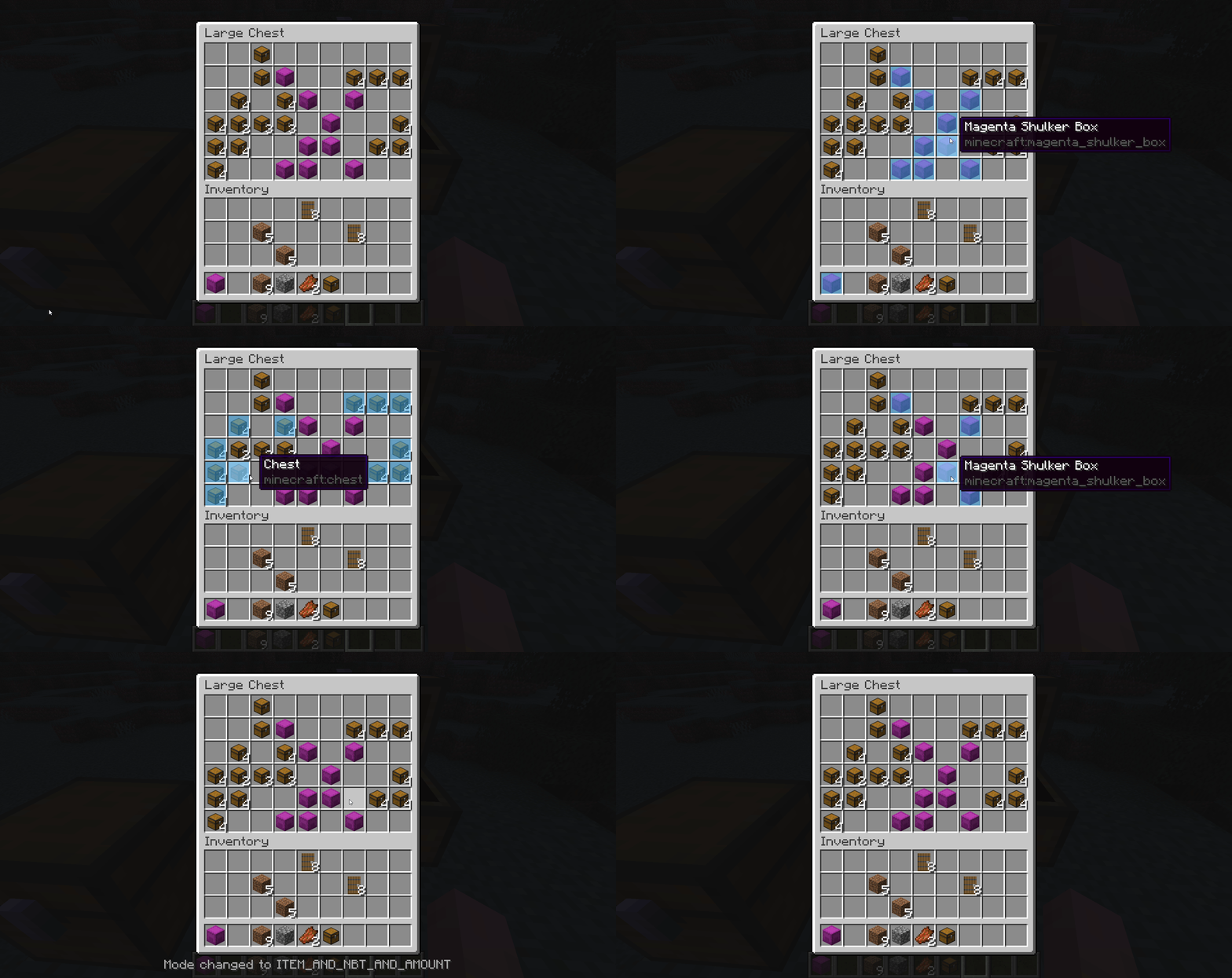
- ITEM_AND_AMOUNT : Like the previous mode but it will compare if stacks has the same amount for example only all the 2 oak doors stacks will be highlighted
- ITEM_AND_NBT : It will compare like ITEM_ONLY mode plus compare the NBT for example does a name tag uses same names or shulker boxes contains the same exact contents
- ITEM_AND_NBT_AND_AMOUNT : It's a mix of all previous modes
For version 1.1.0+ three new comparaison modes exists :
- NAME_ONLY : It will check if items share the same name
- NAME_AND_AMOUNT : like previous one but check if stacks has the same amount too
- NAMESPACE : It will highlight the items who share the same namespace usefull to highlight all items that are from the same mod
Custom colors :
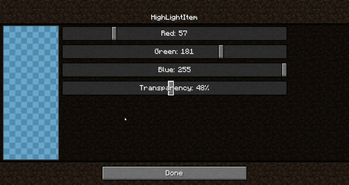
You can choose between 16.777.216 colors to tune the Highlighting either using the command or via the menu where you can use sliders and a preview to make it easier. The format used is the RGBA
Opacity :
With the custom colors using the RGBA format it means you can tweak the transparency which is the A(for alpha) value you choose.
Keybinds :
You can add keybinds to toggle the highlighting, changing mode comparaison, color the hovered element or open the color picker menu.
Language :
The mod is available in English, French, German, Russian, Ukrainian and Chinese Simplified.
Config menu (v2.0.0+):
The old color picker is now a true configuration menu where you can change all the configs directly. To open it you can use the command /highlightitem menu or the keybind or if you use ModMenu directly from the Mods button.
Notifications (v2.0.0+):
You can choose a preferred mod notification sending mode when you have no inventory opened :
- Default : It depends on the context.
- If you are using the command to make a change the notif will be sent in the chat.
- If you pressed a key bind it will be sent in the minecraft overlay zone (above life, levels and hunger).
- Chat : It will be sent in the chat
- Overlay : It will be sent in the minecraft overlay zone (above life, levels and hunger).
- Toast : It will always be sent in a "minecraft toast notification"
Commands
If you prefer commands than keybinds and the menu there are three commands available to manage the mod :
/highlightitem toggle -> activate/deactivate the mod
/highlightitem menu -> open the config menu (only for v2.0.0+)
/highlightitem colorHover <true/false>-> when set to true the slot of the item you are pointing with your cursor will be colored too when set to false it still will be highlight but with the vanilla highlighting
/highlightitem color <COLOR> -> choose the color in a list of default colors the mod will use to highlight the items
/highlightitem color CUSTOM <RGBA value> -> choose a custom color using the RGBA format
Support the project
Want to support me and other creators by the same time? Disable your ad blocker while you are on Modrinth it's free and the website use ethical and non-invasive ads ;)
Available Versions
How to Install HighLightItem on Your Server
Order Server
Order a Minecraft Java server with at least 3 GB RAM (4 GB recommended).
Set fabric Loader
In the panel under "Egg", select the fabric loader and matching Minecraft version (26.1).
Install Mod
Open the mod browser in the dashboard and search for "HighLightItem". Click "Install" – done! Alternatively, upload the .jar via SFTP to the /mods folder.
Compatibility
Mod Loaders
Minecraft Versions
26.1, 1.21.11, 1.21.10 (+17 more)
Server-side
✗ UnsupportedRecommended RAM
4 GB(min. 3 GB)Frequently Asked Questions
HighLightItem server crashes on startup – what to do?
Most common cause: wrong fabric version or insufficient RAM. Check the server log (latest.log) for "OutOfMemoryError" or "Mixin" errors. With Mado Hosting: ensure at least 3 GB RAM is allocated and the loader matches the mod version (26.1). You can switch loaders with one click in the panel.
Is HighLightItem compatible with fabric and quilt?
HighLightItem officially supports fabric, quilt for Minecraft 26.1, 1.21.11, 1.21.10. The Mado dashboard automatically detects incompatible loader combinations.
Server lagging with HighLightItem – how to optimize performance?
Recommended RAM: 4 GB (per 8 players). Use /spark profiler to check if HighLightItem consumes the most tick time. Common fixes: reduce server view-distance to 8-10, install "performant" or "starlight" as supplementary mods on Forge. With Mado Hosting, your server runs on NVMe SSDs with dedicated CPU cores for minimal latency.
Similar Mods


Rent Modded Server
Install HighLightItem with just one click on your server.