
Hold Your Breath
When you go underwater in-game, you need to hold your breath in real life.
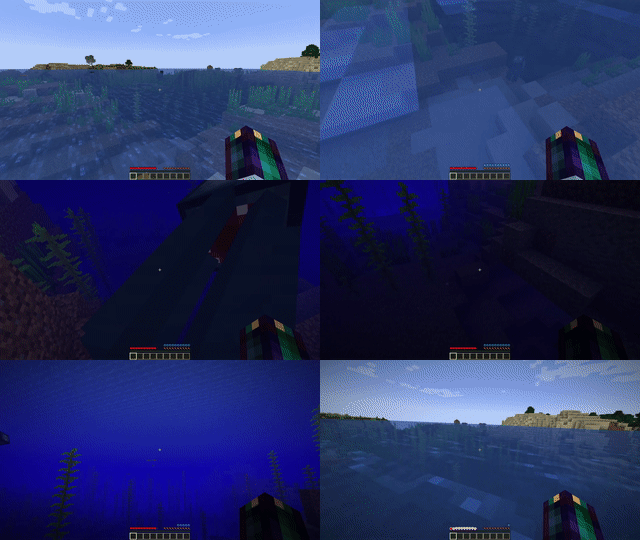
Screenshots
About this Mod
Hold Your Breath
A Minecraft Fabric mod which makes players hold their breath in real life when they go underwater.
Breath Holding
Players press the R key (configurable) to tell the server that they are holding their breath.
When a player stops holding their breath, they will release the R key.
This requires the honor system to work.
A player will need to press R before entering the water to avoid drowning.
As long as the R key is held down, players will not lose air.
As soon as the R key is released, players will start losing air at a drastically increased rate
(this rate is configurable).
This way, players can stay underwater as long as they can hold their breath, but once they breathe they will start
losing air.
If the R key is released underwater, pressing it again will not stop air loss.
You can think of this as exhaling underwater causing your mouth to fill up with water, preventing breathing.
This can be changed in the config.
There is an option in the config to make the R key into a toggle rather than something you have to hold down.
This option can be set separately by each player.
This does make it easier for players to cheat, but it doesn't allow them to do anything that they couldn't have already
accomplished with a program like AutoHotKey.
Since the mod already operates on an honor system, this isn't that big of a deal.
There are several legitimate reasons to use this feature, such as a slow connection, but please ask a server admin
before setting this option to "true" on a server.
Miscellaneous Features
As an option in the config, you can prevent doors from being placed underwater to make air pockets.
This is disabled by default.
License
Hold Your Breath is licensed under the MIT License. This means you can do mostly whatever you would like with this mod, including adding it to a modpack.
This mod includes a copy of MidnightLib in its jar, which is also licensed under the MIT License.
Feedback
Please direct all bugs, feature requests, and version requests to the GitHub issues page. Forge/NeoForge is not currently supported, but I can consider it if there is enough interest.
Available Versions
How to Install Hold Your Breath on Your Server
Order Server
Order a Minecraft Java server with at least 3 GB RAM (4 GB recommended).
Set fabric Loader
In the panel under "Egg", select the fabric loader and matching Minecraft version (1.21).
Install Mod
Open the mod browser in the dashboard and search for "Hold Your Breath". Click "Install" – done! Alternatively, upload the .jar via SFTP to the /mods folder.
Compatibility
Mod Loaders
Minecraft Versions
1.21, 1.20.6, 1.20.5 (+4 more)
Server-side
✓ RequiredRecommended RAM
4 GB(min. 3 GB)Frequently Asked Questions
Hold Your Breath server crashes on startup – what to do?
Most common cause: wrong fabric version or insufficient RAM. Check the server log (latest.log) for "OutOfMemoryError" or "Mixin" errors. With Mado Hosting: ensure at least 3 GB RAM is allocated and the loader matches the mod version (1.21). You can switch loaders with one click in the panel.
Is Hold Your Breath compatible with fabric?
Hold Your Breath officially supports fabric for Minecraft 1.21, 1.20.6, 1.20.5. The Mado dashboard automatically detects incompatible loader combinations.
Server lagging with Hold Your Breath – how to optimize performance?
Recommended RAM: 4 GB (per 8 players). Use /spark profiler to check if Hold Your Breath consumes the most tick time. Common fixes: reduce server view-distance to 8-10, install "performant" or "starlight" as supplementary mods on Forge. With Mado Hosting, your server runs on NVMe SSDs with dedicated CPU cores for minimal latency.
Similar Mods





Rent Modded Server
Install Hold Your Breath with just one click on your server.