
Hords
Hords is a survival mod for Minecraft that spawns dangerous mob hordes led by powerful bosses.
Screenshots
About this Mod
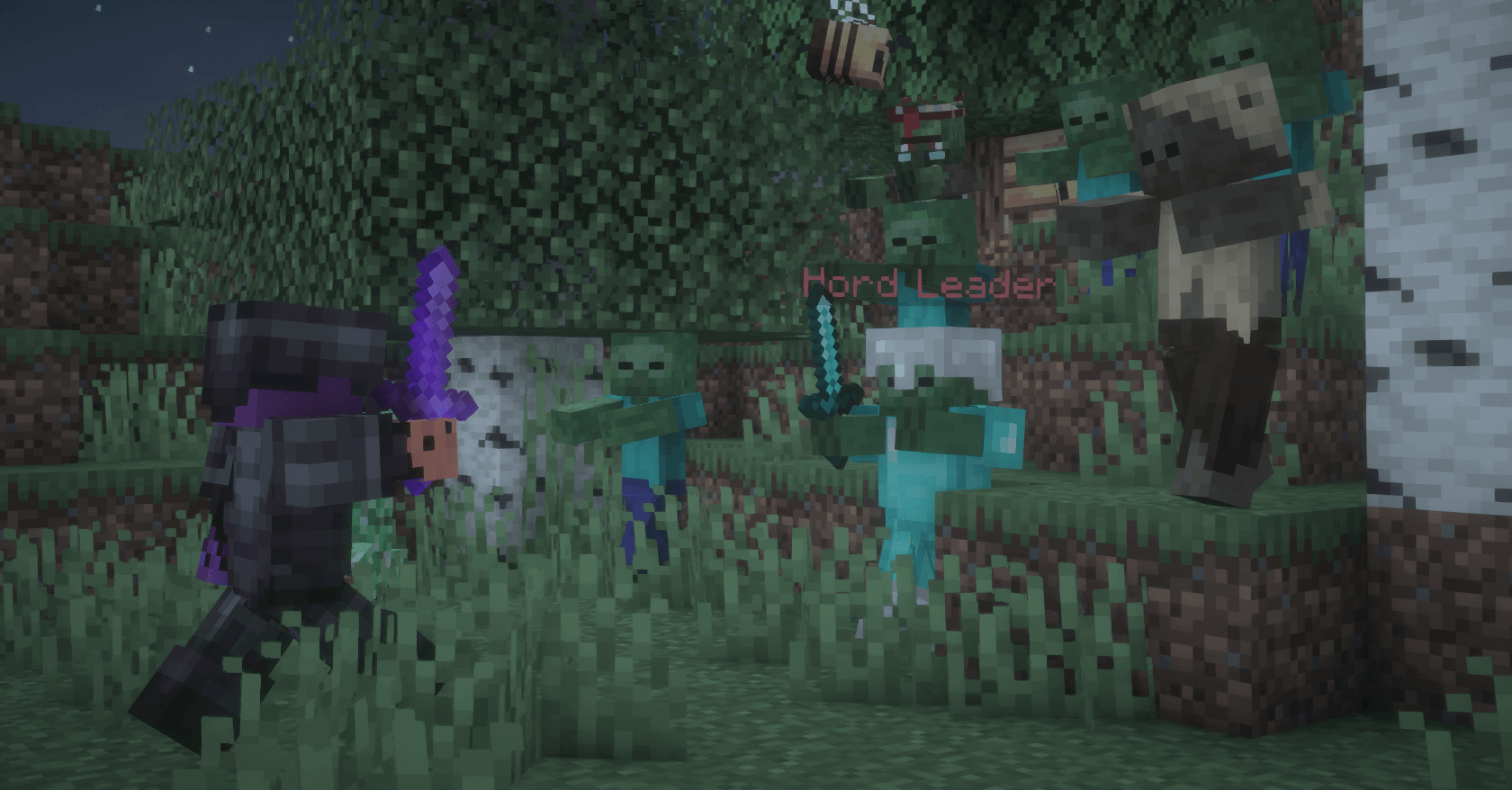
What is Hords?
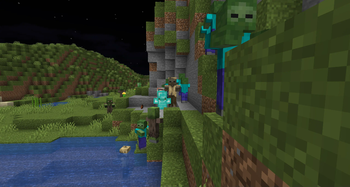
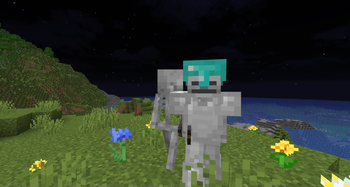
Hords transforms your peaceful Minecraft world into a battleground where dangerous mob armies spawn unpredictably, each led by a formidable boss with unique abilities and enhanced equipment.
How Does It Work?
Hords operates on a sophisticated spawning system that considers your location, time of day, and dimension. Ocean hordes emerge from the depths when you're near water, zombie armies rise during the night, and infernal legions assault you in the Nether.
What Makes Bosses Special?
Bosses aren't just bigger versions of regular mobs - they're elite commanders with custom names like "Hord Leader," "Ocean Lord," and "Void Wraith." Each boss comes equipped with powerful armor, enhanced health pools reaching up to 160 HP.
What Rewards Await?
Victory brings substantial rewards befitting the challenge. Defeated bosses drop valuable loot including diamonds, emerald blocks, and rare items like tridents and netherite ingots as well as an enchanted golden apple
Commands (require OP!)
view all Commands
/hords spawn <type> [size] |
Manual Spawn |
/hords status |
View all settings |
/hords help |
Show command list |
/hords notifications |
Enable/disable personal notifications |
/hords set spawnchance [ticks] |
Set frequency |
/hords set minhordesize [size] |
Smallest horde |
/hords set maxhordesize [size] |
Largest horde |
/hords set minplayerdistance [blocks] |
Closest spawn |
/hords set maxplayerdistance [blocks] |
Furthest spawn |
/hords set requirenighttime [true/false] |
Overworld timing |
/hords set oceanrequirenighttime [true/false] |
Enable/disable ocean requirenighttime |
/hords set maxactivehordes [count] |
Max active hordes |
/hords set despawntime [minutes] |
Cleanup timer |
/hords set cooldown [minutes] |
Spawn delay |
/hords set broadcast [true/false] |
Enable/disable notifications |
/hords set broadcastradius [blocks] |
Notification distance |
/hords config |
Open Config GUI |
/hords reload |
Reset personal Settings |
Horde types
view horde types
Overworld Hordes
| Type | Description | Boss | Spawn Condition |
|---|---|---|---|
zombie |
Zombies, Husks, Zombie Villagers | Hord Leader | Land biomes |
skeleton |
Skeletons, Strays, Bogged | Skeleton Boss | Land biomes |
mixed |
Zombies, Skeletons, Creepers | Hord Leader | Land biomes |
ocean |
Drowned, Guardians | Ocean Lord | Ocean biomes |
Nether Hordes
| Type | Description | Boss | Spawn Condition |
|---|---|---|---|
zombified |
Zombified Piglins | Hord Leader | Any Nether biome |
piglin |
Piglins | Piglin Warlord | Any Nether biome |
magmacube |
Magma Cubes | Molten King | Basalt Deltas preferred |
fortress |
Wither Skeletons, Blazes | Fortress Commander | Near Nether Brick |
nethermixed |
Mixed Nether mobs | Nether Overlord | Any Nether biome |
soulsand |
Skeletons, Ghasts | Soul Wraith | Soul Sand Valley preferred |
End Hordes
| Type | Description | Boss | Spawn Condition |
|---|---|---|---|
end |
Endermen, Shulkers | Void Lord | End dimension |
Available Versions
How to Install Hords on Your Server
Order Server
Order a Minecraft Java server with at least 3 GB RAM (4 GB recommended).
Set fabric Loader
In the panel under "Egg", select the fabric loader and matching Minecraft version (1.21.10).
Install Mod
Open the mod browser in the dashboard and search for "Hords". Click "Install" – done! Alternatively, upload the .jar via SFTP to the /mods folder.
Compatibility
Mod Loaders
Minecraft Versions
1.21.10, 1.21.9, 1.21.8 (+8 more)
Server-side
✓ RequiredRecommended RAM
4 GB(min. 3 GB)Frequently Asked Questions
Hords server crashes on startup – what to do?
Most common cause: wrong fabric version or insufficient RAM. Check the server log (latest.log) for "OutOfMemoryError" or "Mixin" errors. With Mado Hosting: ensure at least 3 GB RAM is allocated and the loader matches the mod version (1.21.10). You can switch loaders with one click in the panel.
Is Hords compatible with fabric?
Hords officially supports fabric for Minecraft 1.21.10, 1.21.9, 1.21.8. The Mado dashboard automatically detects incompatible loader combinations.
Server lagging with Hords – how to optimize performance?
Recommended RAM: 4 GB (per 8 players). Use /spark profiler to check if Hords consumes the most tick time. Common fixes: reduce server view-distance to 8-10, install "performant" or "starlight" as supplementary mods on Forge. With Mado Hosting, your server runs on NVMe SSDs with dedicated CPU cores for minimal latency.
Similar Mods




Rent Modded Server
Install Hords with just one click on your server.