
Hoshikima
This mod introduces several practical utility items that enhance vanilla gameplay with streamlined functionality and fluid mechanics
Screenshots

About this Mod
This mod introduces several practical utility items that enhance vanilla gameplay with streamlined functionality and fluid mechanics.
Items
Ender Pearl Bundle An efficient storage solution for ender pearls that facilitates quick access and rapid teleportation.
Firework Thruster A propulsion component designed to augment gliding and flight, offering precise aerial control.
Large Bucket An expanded version of the standard bucket, capable of holding greater volumes of liquid and reducing refilling frequency.
Multi-Fluid Bucket A specialized container that supports simultaneous storage of multiple fluid types. It integrates dynamic rendering via data components, allowing visual differentiation of fluid combinations and states.
This suite of items is designed to integrate seamlessly into technical or survival-oriented gameplay, with support for advanced model mapping and component-based logic introduced in modern Minecraft versions.
Features
Due to the lack of a convenient chain mining mod for recent Minecraft versions, and with FTB Ultimine currently unavailable for 1.21.5, Hoshikima introduces a chain mining feature inspired by FTB Ultimine—Hoshikima Chain Mine (CM).
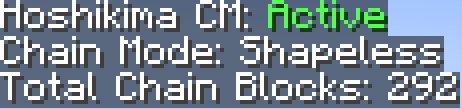
With the Modmenu installed, you can configure the HUD display style. The top option provides an FTB Ultimine-like style, while the bottom option offers a display style for the Jade mod (requires Jade to be installed).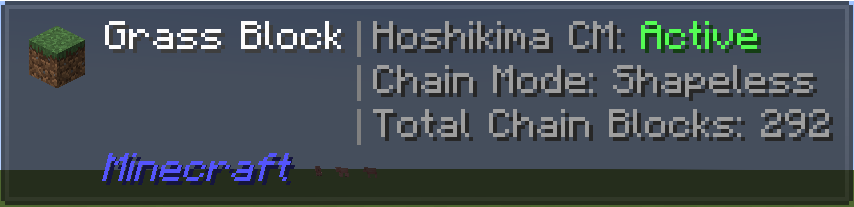
Chain Modes
Development was rapid and time was limited, so the mod currently features four chain mining modes. You can quickly switch between them by holding the chain mining key and scrolling the mouse wheel.
Shapeless: Mines all adjacent blocks of the same type.
Single Block Tunnel: Mines a 1-block wide tunnel in the direction the player is facing (excluding technical blocks).
Double Block Tunnel: Mines a 2x1 tunnel in the direction the player is facing.
Grid Excavation: Mines a 3x3 tunnel in the direction the player is facing.
Durability checks for breaking hard blocks with soft tools have not yet been implemented for the last three modes, but this will be fixed in the future.
Air Block Skipping
In some mining mods, a tunnel can be interrupted by an empty space, causing the chain to stop. Hoshikima CM includes an air skipping function to prevent this.
You can configure the number of air blocks that can be skipped per chain and the total number of skippable air blocks. For multi-block chains, the skippable amount will be incremented as needed.
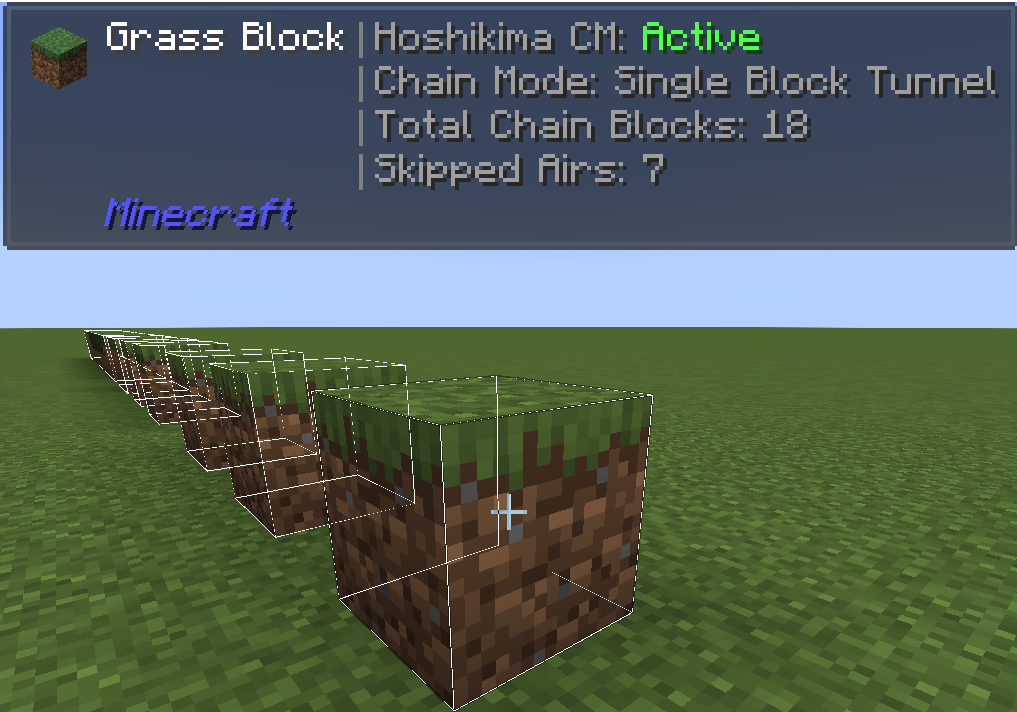
Tool Protection
Hoshikima CM protects a player's tools by preventing a chain from starting when a tool's durability falls below a configured threshold. It will also revert the single block excavation.

Chain Miscellanea
Players can change the color of the preview line to a variety of preset options.
You can configure whether to gather experience orbs, which may help with Mixin-related issues on certain platforms.
You can configure whether the preview lines are always visible.
Other Changes
The mod's source code reuses some of Jade's visual elements. After version 1.0.2, the mod's license was changed from CC0-1.0 to CC-BY-NC-SA-4.0.
Available Versions
How to Install Hoshikima on Your Server
Order Server
Order a Minecraft Java server with at least 3 GB RAM (4 GB recommended).
Set fabric Loader
In the panel under "Egg", select the fabric loader and matching Minecraft version (1.21.5).
Install Mod
Open the mod browser in the dashboard and search for "Hoshikima". Click "Install" – done! Alternatively, upload the .jar via SFTP to the /mods folder.
Compatibility
Mod Loaders
Minecraft Versions
1.21.5
Server-side
✓ RequiredRecommended RAM
4 GB(min. 3 GB)Frequently Asked Questions
Hoshikima server crashes on startup – what to do?
Most common cause: wrong fabric version or insufficient RAM. Check the server log (latest.log) for "OutOfMemoryError" or "Mixin" errors. With Mado Hosting: ensure at least 3 GB RAM is allocated and the loader matches the mod version (1.21.5). You can switch loaders with one click in the panel.
Is Hoshikima compatible with fabric?
Hoshikima officially supports fabric for Minecraft 1.21.5. The Mado dashboard automatically detects incompatible loader combinations.
Server lagging with Hoshikima – how to optimize performance?
Recommended RAM: 4 GB (per 8 players). Use /spark profiler to check if Hoshikima consumes the most tick time. Common fixes: reduce server view-distance to 8-10, install "performant" or "starlight" as supplementary mods on Forge. With Mado Hosting, your server runs on NVMe SSDs with dedicated CPU cores for minimal latency.
Similar Mods


Rent Modded Server
Install Hoshikima with just one click on your server.
Details
- License
- Creative Commons Attribution Non Commercial No Derivatives 4.0 International
- Server-side
- Required