
HotSwap
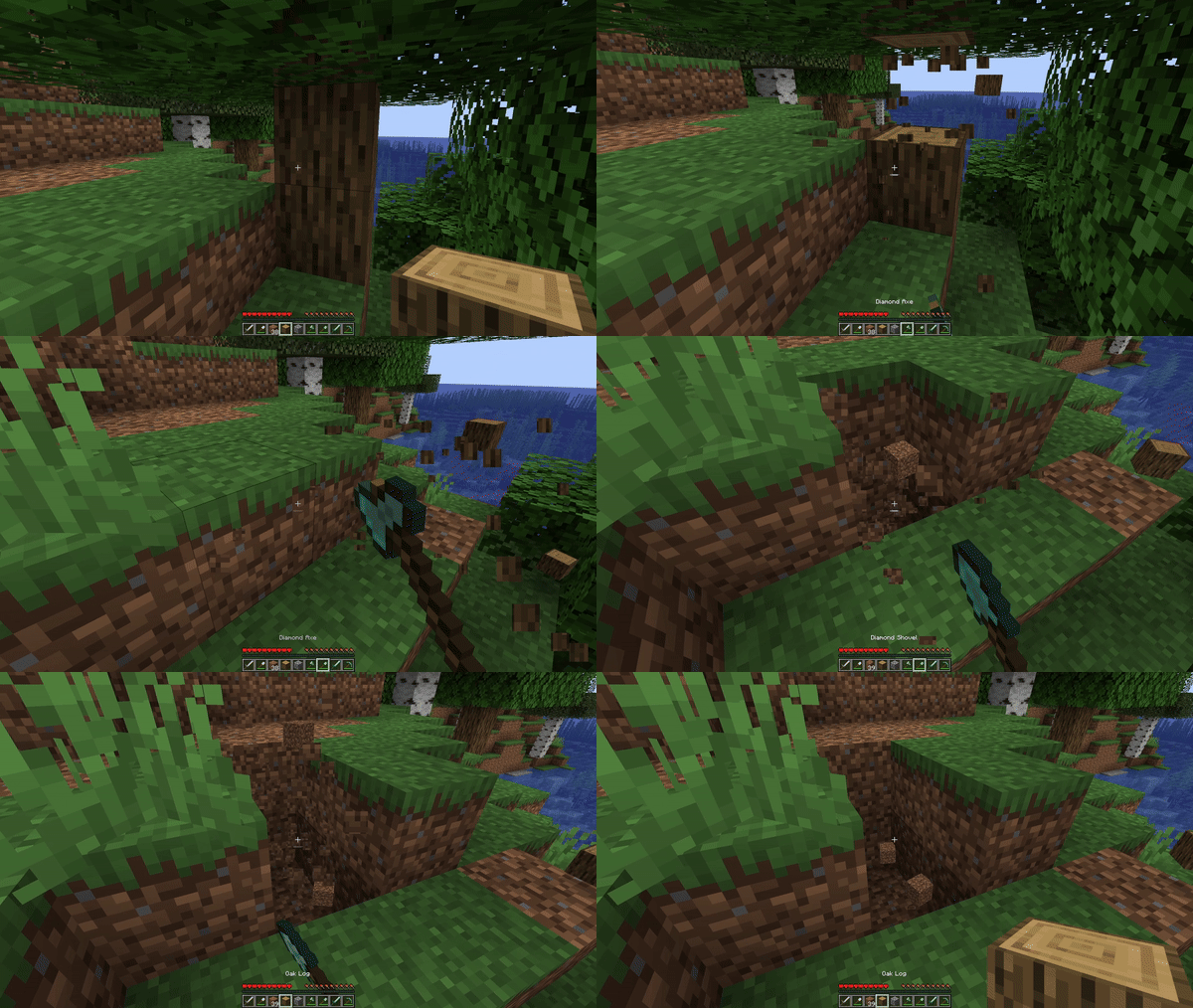
Auto swap to the right tool, with blazing speed.
Screenshots
About this Mod



HotSwap
HotSwap is a lightweight, client-side Minecraft mod that automatically selects the optimal tool or weapon in your hotbar based on what you’re doing—be it mining,
chopping, fighting, or digging. By leveraging Minecraft’s built-in item tags,
HotSwap ensures you always have the right tool in hand without manual inventory juggling.
Features
- Context-Aware Swapping
Automatically switches to the “best” tool in your hotbar for the block you’re breaking or mob you’re hitting, based on enchantments and material tiers. - Customizable Priority
Define your own tag priorities and blacklists inhotswap.json5to fine-tune which tools should be preferred or skipped. - On-the-Fly Enable/Disable
Toggle HotSwap with a single keybind (default:;). When disabled, your hotbar remains unchanged. - Lightweight & Non-Invasive
No extra GUIs or big configuration menus—just an easy-to-edit JSON5 file and a small, performant mod jar.
Installation
- Install Fabric (or Forge, depending on build) for Minecraft 1.20+
- Download the latest
HotSwap-x.y.z.jarfrom Modrinth. - Copy the jar into your Minecraft
mods/folder. - Launch Minecraft with the Fabric (or Forge) profile.
Usage
- Toggle — press your configured toggle key (default
;) to enable or disable HotSwap. - Mine or Chop — break a block; HotSwap will swap in your best pickaxe/axe/shovel according to the tags in your hotbar.
- Fight — left-click a mob; HotSwap will switch to the highest-damage sword or tool.
- Return — once the action ends (block broken or mob dead), your previous hotbar slot is restored automatically.
🛠️ Keybinds & Commands
| Action | Default Key | Description |
|---|---|---|
| Toggle HotSwap | ; |
Enable or disable the auto-swap |
| Hold Off | Left Alt |
Temporarily disable auto-swapping |
Tip: You can change or assign these in Minecraft’s Options → Controls menu under “HotSwap.”
Changelog
See the changelog for a full history of changes and releases.
Available Versions
How to Install HotSwap on Your Server
Order Server
Order a Minecraft Java server with at least 3 GB RAM (4 GB recommended).
Set fabric Loader
In the panel under "Egg", select the fabric loader and matching Minecraft version (26.1.2).
Install Mod
Open the mod browser in the dashboard and search for "HotSwap". Click "Install" – done! Alternatively, upload the .jar via SFTP to the /mods folder.
Compatibility
Mod Loaders
Minecraft Versions
26.1.2, 26.1.1, 26.1 (+5 more)
Server-side
✗ UnsupportedRecommended RAM
4 GB(min. 3 GB)Frequently Asked Questions
HotSwap server crashes on startup – what to do?
Most common cause: wrong fabric version or insufficient RAM. Check the server log (latest.log) for "OutOfMemoryError" or "Mixin" errors. With Mado Hosting: ensure at least 3 GB RAM is allocated and the loader matches the mod version (26.1.2). You can switch loaders with one click in the panel.
Is HotSwap compatible with fabric and neoforge?
HotSwap officially supports fabric, neoforge for Minecraft 26.1.2, 26.1.1, 26.1. The Mado dashboard automatically detects incompatible loader combinations.
Server lagging with HotSwap – how to optimize performance?
Recommended RAM: 4 GB (per 8 players). Use /spark profiler to check if HotSwap consumes the most tick time. Common fixes: reduce server view-distance to 8-10, install "performant" or "starlight" as supplementary mods on Forge. With Mado Hosting, your server runs on NVMe SSDs with dedicated CPU cores for minimal latency.
Similar Mods



![[TaCZ] Timeless and Classics Zero](https://cdn.modrinth.com/data/SzzJttH8/fd27766d2bb8390d284696b1dbd358f87e081439_96.webp)


Rent Modded Server
Install HotSwap with just one click on your server.