
Hullabaloo
A tech mod with a particular focus on automation and item management
Screenshots
About this Mod
What is it?
A tech mod with a particular focus on automation and item management
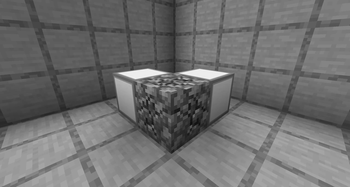
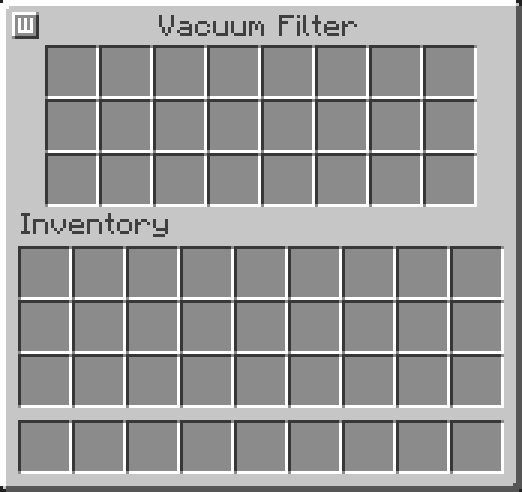
Vacuum Hopper
A hopper that sucks items off of the ground.
Mob Attractor
A block that teleports many entities (using LOTS of energy) in a large radius onto a single block.
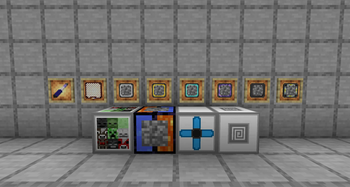
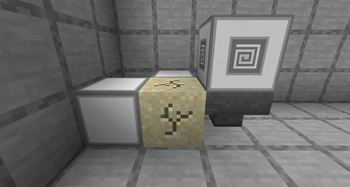
Cobblestone Generator
An upgradeable cobblestone generator that can produce incredible amounts of cobblestone.
Block Activator
A block that can break blocks, place blocks, use items, and attack entities using energy and (optionally) tools.
Changelog (v1.0.0 -> v1.1.0)
- Fixed a bug where stored energy would not be saved in the mob attractor
- Fixed a bug where block activators would override some of each other's variables
- Removed a message that would pop up in the log each time the IO on a cobblestone generator was updated
- Tweaked the mob attractor energy consumption to be significantly cheaper
- Added shift click into the cobblestone generator upgrade slot
- Added shift click into the vacuum hopper filter slot
- Mob attractor UI tweaks
- Block activator UI tweaks
- Vacuum hopper UI tweaks
- Cobblestone generator UI tweaks
- Changed mod description, authors, and logo
- Changed mod block and item descriptions
Planned Features
- None as of now
Links
Credits and Libraries Used
The original vacuum hopper was first created in the OpenBlocks mod.
The original block activator (autonomous activator) was first created in the Thermal Expansion mod.
(1.19.2, 1.19.4): Fake Player API
Available Versions
How to Install Hullabaloo on Your Server
Order Server
Order a Minecraft Java server with at least 3 GB RAM (4 GB recommended).
Set fabric Loader
In the panel under "Egg", select the fabric loader and matching Minecraft version (1.20.6).
Install Mod
Open the mod browser in the dashboard and search for "Hullabaloo". Click "Install" – done! Alternatively, upload the .jar via SFTP to the /mods folder.
Compatibility
Mod Loaders
Minecraft Versions
1.20.6, 1.20.4, 1.20.2 (+3 more)
Server-side
✓ RequiredRecommended RAM
4 GB(min. 3 GB)Frequently Asked Questions
Hullabaloo server crashes on startup – what to do?
Most common cause: wrong fabric version or insufficient RAM. Check the server log (latest.log) for "OutOfMemoryError" or "Mixin" errors. With Mado Hosting: ensure at least 3 GB RAM is allocated and the loader matches the mod version (1.20.6). You can switch loaders with one click in the panel.
Is Hullabaloo compatible with fabric?
Hullabaloo officially supports fabric for Minecraft 1.20.6, 1.20.4, 1.20.2. The Mado dashboard automatically detects incompatible loader combinations.
Server lagging with Hullabaloo – how to optimize performance?
Recommended RAM: 4 GB (per 8 players). Use /spark profiler to check if Hullabaloo consumes the most tick time. Common fixes: reduce server view-distance to 8-10, install "performant" or "starlight" as supplementary mods on Forge. With Mado Hosting, your server runs on NVMe SSDs with dedicated CPU cores for minimal latency.
Similar Mods





Rent Modded Server
Install Hullabaloo with just one click on your server.