
Hwyala
A fork of Hwyla that fixes the Comparison Contract Violation.
Screenshots
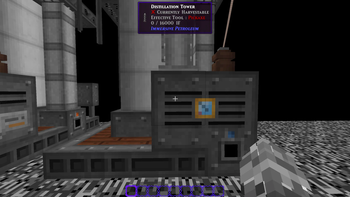
About this Mod
I only made this because I was tired of rolling bad RNG for the random chance for HWYLA to crash your pack on startup while testing my modpack.
HWYALA (pronounced "Hwhy-a-la", a la "Coo-Hwhip") - a fork of HWYLA by TehNut, which is itself a fork of WAILA by ProfMobius.
What does this fork do?
There's a bug in HWYLA that will occasionally cause a crash on launch due to a violation of the transitive property (a>b,b>c => a>c) that is enforced by the general Java contract for comparison methods.
This fork fixes that bug by adding 4 lines of code.
Notable Lesser-Known Features
- If JEI/HEI is installed, you can use Numpad 3 and Numpad 4 to look up the recipe of blocks in the world.
- You can change the colors and text formatting of the tooltip by navigating to the in-game config, opening the "Waila" options screen, and selecting "Format content...".
- If you are having issues with tooltip handlers added by mods, you can run "/dumphandlers" which will produce a text file with all registered handlers and what types they are registered to.
- The Narrator can be toggled for the tooltip. This will use the system's text-to-speech library to tell you what you're looking at.
- If you think having the item being displayed in the tooltip is redundant, you can disable that.
I have no plans of actively maintaining this fork as the mod is on the whole hilariously stable, but feel free to PR with any fixes you come up with and I might merge if they don't make anything explode.
Any and all plugins/addons/compatibilities/what-have-you created with the original mod are 100% compatible with this fork.
This fork is permitted under the CC BY-NC-SA 4.0 license.
Usage of this mod is allowed for all packs.
I have no interest in any other version of Minecraft and will not be forking any other versions of HWYLA.
Available Versions
How to Install Hwyala on Your Server
Order Server
Order a Minecraft Java server with at least 3 GB RAM (4 GB recommended).
Set forge Loader
In the panel under "Egg", select the forge loader and matching Minecraft version (1.12.2).
Install Mod
Open the mod browser in the dashboard and search for "Hwyala". Click "Install" – done! Alternatively, upload the .jar via SFTP to the /mods folder.
Compatibility
Mod Loaders
Minecraft Versions
1.12.2
Server-side
~ OptionalRecommended RAM
4 GB(min. 3 GB)Frequently Asked Questions
Hwyala server crashes on startup – what to do?
Most common cause: wrong forge version or insufficient RAM. Check the server log (latest.log) for "OutOfMemoryError" or "Mixin" errors. With Mado Hosting: ensure at least 3 GB RAM is allocated and the loader matches the mod version (1.12.2). You can switch loaders with one click in the panel.
Is Hwyala compatible with forge?
Hwyala officially supports forge for Minecraft 1.12.2. The Mado dashboard automatically detects incompatible loader combinations.
Server lagging with Hwyala – how to optimize performance?
Recommended RAM: 4 GB (per 8 players). Use /spark profiler to check if Hwyala consumes the most tick time. Common fixes: reduce server view-distance to 8-10, install "performant" or "starlight" as supplementary mods on Forge. With Mado Hosting, your server runs on NVMe SSDs with dedicated CPU cores for minimal latency.
Similar Mods



Rent Modded Server
Install Hwyala with just one click on your server.
Details
- License
- Creative Commons Attribution Non Commercial Share Alike 4.0 International
- Server-side
- Optional