
I see you over there!
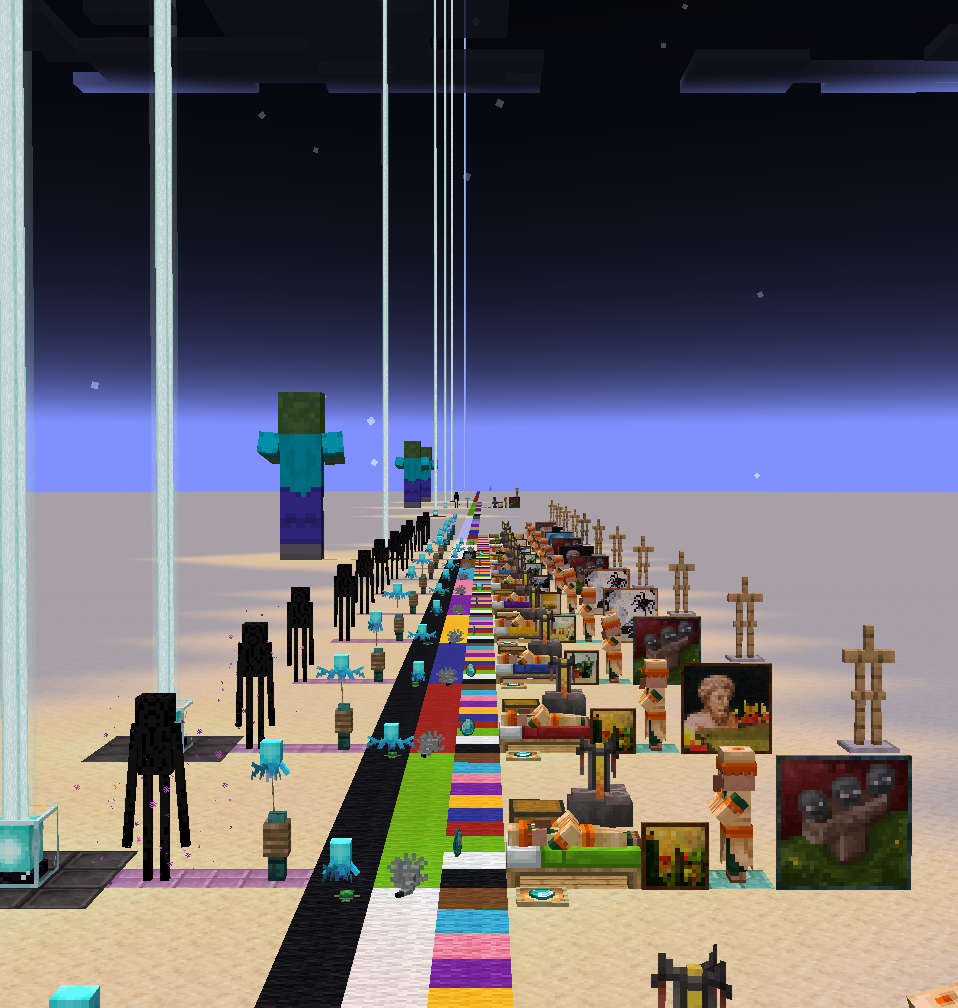
Increases entity and block-entity render distance based on zoom.
Screenshots

About this Mod
I See You Over There !
Adds additional options to the render distance of entities and block-entities.
Can fix the lower render distance on small entities, and automatically increase the render distance when zooming in.
This should theoretically work with any zoom mod.
This may not work as effectively in multiplayer.
Unless the server is configured to have an increased tracking distance (vanilla settings), the client will not even know about far away entities, and thus won't be able to render them.
In singleplayer, the mod automatically adjusts the server-side's tracking distance to match the render distance.
Configuration
The config can be edited in-game using Mod Menu + Cloth Config
fovScaling
When enabled, causes entity and block-entities render distances to increase or decrease based on the FOV (e.g, when using a spyglass).
When enabled, all other settings (except entity.max) will scale with the FOV. Their defined value will correspond to a FOV of 90°.
entity.min
Forces all entities within this range to be rendered.
In vanilla, entity render distance scales based on the entity's physical size. Without that setting, the smallest ones may require you to get absurdely close in order for them to become visible.
entity.max
Prevents entities beyond this range from being rendered.
This setting is intended to serve as a limiter. It is not affected by FOV-scaling, and will override the Minimum value.
block.min
Renders all block-entities within this range. This can only increase block-entity render distance, not reduce it.
This setting may be removed in the future. It offers no benefit over using the mod "Enhanced Block Entities".
block.beacon
Render distance for the beacon's beam.
Available Versions
How to Install I see you over there! on Your Server
Order Server
Order a Minecraft Java server with at least 3 GB RAM (4 GB recommended).
Set fabric Loader
In the panel under "Egg", select the fabric loader and matching Minecraft version (1.21.10).
Install Mod
Open the mod browser in the dashboard and search for "I see you over there!". Click "Install" – done! Alternatively, upload the .jar via SFTP to the /mods folder.
Compatibility
Mod Loaders
Minecraft Versions
1.21.10, 1.21.9, 1.21.8 (+16 more)
Server-side
✗ UnsupportedRecommended RAM
4 GB(min. 3 GB)Frequently Asked Questions
I see you over there! server crashes on startup – what to do?
Most common cause: wrong fabric version or insufficient RAM. Check the server log (latest.log) for "OutOfMemoryError" or "Mixin" errors. With Mado Hosting: ensure at least 3 GB RAM is allocated and the loader matches the mod version (1.21.10). You can switch loaders with one click in the panel.
Is I see you over there! compatible with fabric?
I see you over there! officially supports fabric for Minecraft 1.21.10, 1.21.9, 1.21.8. The Mado dashboard automatically detects incompatible loader combinations.
Server lagging with I see you over there! – how to optimize performance?
Recommended RAM: 4 GB (per 8 players). Use /spark profiler to check if I see you over there! consumes the most tick time. Common fixes: reduce server view-distance to 8-10, install "performant" or "starlight" as supplementary mods on Forge. With Mado Hosting, your server runs on NVMe SSDs with dedicated CPU cores for minimal latency.
Rent Modded Server
Install I see you over there! with just one click on your server.