
Icicle
An introduction to the icy side of Minecraft.
Screenshots




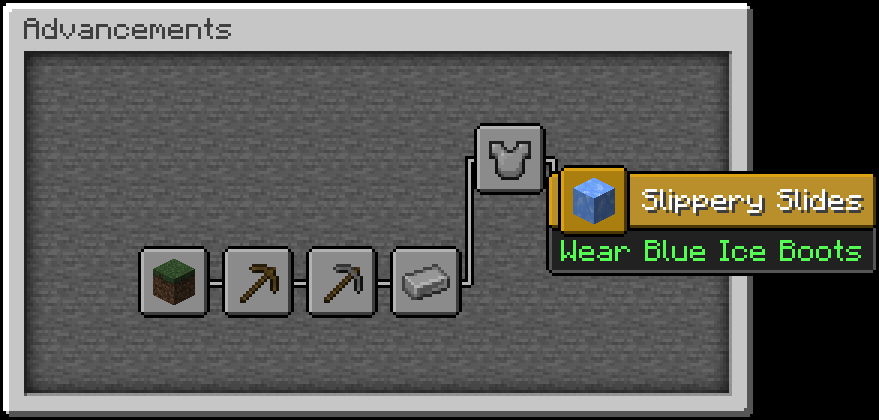
About this Mod
Icicle Release 1.6.2 (ICE STAFF!)

Now With Icicles!
Unleash your creativity with Icicle's ice blocks, now featuring thrilling updates. Craft frozen landscapes, detailed structures, and vibrant cities that reflect the beauty of winter. New slabs, stairs, and trapdoors offer depth and intricacy to your designs, leaving a lasting impact. Dive into a world of imagination and discovery, amplified by the breathtaking Giant Ice Spikes, where the rare Icy Poppy blooms. Equip new armor and swords to embody the essence of ice as you channel your artistic vision in this frosty realm. Elevate your building experience and let your creativity run wild in a winter wonderland like no other.
Common Questions:
What Are The Dependencies? - There Are None
Is This Compatible With JEI? - Absolutely
Are you working on it? - Currently, I am still a student and, for that reason, focus on my studies. However, in my free time, I work on this mod and learn C/C#/C++. So yes, I am constantly updating this mod, but be mindful that most of my time spent on this mod is during weekends, so updates may come out slowly.
License: You may download the mod from Modrinth and CurseForge. Please do not redistribute the mod under ANY CIRCUMSTANCES. Do not claim this mod as your own. This Mod is made by smplesco.
--The main channel for this mod is still CurseForge.
Available Versions
How to Install Icicle on Your Server
Order Server
Order a Minecraft Java server with at least 3 GB RAM (4 GB recommended).
Set fabric Loader
In the panel under "Egg", select the fabric loader and matching Minecraft version (1.21.8).
Install Mod
Open the mod browser in the dashboard and search for "Icicle". Click "Install" – done! Alternatively, upload the .jar via SFTP to the /mods folder.
Compatibility
Mod Loaders
Minecraft Versions
1.21.8, 1.21.4, 1.21.1 (+4 more)
Server-side
✓ RequiredRecommended RAM
4 GB(min. 3 GB)Frequently Asked Questions
Icicle server crashes on startup – what to do?
Most common cause: wrong fabric version or insufficient RAM. Check the server log (latest.log) for "OutOfMemoryError" or "Mixin" errors. With Mado Hosting: ensure at least 3 GB RAM is allocated and the loader matches the mod version (1.21.8). You can switch loaders with one click in the panel.
Is Icicle compatible with fabric and forge and neoforge?
Icicle officially supports fabric, forge, neoforge for Minecraft 1.21.8, 1.21.4, 1.21.1. Note: Forge and Fabric mods are NOT cross-compatible – pick one loader and stick with it. The Mado dashboard automatically detects incompatible loader combinations.
Server lagging with Icicle – how to optimize performance?
Recommended RAM: 4 GB (per 8 players). Use /spark profiler to check if Icicle consumes the most tick time. Common fixes: reduce server view-distance to 8-10, install "performant" or "starlight" as supplementary mods on Forge. With Mado Hosting, your server runs on NVMe SSDs with dedicated CPU cores for minimal latency.
Similar Mods




Rent Modded Server
Install Icicle with just one click on your server.
Details
- License
- Creative Commons Attribution Non Commercial No Derivatives 4.0 International
- Server-side
- Required