
Iconic
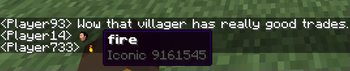
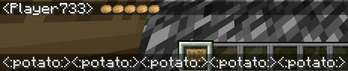
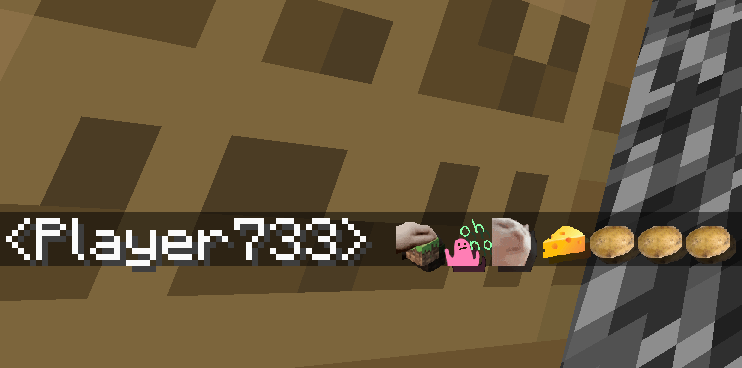
Upload your own icons to chat, fully client side!
Screenshots

About this Mod
Iconic
Upload your own icons to chat, fully client side!
The following document is relevant for Iconic 2.0.0.
Using the Mod
To insert an icon into chat, begin by typing :. Autocomplete suggestions will pop up.
Upon sending a message with icons, the icons will be sent to other clients, which will then show it on screen.
The mod works by hiding an icon id in the chat. If the actual chat message sent exceeds the maximum length of 256 characters, a warning will be shown. Don't icon spam too much.
These commands also support including icons:/me, /msg, /teammsg, /tell, /tellraw, /tm, /w, /reply, /r, /last, /l (last 4 are common reply commands on servers).
Adding Your Own Icons
Add icons by clicking the star button at the bottom left of the chat bar. A directory will be opened where you can add icons.
Alternatively, navigate to your dotminecraft and open the icons directory.
Icons over 1 megabyte will be rejected. Only images in the .png format are accepted.
If an image is wider than taller (width > height), or the image is wider than 256, it will automatically be corrected to a 256px width square image.
Alternatively, you can use one of the provided icon generators:
Icon Generators
URL
Downloads an icon from the internet by URL, and saves it to the icon directory as a PNG.
Usage: /iconic url [icon name] [url of image]
Player Skin
Generates a 3D render of a player skin.
Usage: /iconic player [player name or UUID]
PetPet Animation
Adds the petpet animation to any other icon.
Usage: /iconic petpet [other icon name]
Built-in Icons
The mod comes with some built-in icons. Here's a list:
Built-in Icons List
axolotlbananaspin(A spinning banana)birdspin(A dancing bird)boatjeb(Jeb in a boat)bruhcatbop(Bopping cat)cathello(Cat waving hello)concernconfusioncreepereggemotionaldamage(EMOTIONAL DAMAGE!!!)explosion(Planet annihilation)eyesfabric(FabricMC logo)firehearthellothere(Obi-Wan Kenobi hello there)iapproveminecraft(Minecraft logo)missing(Missing texture cube)modrinth(Modrinth logo)neverdie(Tribute)partypopperpogpotatoprideflagrage(Angry seagull)rainbowrickroll(Rick Astley)shut(Shut seagull)skullsnailsobsus(Among Us character)tater(FabricMC mascot?)thanossnap(Fading away)thumbsdownthumbsupwheeze
Animated Icons
Icons can be animated too! Here's how:
Adding Animated Icons
To add an animated icon, create an image with a height greater than the width. For example, a 64x256 image would have 4 frames, each 64x64 pixels.
Each frame is rendered for approximately 37.5 milliseconds (0.0375 seconds), and loops after reaching the last frame.
Here's a tool you can use to convert a gif into an icon that can be used.
Make sure to set Tile Alignment to Vertical and Tile Size to 256x256 (or a smaller square).
Mod Compatibility
Here are the mods that have been tested alongside Iconic:
Mod Compatibility
| Mod | Compatibility |
|---|---|
| Fabric API | Required |
| Fabric Language Kotlin | Required |
| No Chat Reports | Compatible |
| Figura | Compatible and Extended |
| Symbol Chat | Incompatible |
Available Versions
How to Install Iconic on Your Server
Order Server
Order a Minecraft Java server with at least 3 GB RAM (4 GB recommended).
Set fabric Loader
In the panel under "Egg", select the fabric loader and matching Minecraft version (1.20.6).
Install Mod
Open the mod browser in the dashboard and search for "Iconic". Click "Install" – done! Alternatively, upload the .jar via SFTP to the /mods folder.
Compatibility
Mod Loaders
Minecraft Versions
1.20.6, 1.20.5, 1.20.4
Server-side
✗ UnsupportedRecommended RAM
4 GB(min. 3 GB)Frequently Asked Questions
Iconic server crashes on startup – what to do?
Most common cause: wrong fabric version or insufficient RAM. Check the server log (latest.log) for "OutOfMemoryError" or "Mixin" errors. With Mado Hosting: ensure at least 3 GB RAM is allocated and the loader matches the mod version (1.20.6). You can switch loaders with one click in the panel.
Is Iconic compatible with fabric and quilt?
Iconic officially supports fabric, quilt for Minecraft 1.20.6, 1.20.5, 1.20.4. The Mado dashboard automatically detects incompatible loader combinations.
Server lagging with Iconic – how to optimize performance?
Recommended RAM: 4 GB (per 8 players). Use /spark profiler to check if Iconic consumes the most tick time. Common fixes: reduce server view-distance to 8-10, install "performant" or "starlight" as supplementary mods on Forge. With Mado Hosting, your server runs on NVMe SSDs with dedicated CPU cores for minimal latency.
Similar Mods





Rent Modded Server
Install Iconic with just one click on your server.