
Improved Damage Framework
Reworking the boring vanilla damage system. Fully implemented elemental damage/defences and more!
Screenshots
About this Mod
Improved Damage Framework is my interpretation of a "combat update" for Minecraft. It is a mod that aims to vastly improve the equipment and combat of Minecraft in a way that aligns more with the style of the game. It does this by fully implementing stats found in traditional JRPGs, and altering the way damage and health is handled across the board.
IDF's development is currently on hold while I work on a spiritual successor for 1.20.1. If 1.19.2 becomes a major modding version for Minecraft, I'll look into backporting it or returning to IDF. If you're interested, you can check out the devlog at https://www.youtube.com/channel/UCZQuWzOPVnPYxuqy4eRZuGA. Thanks.

- Fully implemented NEW damage system including elemental damage, auxiliary stats like crit chance and lifesteal, a brand new weight system, and a damage class modifier system.
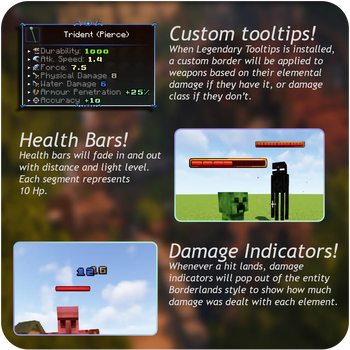
- Mob health bars and damage indicators included.
- Vanilla attributes are fully integrated, ensuring compatibility with mods that aren't semantically conflicting.
- Many vanilla systems have been reworked to better fit the new damage system.
- Built with modpack and mod integration in mind.
- Many out-of-the-box built-in integrations, including Legendary Tooltips, Tetra, and Better Combat.
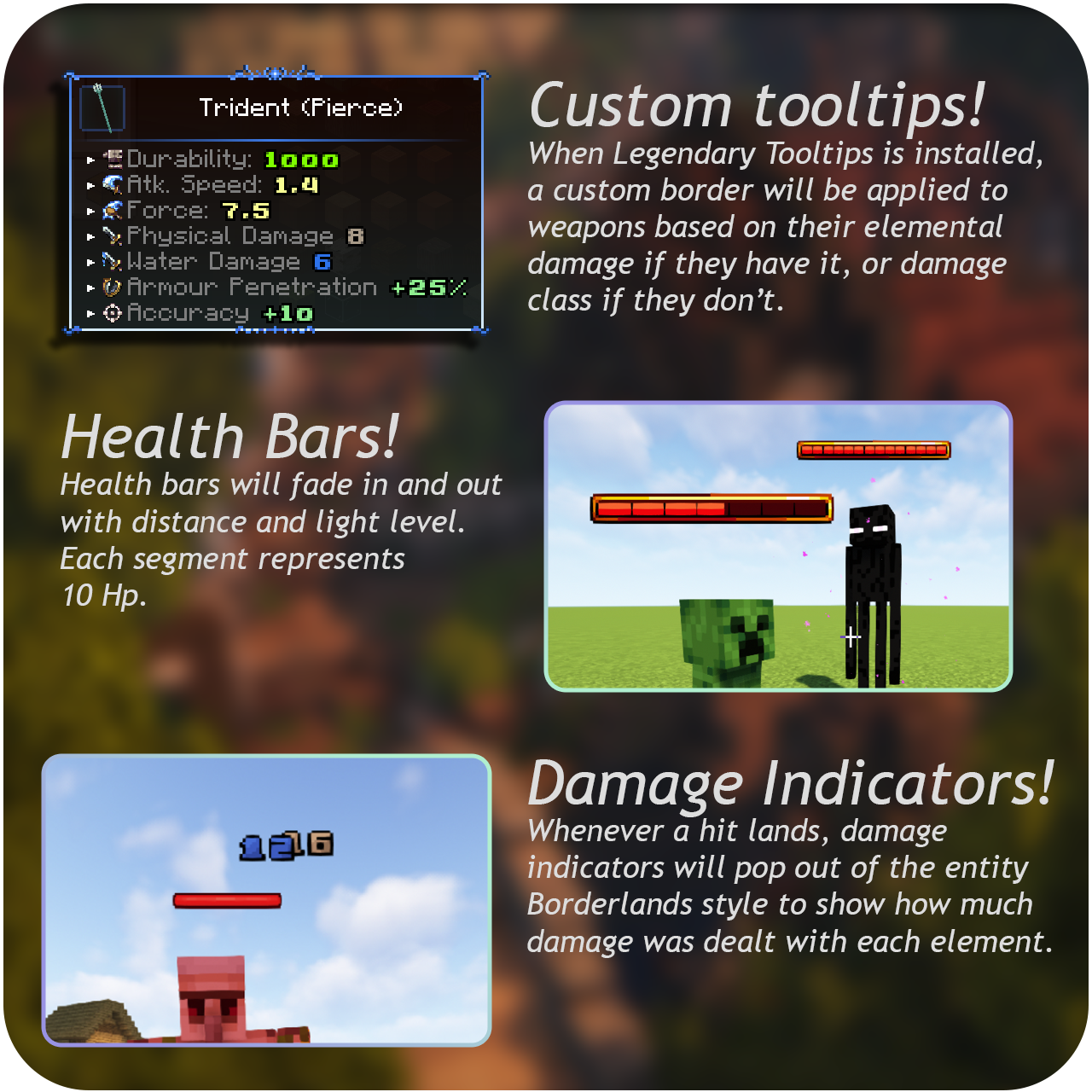
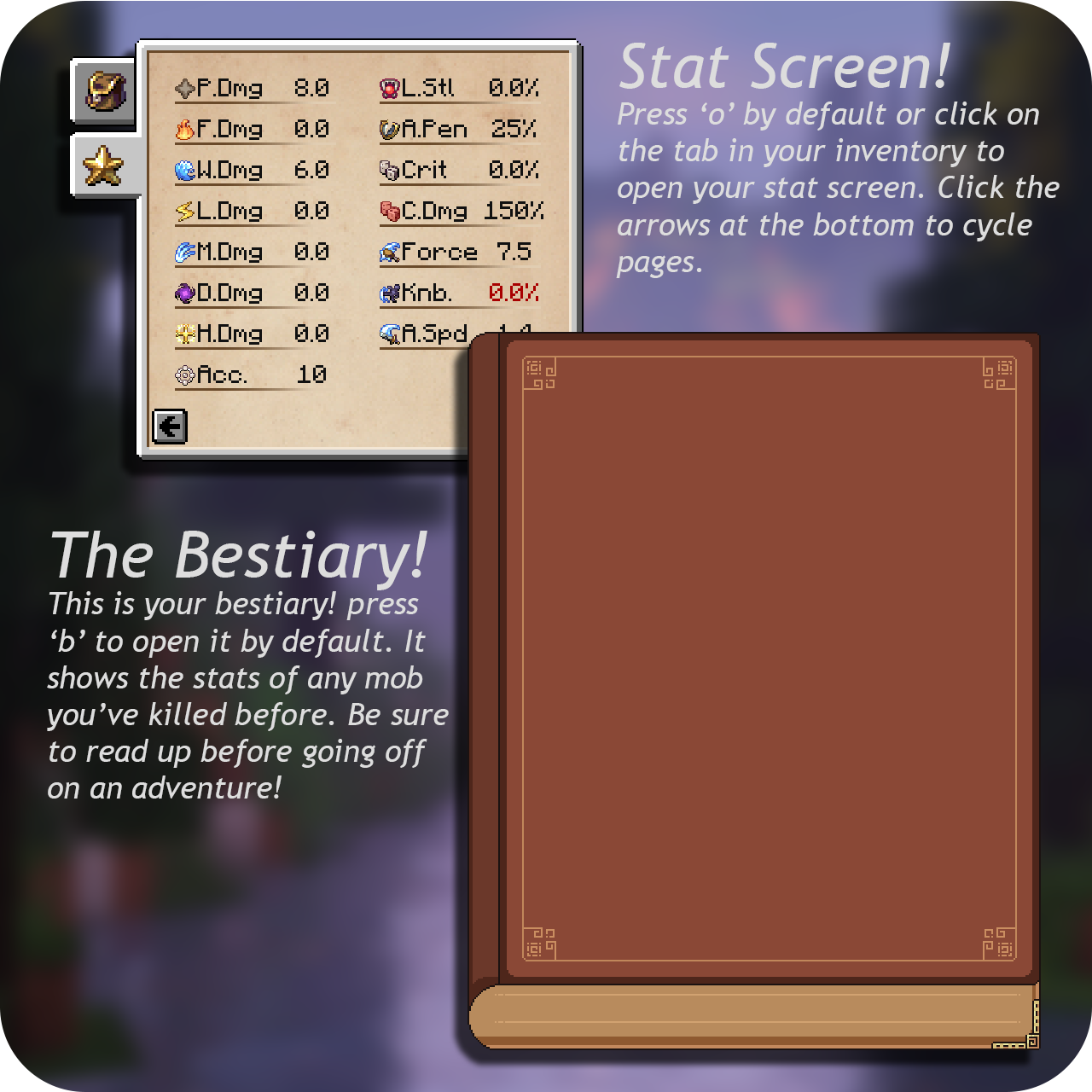
How does this interact with the Apotheosis Adventure Module?
I'm not entirely sure. In theory, it should work, but there are a lot of conflicting ideas. For example, both IDF and Apoth implement a fire damage stat, so you may end up with equipment that has two different fire damage attributes.I am currently writing a datapack to integrate IDF's attributes with Apotheosis. Stay tuned!
Semantically conflicting? What does that mean?
I mean your game will launch and play without crashing or glitching. Just because your game will run, however, does not mean all your mods will integrate together seamlessly.
For IDF's elemental damage system, vanilla Attack Damage, Armor Toughness, and Armor are reworked into Physical Damage, Weight, and Physical Defence respectively. This ensures bare minimum compatibility with other mods that aren't designed to use IDF's systems, but further steps will need to be taken by you to make equipment actually use IDF's systems.
Let's take an example:
-> From Ars Nouveau, an Enchanter's Sword has a +7 Attack Damage attribute modifier.
-> When using IDF, this translates as +7 Physical Damage, because Attack Damage is renamed to Physical Damage to keep in line with the elemental system.
-> It would be logical for this sword to do magic damage instead, or perhaps some mix of physical and magic damage, so you would need to go to IDF's config files and make the change yourself.
EXTENSIVE DETAIL ON THE CONFIG SYSTEM IS ON MY GITHUB WIKI. It is really simple tho.
This seems cool, but I'm worried some players won't want to learn a new damage system
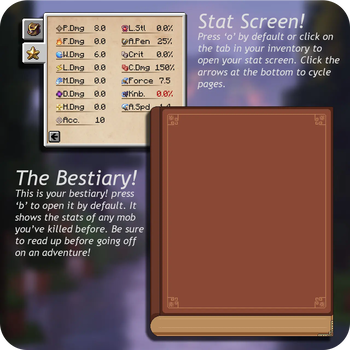
This is a valid concern, and something I had to keep in mind when designing IDF on account of all my own friends being like this. I believe (from my own testing) that even with IDF installed, players who don't want to learn how any of the new stats or systems work can still be effective by following the tried and true rule of "ME LIKE BIG NUMBER." Attributes that can be a bit confusing are highlighted in green, red, or white in the GUI to show if the value is good, bad, or default.
Anyone should be able to pick up an IDF-based pack with no issue. Perhaps not entirely optimally, but I believe a system in which players who don't want to bother optimizing and min-maxing can play alongside those who do is good game design.
So I have to manually configure every single mob and item in the game?!
No. IDF comes with a default config for every vanilla mob and equipment item. Any mods you install that do not have IDF integration by default (pretty much all mods) you will have to do manually. The default config should be a good reference point to balance around when configuring other mods.
Of course, if you don't like how I've balanced vanilla you're entirely welcome to change it! That's the entire point of the mod :D
Known incompatibilities
Do not use IDF with Maxhealthfix, Responsive Shields, or Better Hurt Timers. The changes made by these mods are already included in IDF and they will cause your game to crash.Available Versions
How to Install Improved Damage Framework on Your Server
Order Server
Order a Minecraft Java server with at least 3 GB RAM (4 GB recommended).
Set forge Loader
In the panel under "Egg", select the forge loader and matching Minecraft version (1.19.2).
Install Mod
Open the mod browser in the dashboard and search for "Improved Damage Framework". Click "Install" – done! Alternatively, upload the .jar via SFTP to the /mods folder.
Compatibility
Mod Loaders
Minecraft Versions
1.19.2
Server-side
✓ RequiredRecommended RAM
4 GB(min. 3 GB)Frequently Asked Questions
Improved Damage Framework server crashes on startup – what to do?
Most common cause: wrong forge version or insufficient RAM. Check the server log (latest.log) for "OutOfMemoryError" or "Mixin" errors. With Mado Hosting: ensure at least 3 GB RAM is allocated and the loader matches the mod version (1.19.2). You can switch loaders with one click in the panel.
Is Improved Damage Framework compatible with forge?
Improved Damage Framework officially supports forge for Minecraft 1.19.2. The Mado dashboard automatically detects incompatible loader combinations.
Server lagging with Improved Damage Framework – how to optimize performance?
Recommended RAM: 4 GB (per 8 players). Use /spark profiler to check if Improved Damage Framework consumes the most tick time. Common fixes: reduce server view-distance to 8-10, install "performant" or "starlight" as supplementary mods on Forge. With Mado Hosting, your server runs on NVMe SSDs with dedicated CPU cores for minimal latency.
Similar Mods




![[TaCZ] Timeless and Classics Zero](https://cdn.modrinth.com/data/SzzJttH8/fd27766d2bb8390d284696b1dbd358f87e081439_96.webp)

Rent Modded Server
Install Improved Damage Framework with just one click on your server.