
IkkatsuResourcePackKun
Toggling all the selected resource packs at once!
Screenshots
About this Mod
Ikkatsu Resource Pack Kun
Ikkatsu Resource Pack Kun is a lightweight Fabric client-side mod that lets you assign multiple resource packs to a single keybind and toggle them all on or off at once — no more diving into the settings menu every time.
✨ Features
One-key toggle
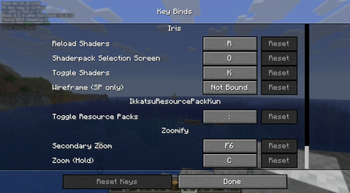
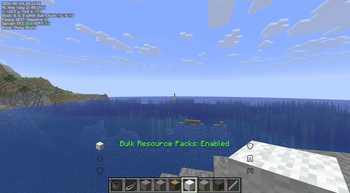
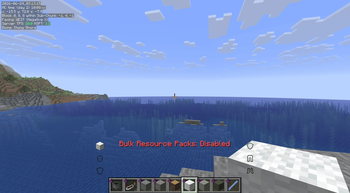
Press Ctrl + ` (apostrophe) (※日本語キーボードの場合は「:」キー)in-game to enable or disable all your selected resource packs simultaneously. An on-screen message confirms the current state at a glance.
Persistent state across sessions
Your selected packs and their enabled/disabled state are saved to a config file (bulk_toggle_config.json). The mod automatically restores the correct state every time you launch the game.
Intuitive config screen (via Mod Menu)
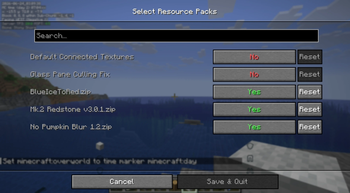
Open the mod's settings through Mod Menu to see a list of all available resource packs, each with a simple toggle switch. Internal packs (Vanilla, High Contrast, Programmer Art) and Fabric mod-embedded resource packs are automatically hidden to keep the list clean.
Automatic resource pack reload
Whenever you toggle packs, the game's resource pack manager is updated and a reload is triggered automatically — no manual steps required.
📦 Requirements
・Fabric Loader
・Fabric API
・Cloth Config
・Mod Menu (for config screen)
🎮 How to Use
Open Mod Menu and navigate to this mod's config screen.
Toggle on the resource packs you want to group together.
Save and close the screen.
In-game, press Ctrl + ` to enable/disable all selected packs at once.
Available Versions
How to Install IkkatsuResourcePackKun on Your Server
Order Server
Order a Minecraft Java server with at least 3 GB RAM (4 GB recommended).
Set fabric Loader
In the panel under "Egg", select the fabric loader and matching Minecraft version (26.1.2).
Install Mod
Open the mod browser in the dashboard and search for "IkkatsuResourcePackKun". Click "Install" – done! Alternatively, upload the .jar via SFTP to the /mods folder.
Compatibility
Mod Loaders
Minecraft Versions
26.1.2
Server-side
✗ UnsupportedRecommended RAM
4 GB(min. 3 GB)Frequently Asked Questions
IkkatsuResourcePackKun server crashes on startup – what to do?
Most common cause: wrong fabric version or insufficient RAM. Check the server log (latest.log) for "OutOfMemoryError" or "Mixin" errors. With Mado Hosting: ensure at least 3 GB RAM is allocated and the loader matches the mod version (26.1.2). You can switch loaders with one click in the panel.
Is IkkatsuResourcePackKun compatible with fabric?
IkkatsuResourcePackKun officially supports fabric for Minecraft 26.1.2. The Mado dashboard automatically detects incompatible loader combinations.
Server lagging with IkkatsuResourcePackKun – how to optimize performance?
Recommended RAM: 4 GB (per 8 players). Use /spark profiler to check if IkkatsuResourcePackKun consumes the most tick time. Common fixes: reduce server view-distance to 8-10, install "performant" or "starlight" as supplementary mods on Forge. With Mado Hosting, your server runs on NVMe SSDs with dedicated CPU cores for minimal latency.
Rent Modded Server
Install IkkatsuResourcePackKun with just one click on your server.