
Illusory Walls
A Fabric mod to add illusory walls to Minecraft.
Screenshots
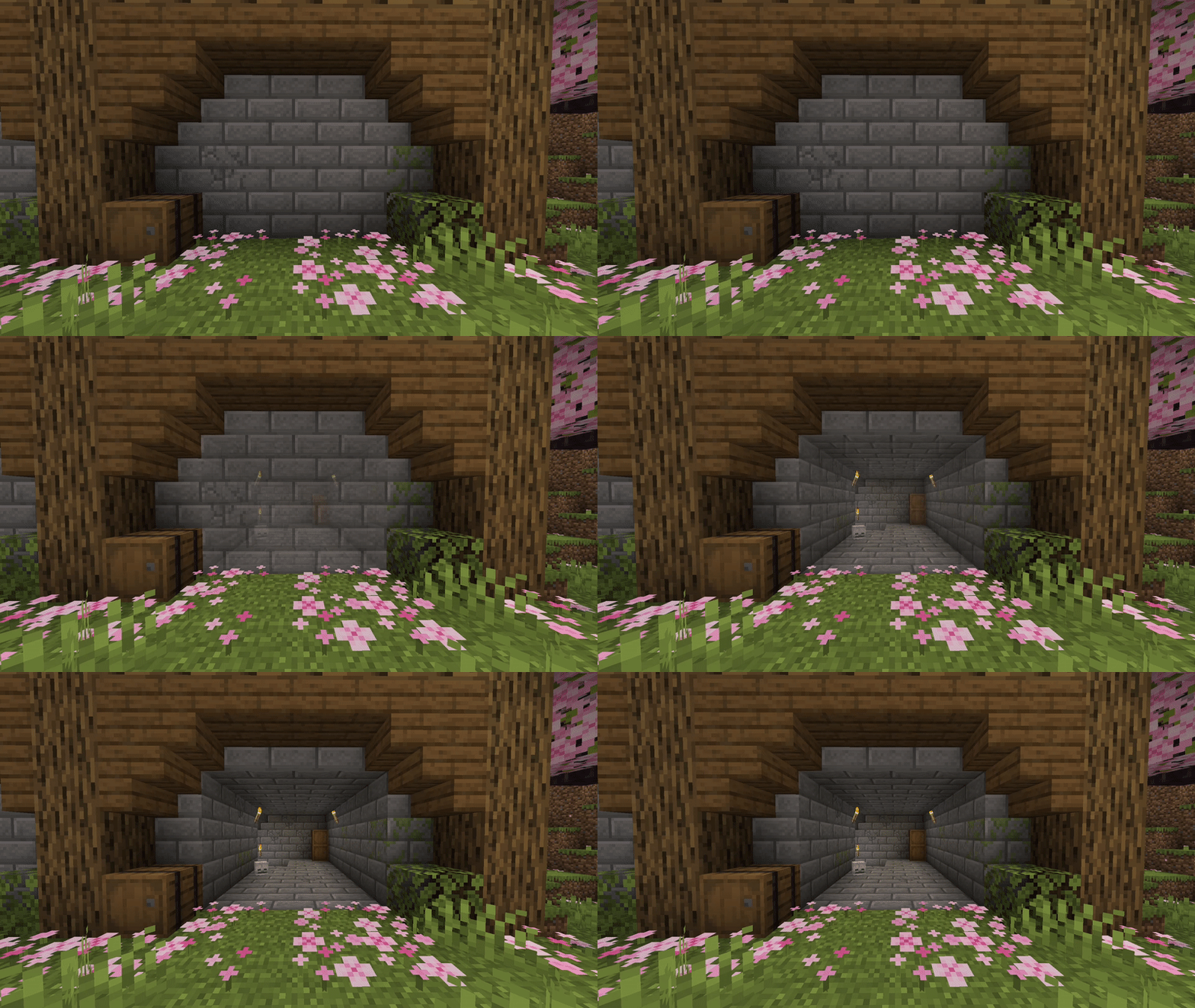
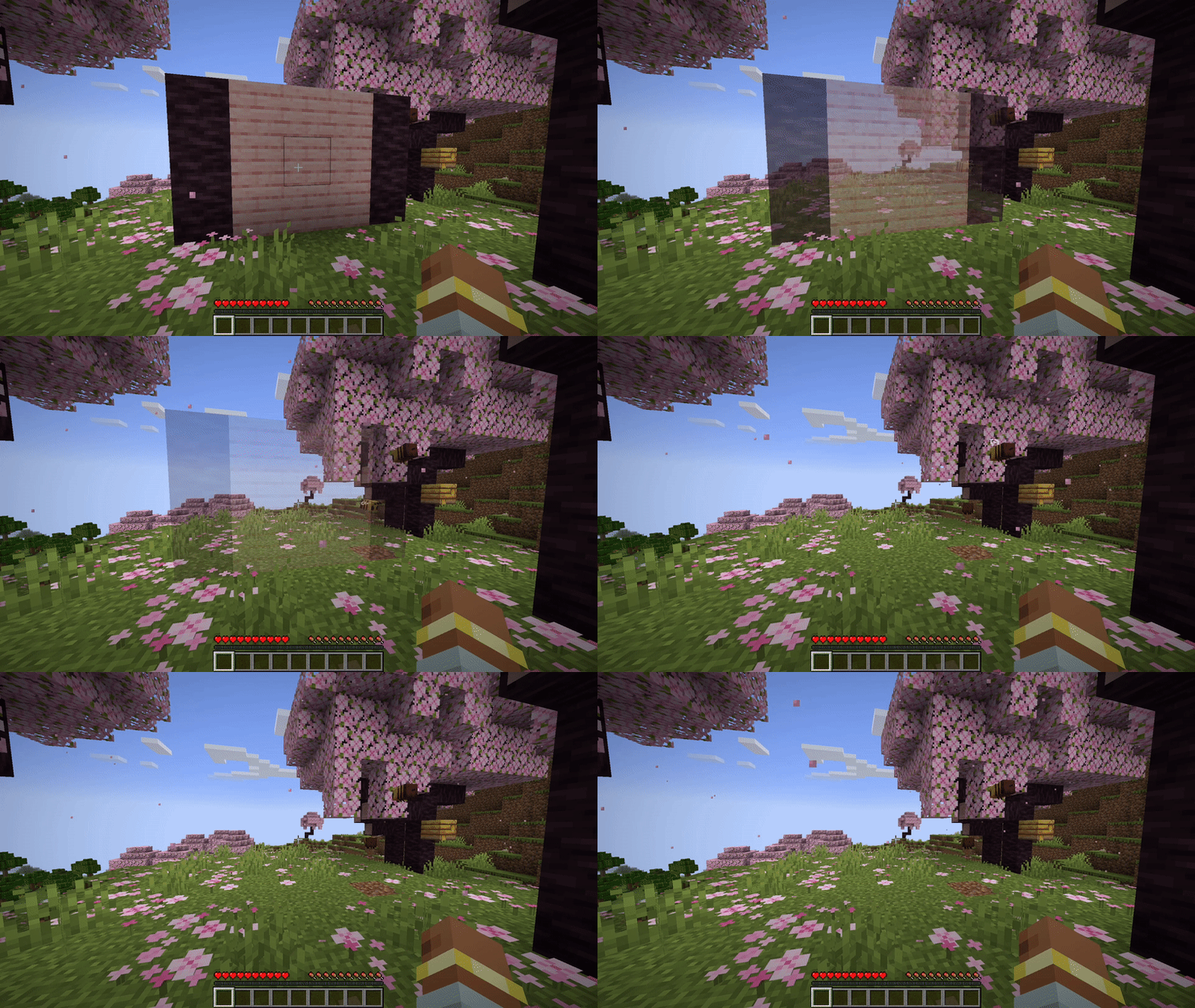
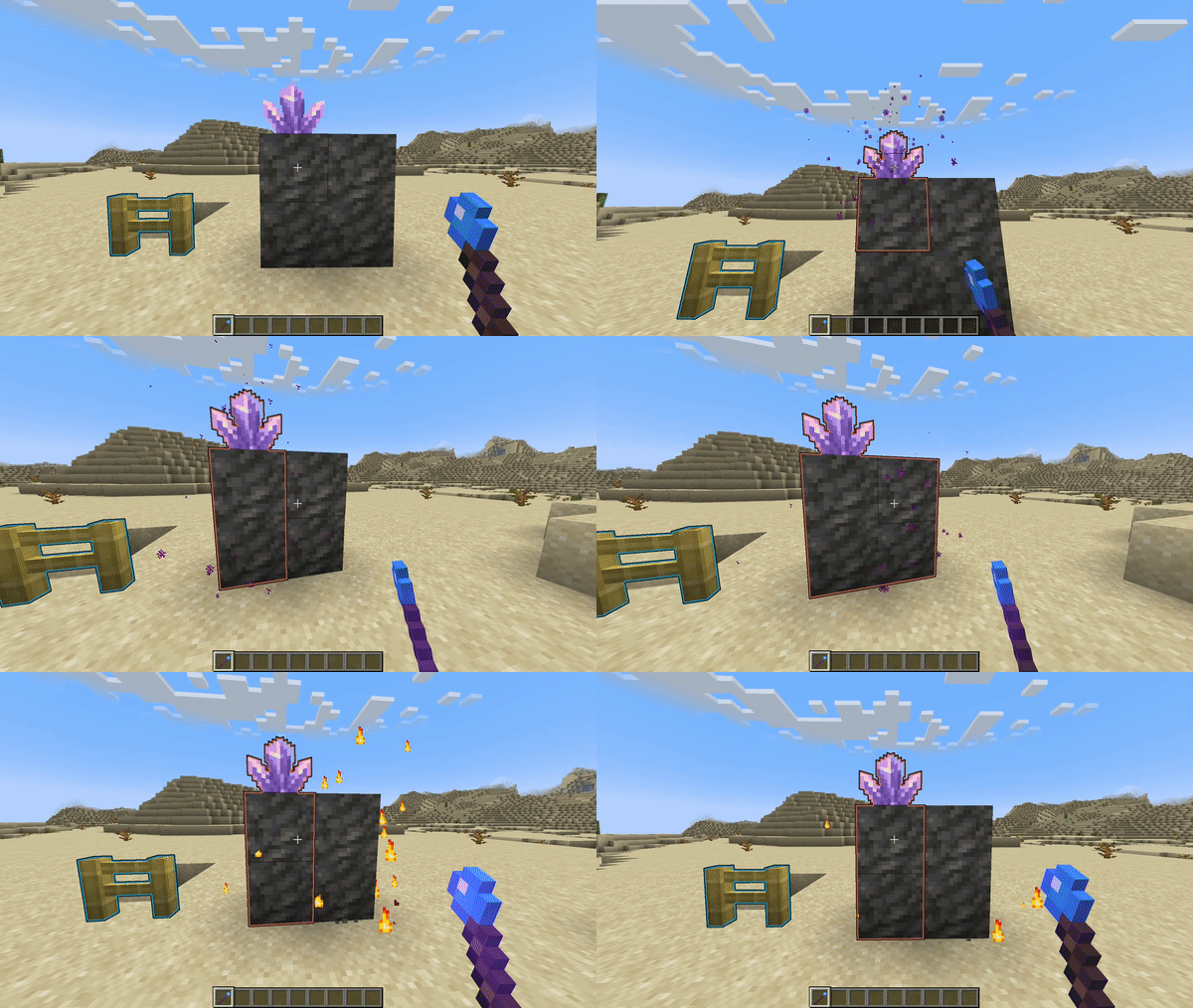
About this Mod
A Fabric mod for map makers that adds illusory walls to Minecraft.
▶ Preview
Once a player attacks an illusory wall, or a projectile hits one, the wall will fade.

More preview can be found here.
🪄 Edit mode
Illusory walls can be created by operators with a new "Staff of Illusion" item.
The staff can be found in the operator items tab or with this give command: /give @s illwalls:staff_of_illusion.
Once you hold the staff, all illusory walls will be displayed with an outline.
Right click to make any block illusory.
Left click a block to remove it from an illusory wall.

Reappearing Walls
You can configure walls to respawn after a certain amount of in-game time.
Using the Staff of Illusion, Shift + Right Click on an illusory wall to edit its properties.
In the configuration screen, tick the "Respawn" checkbox to enable respawning for that wall.
You can also configure an individual cooldown that should pass before the wall respawns.
If you want to choose another time unit, just click on the unit button.

If you Shift + Right Click into the air or on a non-illusory block, you can also edit your default settings for new illusory walls you create.
📁Installation
- Download the mod for your Minecraft version.
- Install Fabric API
- Put both downloaded mod files into the
modsfolder in your game directory
If you want to setup multiplayer server, install both mods on the server too.
🔗 Links
- Download on Modrinth: https://modrinth.com/mod/illusory-walls/versions
- Issue Tracker: https://github.com/LCLPYT/illusory-walls/issues
- Source on GitHub: https://github.com/LCLPYT/illusory-walls
Available Versions
How to Install Illusory Walls on Your Server
Order Server
Order a Minecraft Java server with at least 3 GB RAM (4 GB recommended).
Set fabric Loader
In the panel under "Egg", select the fabric loader and matching Minecraft version (1.21.11).
Install Mod
Open the mod browser in the dashboard and search for "Illusory Walls". Click "Install" – done! Alternatively, upload the .jar via SFTP to the /mods folder.
Compatibility
Mod Loaders
Minecraft Versions
1.21.11, 1.21.10, 1.21.9 (+14 more)
Server-side
✓ RequiredRecommended RAM
4 GB(min. 3 GB)Frequently Asked Questions
Illusory Walls server crashes on startup – what to do?
Most common cause: wrong fabric version or insufficient RAM. Check the server log (latest.log) for "OutOfMemoryError" or "Mixin" errors. With Mado Hosting: ensure at least 3 GB RAM is allocated and the loader matches the mod version (1.21.11). You can switch loaders with one click in the panel.
Is Illusory Walls compatible with fabric?
Illusory Walls officially supports fabric for Minecraft 1.21.11, 1.21.10, 1.21.9. The Mado dashboard automatically detects incompatible loader combinations.
Server lagging with Illusory Walls – how to optimize performance?
Recommended RAM: 4 GB (per 8 players). Use /spark profiler to check if Illusory Walls consumes the most tick time. Common fixes: reduce server view-distance to 8-10, install "performant" or "starlight" as supplementary mods on Forge. With Mado Hosting, your server runs on NVMe SSDs with dedicated CPU cores for minimal latency.
Rent Modded Server
Install Illusory Walls with just one click on your server.