
immersion in traffic context
Adds customizable barriers & asphalt roads (+30% speed!). Design unique streets, works with/without Ultimate Car Mod. Survival recipes included. Build realistic traffic systems!
Screenshots
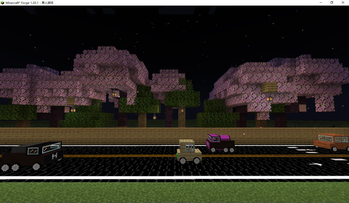
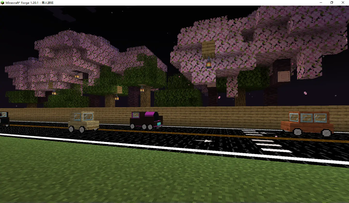
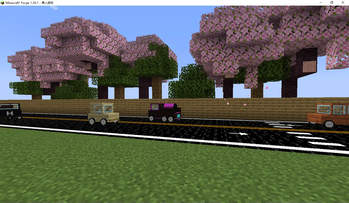
About this Mod
∑How to Use This Mod? >
This mod adds various road blocks to Minecraft, making the game more interesting.
When walking on them, you will notice a significant increase in speed, and you can even jump higher.
This mod also adds many minerals. The 1.20.1 version has been discontinued due to element conflicts and other issues. The mod will follow Minecraft's update pace, with long-term support for more classic versions.
The author recommends using this mod alongside Just Enough Items (JEI), The One Probe (TOP), and transportation-related mods for a better experience.
New elements will continue to be added to ensure the mod's replayability.
✅ Features
Walking on asphalt blocks increases movement speed to 1.3 times that of regular blocks.
Choose the block shape you prefer — turn left, turn right, and more. It's all up to you.
All mod blocks are craftable in Survival mode.
∆ Screenshots:
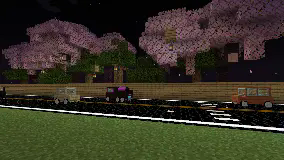
Spoiler
The picture no longer matches the actual product.
📖 Finally:
After completing the car,you come to this step:you have a variety of options to design your own street and unleash your creativity!
Mod Loader Compatibility
This mod is developed for Forge. Fabric and other mod loaders are not natively supported, but you can use a connector mod to load it on those platforms. Support for behavior packs and data packs may be added in the future, though it is unlikely.
Available Versions
How to Install immersion in traffic context on Your Server
Order Server
Order a Minecraft Java server with at least 3 GB RAM (4 GB recommended).
Set forge Loader
In the panel under "Egg", select the forge loader and matching Minecraft version (1.21.8).
Install Mod
Open the mod browser in the dashboard and search for "immersion in traffic context". Click "Install" – done! Alternatively, upload the .jar via SFTP to the /mods folder.
Compatibility
Mod Loaders
Minecraft Versions
1.21.8, 1.21.4, 1.21.1 (+1 more)
Server-side
✓ RequiredRecommended RAM
4 GB(min. 3 GB)Frequently Asked Questions
immersion in traffic context server crashes on startup – what to do?
Most common cause: wrong forge version or insufficient RAM. Check the server log (latest.log) for "OutOfMemoryError" or "Mixin" errors. With Mado Hosting: ensure at least 3 GB RAM is allocated and the loader matches the mod version (1.21.8). You can switch loaders with one click in the panel.
Is immersion in traffic context compatible with forge and neoforge?
immersion in traffic context officially supports forge, neoforge for Minecraft 1.21.8, 1.21.4, 1.21.1. The Mado dashboard automatically detects incompatible loader combinations.
Server lagging with immersion in traffic context – how to optimize performance?
Recommended RAM: 4 GB (per 8 players). Use /spark profiler to check if immersion in traffic context consumes the most tick time. Common fixes: reduce server view-distance to 8-10, install "performant" or "starlight" as supplementary mods on Forge. With Mado Hosting, your server runs on NVMe SSDs with dedicated CPU cores for minimal latency.
Rent Modded Server
Install immersion in traffic context with just one click on your server.