
Immersive Storms
Immersive fog and weather effects for mountains, deserts, pale gardens, and more!
Screenshots


About this Mod
Immersive Storms

A small client-side mod that adds subtle and immersive fog and particle effects to various biomes, based on the weather.
Sandstorms
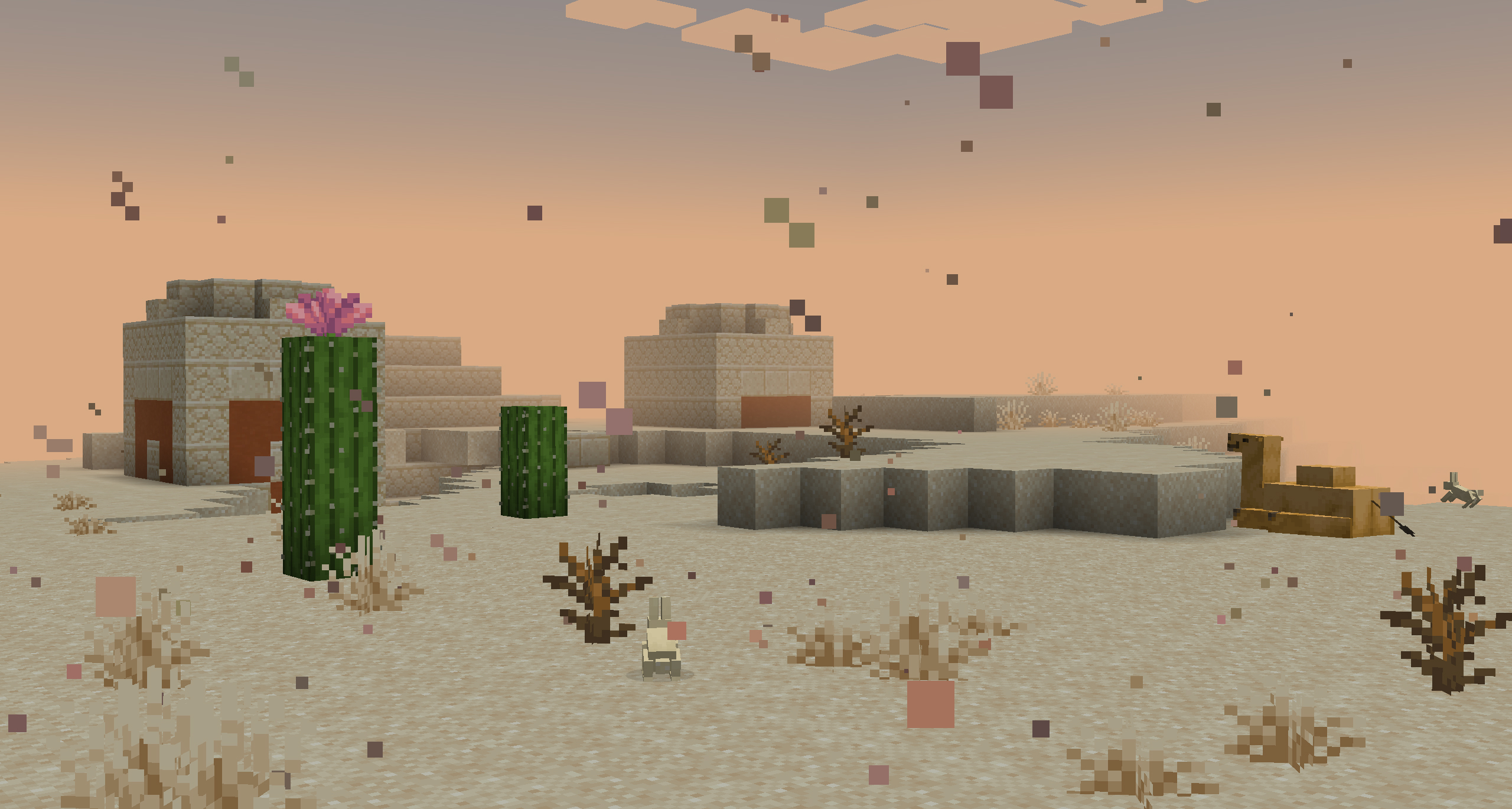
Deserts, Badlands, and Savannas are now affected by Sandstorms. When it rains in the world, a dense sandy fog will close in and a fierce wind will kick up new dust particles. When thunderstorms roll in, this fog will get even thicker, making it very difficult to see where you are going.
Snowy Fog
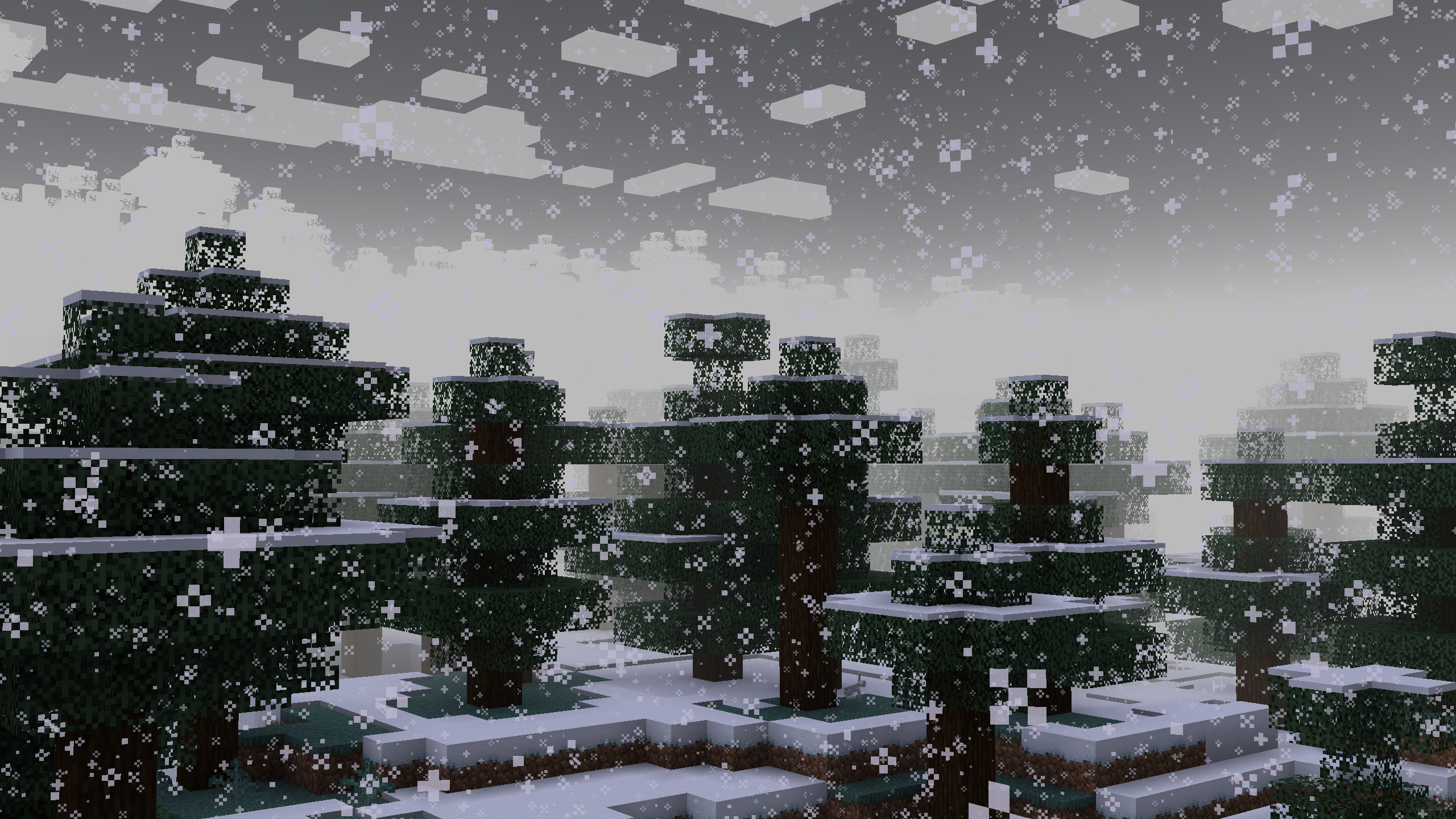
Fog is now whiter during snowy weather, and will get thicker during thunder storms, signalling a blizzard. While not as harsh as sandstorms, blizzards do still reduce visibility.
Foggy Swamps
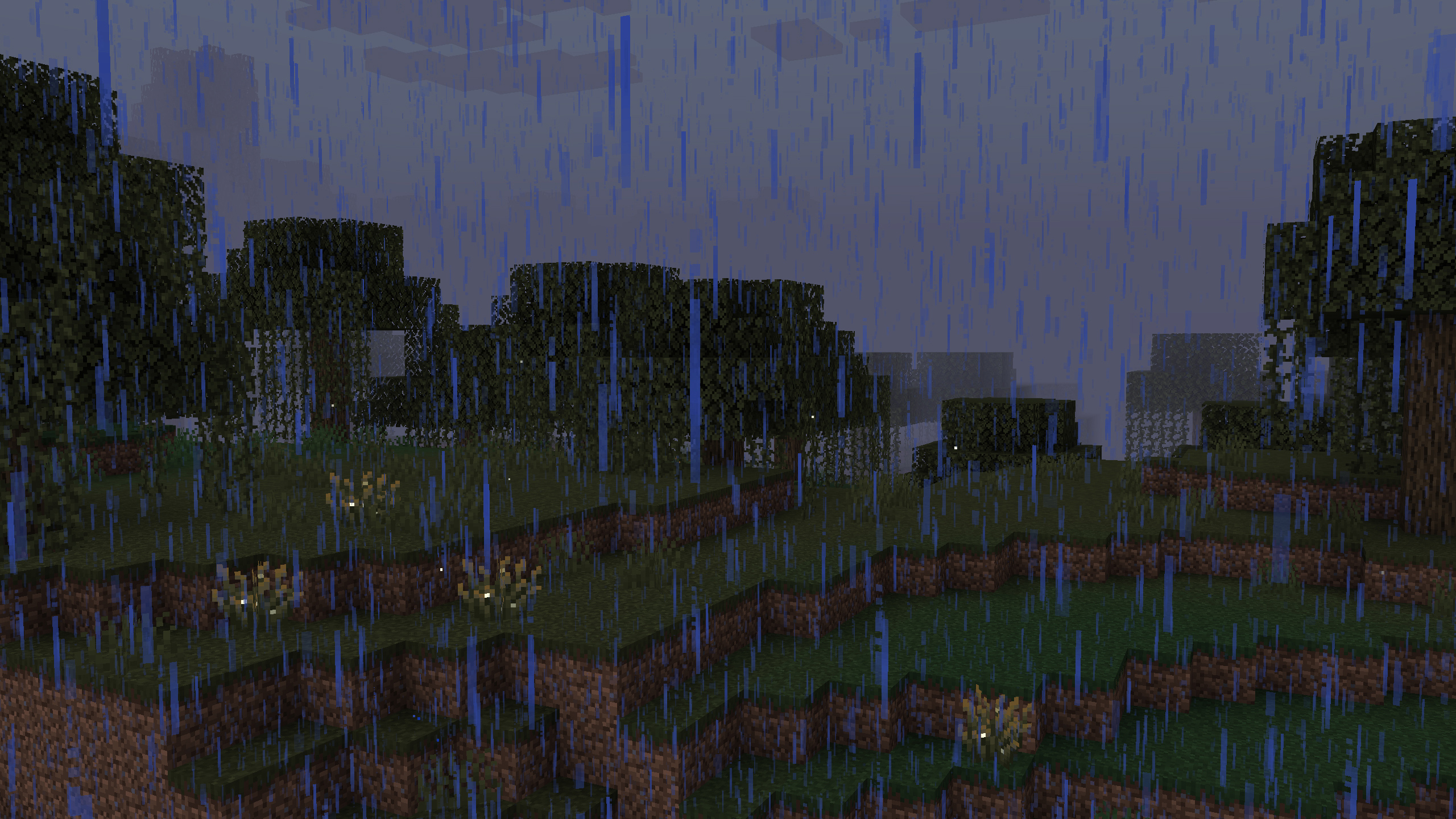
A thick Fog now envelopes Swamps during rainy weather. This fog is as thick as the thickest sandstorms, but in all rainy weather, not just thunderstorms. This also applies in Pale Gardens, a much requested feature from the community.
Ambient Wind
Windswept hills and mountains have been made more windy in all weather conditions. A soft breeze will now carry bits of dust and rock with them. Deserts and badlands have been given this effect too (though the sound is a vanilla thing).
Compatibility
- Scorchful: This mod is a standalone extraction of the sandstorm feature from Scorchful and is bundled with that mod as of 1.21.5.
- Particle Rain: This mod is also compatible with Particle Rain. Sandstorm particles and sounds will be automatically disabled if Particle Rain is detected. Rain particles will also be made black in the Pale Gardens.
- Subtle Effects: Rain will be made black in the Pale Gardens.
- Shader Packs: The fog effects of this mod likely do not, and will not ever, work with most shaders packs as they have separate handling for fog. However, the particle and sound effects should work just fine.
- Neoforge (Connector): This mod may work with Neoforge via Sinytra connector on versions where it is available; but this will neither be tested for nor supported.
Help and Support
You can report any bugs or issues you find to: https://github.com/theDeathlyCow/immersive-storms/issues
You can also get technical support in my Discord at https://discord.thedeathlycow.com
Available Versions
How to Install Immersive Storms on Your Server
Order Server
Order a Minecraft Java server with at least 3 GB RAM (4 GB recommended).
Set fabric Loader
In the panel under "Egg", select the fabric loader and matching Minecraft version (26.1.2).
Install Mod
Open the mod browser in the dashboard and search for "Immersive Storms". Click "Install" – done! Alternatively, upload the .jar via SFTP to the /mods folder.
Compatibility
Mod Loaders
Minecraft Versions
26.1.2, 26.1.1, 26.1 (+7 more)
Server-side
✗ UnsupportedRecommended RAM
4 GB(min. 3 GB)Frequently Asked Questions
Immersive Storms server crashes on startup – what to do?
Most common cause: wrong fabric version or insufficient RAM. Check the server log (latest.log) for "OutOfMemoryError" or "Mixin" errors. With Mado Hosting: ensure at least 3 GB RAM is allocated and the loader matches the mod version (26.1.2). You can switch loaders with one click in the panel.
Is Immersive Storms compatible with fabric and quilt?
Immersive Storms officially supports fabric, quilt for Minecraft 26.1.2, 26.1.1, 26.1. The Mado dashboard automatically detects incompatible loader combinations.
Server lagging with Immersive Storms – how to optimize performance?
Recommended RAM: 4 GB (per 8 players). Use /spark profiler to check if Immersive Storms consumes the most tick time. Common fixes: reduce server view-distance to 8-10, install "performant" or "starlight" as supplementary mods on Forge. With Mado Hosting, your server runs on NVMe SSDs with dedicated CPU cores for minimal latency.
Similar Mods




Rent Modded Server
Install Immersive Storms with just one click on your server.