
Immortality
This mod allows you to toggle immortality on your own worlds and servers easily!
Screenshots
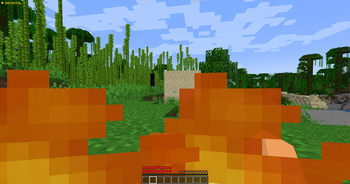
About this Mod
Immortality Mod


Become truly unkillable.
Immortality Mod introduces the concept of true immortality to your Minecraft worlds or servers. Whether you're exploring dangerous terrain, battling powerful mobs, or just want a peaceful experience without worrying about death, this mod ensures you always survive.
Server and client only! This mod must be installed on the server to function. It will not work on client-side alone, because that'd be cheating! — except in singleplayer or LAN worlds where you are the host.
Features
- Grants players complete immortality!
- Compatible with most mods!
Usage
To use this mod, you must be in a server you own, in singleplayer, or in a co-op LAN world. Once in-game, press the default key F8 to enable immortality — all incoming damage will be ignored. Mobs can still see you and attempt to attack, but they won't be able to harm you.
Immortality Mod © 2025 by TraooX is licensed under All Rights Reserved.
You may not:
- Redistribute the mod on any website or launcher.
- Modify, decompile, or reverse-engineer the mod.
- Include the mod in any modpack without explicit written permission
- Use any part of the mod's code, assets, or branding in your own projects
- This mod is for personal use only. You may download and use it in singleplayer or multiplayer, as long as no changes are made and no commercial use is involved.
For modpack permissions, partnership, or licensing requests, contact: [email protected].
Available Versions
How to Install Immortality on Your Server
Order Server
Order a Minecraft Java server with at least 3 GB RAM (4 GB recommended).
Set fabric Loader
In the panel under "Egg", select the fabric loader and matching Minecraft version (1.20.4).
Install Mod
Open the mod browser in the dashboard and search for "Immortality". Click "Install" – done! Alternatively, upload the .jar via SFTP to the /mods folder.
Compatibility
Mod Loaders
Minecraft Versions
1.20.4
Server-side
✓ RequiredRecommended RAM
4 GB(min. 3 GB)Frequently Asked Questions
Immortality server crashes on startup – what to do?
Most common cause: wrong fabric version or insufficient RAM. Check the server log (latest.log) for "OutOfMemoryError" or "Mixin" errors. With Mado Hosting: ensure at least 3 GB RAM is allocated and the loader matches the mod version (1.20.4). You can switch loaders with one click in the panel.
Is Immortality compatible with fabric?
Immortality officially supports fabric for Minecraft 1.20.4. The Mado dashboard automatically detects incompatible loader combinations.
Server lagging with Immortality – how to optimize performance?
Recommended RAM: 4 GB (per 8 players). Use /spark profiler to check if Immortality consumes the most tick time. Common fixes: reduce server view-distance to 8-10, install "performant" or "starlight" as supplementary mods on Forge. With Mado Hosting, your server runs on NVMe SSDs with dedicated CPU cores for minimal latency.
Similar Mods






Rent Modded Server
Install Immortality with just one click on your server.