
In To The Darkness
Automatic darkness for 2 seconds. when getting hit. make the game harder!
Screenshots
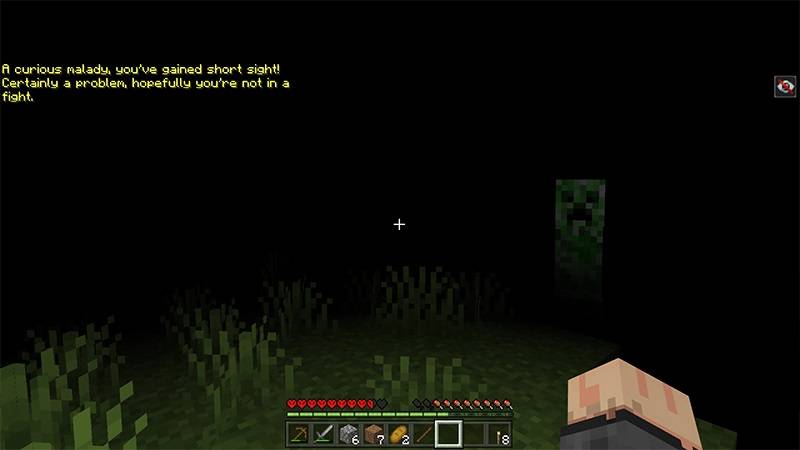
About this Mod

🌑 Into The Darkness
Into The Darkness is a minimalist but punishing survival mod that turns every combat encounter into a fight for visibility. In this mod, the shadows aren't just in the caves—they are inside your head.
📜 About the Mod
The mechanic is simple but game-changing: Every time you take damage, you are inflicted with the Darkness effect. Whether it's a surprise arrow from a Skeleton, a Creeper's blast, or a clumsy fall, your vision will immediately pulse into near-total blackness. This turns a simple skirmish into a claustrophobic survival experience where losing your health means losing your way.
🛠️ Key Features
The Pulse of Fear: Taking any form of damage triggers the Darkness effect, blinding you momentarily.
Enhanced Atmosphere: Perfect for horror-themed modpacks or players who want to make the night feel truly dangerous again.
🌑 Can you survive the dark?
Standard Minecraft combat is often just about clicking fast. With Into The Darkness, one mistake can leave you disoriented in the middle of a monster-infested cave. Will you find your way back to the light, or will you be consumed by what's hiding in the shadows?
This mod is created with: intellij

Available Versions
How to Install In To The Darkness on Your Server
Order Server
Order a Minecraft Java server with at least 3 GB RAM (4 GB recommended).
Set fabric Loader
In the panel under "Egg", select the fabric loader and matching Minecraft version (1.21.8).
Install Mod
Open the mod browser in the dashboard and search for "In To The Darkness". Click "Install" – done! Alternatively, upload the .jar via SFTP to the /mods folder.
Compatibility
Mod Loaders
Minecraft Versions
1.21.8, 1.21.1, 1.21 (+5 more)
Server-side
✓ RequiredRecommended RAM
4 GB(min. 3 GB)Frequently Asked Questions
In To The Darkness server crashes on startup – what to do?
Most common cause: wrong fabric version or insufficient RAM. Check the server log (latest.log) for "OutOfMemoryError" or "Mixin" errors. With Mado Hosting: ensure at least 3 GB RAM is allocated and the loader matches the mod version (1.21.8). You can switch loaders with one click in the panel.
Is In To The Darkness compatible with fabric and forge and neoforge?
In To The Darkness officially supports fabric, forge, neoforge for Minecraft 1.21.8, 1.21.1, 1.21. Note: Forge and Fabric mods are NOT cross-compatible – pick one loader and stick with it. The Mado dashboard automatically detects incompatible loader combinations.
Server lagging with In To The Darkness – how to optimize performance?
Recommended RAM: 4 GB (per 8 players). Use /spark profiler to check if In To The Darkness consumes the most tick time. Common fixes: reduce server view-distance to 8-10, install "performant" or "starlight" as supplementary mods on Forge. With Mado Hosting, your server runs on NVMe SSDs with dedicated CPU cores for minimal latency.
Similar Mods





Rent Modded Server
Install In To The Darkness with just one click on your server.