
Indus
Turn Minecraft into an industrial automation game: build machines, expand production lines, manage energy and logistics, and push your factory toward higher tech eras.
Screenshots
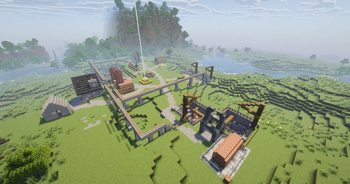
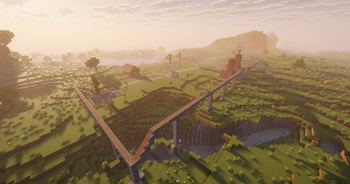
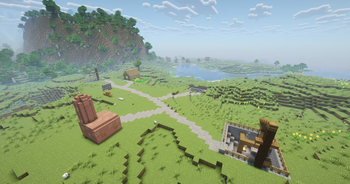
About this Mod
Main mod for the Indus Automation modpack. You shouldn't play this mod by itself.
Indus is a fully automated tech-progression mod. It plays like a streamlined GregTech: you place a single controller block and the multiblock builds itself. Every machine hooks into a shared energy network and a three-tier maintenance system that throttles performance if you neglect it.
Features
- Self-building multiblocks
Place a controller and the full structure auto-assembles. No guessing layouts or placing hundreds of blocks by hand. - Unified energy network
All machines connect to a single power graph that tracks generation, storage, and consumption across your entire base. - Maintenance system
Machines don’t break, but performance drops sharply if you ignore upkeep. Higher tiers demand real automation. - Factory-scale balancing
Production lines matter. Inputs, outputs, throughput, and cycle times push you to optimize like a proper automation game. - Progression designed for modpacks
Tiered recipes, structured tech unlocks, and machine chains built to support long-form progression packs. - Industrial gameplay focus
No magic, no shortcuts. Each machine exists to fill a role in a scalable factory loop.
Available Versions
How to Install Indus on Your Server
Order Server
Order a Minecraft Java server with at least 3 GB RAM (4 GB recommended).
Set neoforge Loader
In the panel under "Egg", select the neoforge loader and matching Minecraft version (1.21.10).
Install Mod
Open the mod browser in the dashboard and search for "Indus". Click "Install" – done! Alternatively, upload the .jar via SFTP to the /mods folder.
Compatibility
Mod Loaders
Minecraft Versions
1.21.10, 1.21.1
Server-side
✓ RequiredRecommended RAM
4 GB(min. 3 GB)Frequently Asked Questions
Indus server crashes on startup – what to do?
Most common cause: wrong neoforge version or insufficient RAM. Check the server log (latest.log) for "OutOfMemoryError" or "Mixin" errors. With Mado Hosting: ensure at least 3 GB RAM is allocated and the loader matches the mod version (1.21.10). You can switch loaders with one click in the panel.
Is Indus compatible with neoforge?
Indus officially supports neoforge for Minecraft 1.21.10, 1.21.1. The Mado dashboard automatically detects incompatible loader combinations.
Server lagging with Indus – how to optimize performance?
Recommended RAM: 4 GB (per 8 players). Use /spark profiler to check if Indus consumes the most tick time. Common fixes: reduce server view-distance to 8-10, install "performant" or "starlight" as supplementary mods on Forge. With Mado Hosting, your server runs on NVMe SSDs with dedicated CPU cores for minimal latency.
Similar Mods





Rent Modded Server
Install Indus with just one click on your server.