
Infdev EXB
An ARG-styled mod for Minecraft Infdev 20100415 that adds nice improvements to the game.
Screenshots
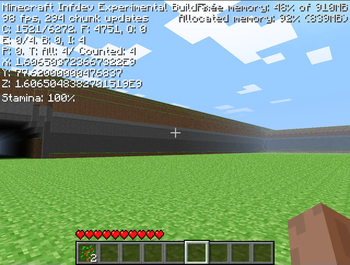
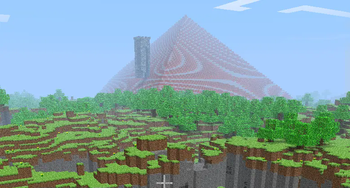
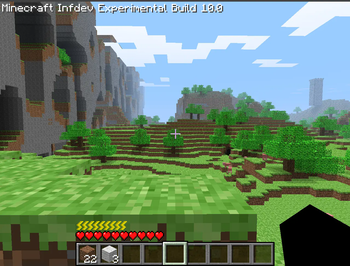
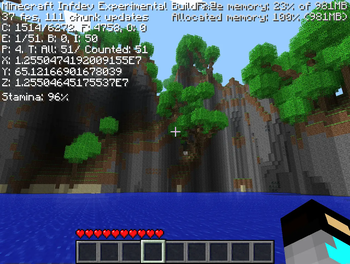
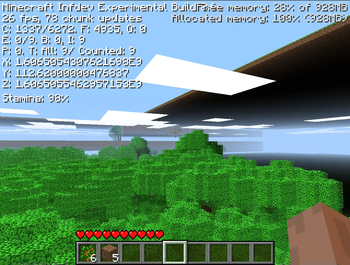
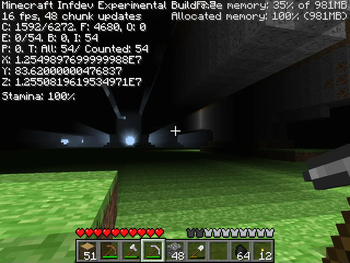
About this Mod
WARNING! YOU MUST INSERT THE JAVA ARGUMENT -Djava.util.Arrays.useLegacyMergeSort=true OR IT WILL CRASH SECONDS AFTER WORLD LOADING. This will be fixed in 9.2, however until so you must pass this
Infdev EXB
Infdev EXB (short for EXperimental Build) is a content mod for Minecraft Infdev 20100415. Originally I was going to make an ARG, later abandoned that idea, but the 1.0.16.05-like theme is still here.
Additions/Changes
- Quit button in the Menu
- options like difficulty moved to per world
- option to make all mobs passive (a.k.a better peaceful)
- "bedrock" Far Lands that have no skygrid (and that's good)
- Read Me! screen (accessable from the menu) that shows mod's changelog. Don't worry, all these restrictions aren't true
- more montainous (=better) world generator
- amplified++ world type (if the world hadn't mountains...)
- Far Lands patch. it actually does not patch them, but it's quite interesting
- world shrinking. This feature allows to stretch and unstretch the world as you want
- removed the 32 million limit
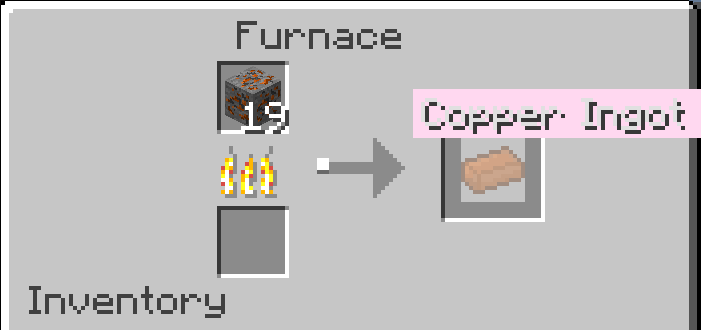
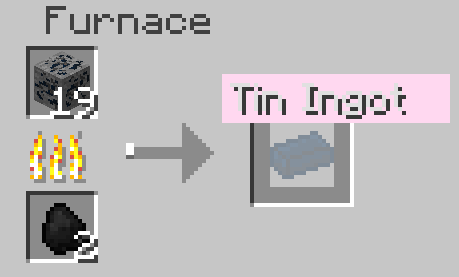
- copper and tin ores and ingots
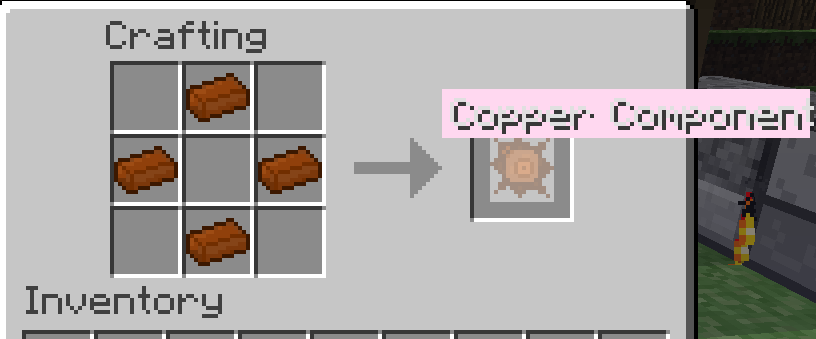
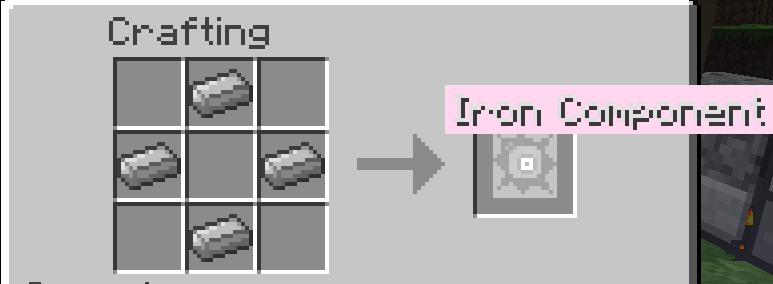
- iron and copper components
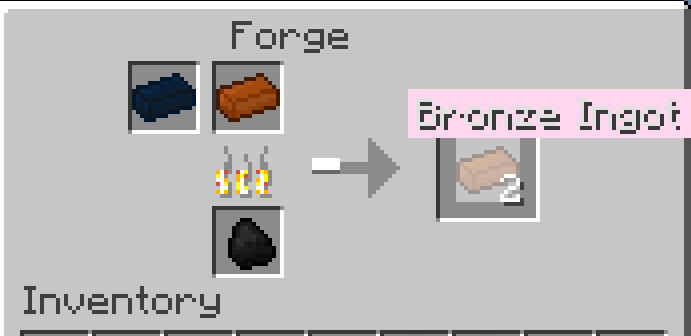
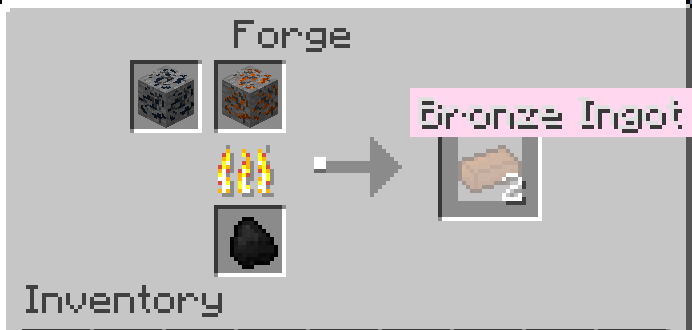
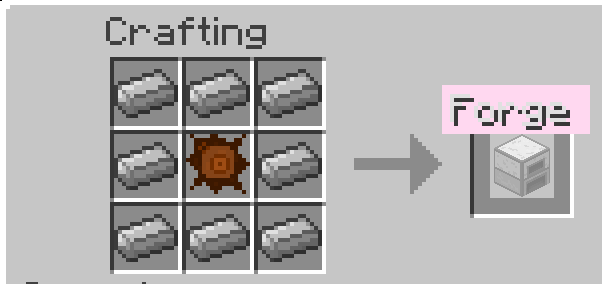
- forges. They are used to merge ores and ingots
- bronze alongside with its ingots, tools, weapons, armour and block. It is the same as iron, but less durable
- commands
- bigger trees
- mob spawning in Far Lands removed for better performance
- stamina, allows you to sprint. You cannot hit mobs while having less than 10%
- item tooltips
- stamina that allows you to sprint
- backported doors
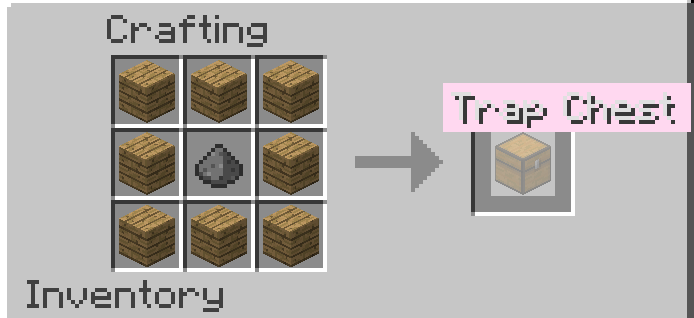
- trapped chests
- ported classic water mechanics
- ported the early infdev terrain generator (and the brick pyramids, plus upgraded obsidian walls)
- added a per-world selection of terrain generator
- backported cave generation from late infdev (finally)
- backported world generation from late infdev (the "alpha" generator)
- added structure API
- added stone wells
- added ruined towers, which may contain chest with loot or a trap chest (50% chance)
- added ruined villages
- fixed torch particles having offset at large distances
Future Ideas
- buckets (to backport)
- pickaxe block
- beta world generator
It would be also good to make the mod 64bit, so that the game would be smoother, and the world shrink feature could be extended. The BigInteger would be better for this task, but it is quite slow compared to raw types like int or long.
Structure ideas
- castle ruins
- house ruins
- ruined villages
- buried ruins
- shipwrecks
Why so many ruins and nothing other? The lore of this mod (at least with the alpha worldgen) is that you are a visitor from alternate universe, in a world with ruins of an ancient civilization.
Installing
I recommend doing it in launcher like PolyMC, so you don't need to have many WinRAR instances open etc...
First off, create a new instance with inf-20100618. Then, download Minecraft Infdev 20100415's jarfile, and use it with the 'Replace minecraft.jar' button. Then download the mod zipfile, select the replaced jarfile in instance, click on 'Add to minecraft.jar' and select the zipfile. Voila.
Crafting recipes for added items
Issues
- [ Won't fix ] Sorting crash (more below)
- [ Won't fix ] lighting bugs in spawn chunks in world generators other than old
- [ Working on ] a true Far Lands fix without leaving the skeleton
- [ Will work on ] structures appearing partially in air
About the Sorting crash
I don't know why this happens - from what I've wrote the game should automatically pass this into itself.
Also the crash does not happen on unobfuscated code nor on the "old" generator. And on the "custom" generator it seems like it depends on the seed, because there were some that were completly playable, some had instant crashes and some did crash after looking backwards.
Concluding, please use this argument until I figure out what is wrong.
About Creating
This mod has been created using RetroMCP. It does not need any ModLoader, I just HAD TO select something.
Available Versions
How to Install Infdev EXB on Your Server
Order Server
Order a Minecraft Java server with at least 4 GB RAM (6 GB recommended).
Set modloader Loader
In the panel under "Egg", select the modloader loader and matching Minecraft version (inf-20100618).
Install Mod
Open the mod browser in the dashboard and search for "Infdev EXB". Click "Install" – done! Alternatively, upload the .jar via SFTP to the /mods folder.
Compatibility
Mod Loaders
Minecraft Versions
inf-20100618
Server-side
✗ UnsupportedRecommended RAM
6 GB(min. 4 GB)Frequently Asked Questions
Infdev EXB server crashes on startup – what to do?
Most common cause: wrong modloader version or insufficient RAM. Check the server log (latest.log) for "OutOfMemoryError" or "Mixin" errors. With Mado Hosting: ensure at least 4 GB RAM is allocated and the loader matches the mod version (inf-20100618). You can switch loaders with one click in the panel.
Is Infdev EXB compatible with modloader?
Infdev EXB officially supports modloader for Minecraft inf-20100618. The Mado dashboard automatically detects incompatible loader combinations.
Server lagging with Infdev EXB – how to optimize performance?
Recommended RAM: 6 GB (per 5 players). Use /spark profiler to check if Infdev EXB consumes the most tick time. Common fixes: reduce server view-distance to 8-10, install "performant" or "starlight" as supplementary mods on Forge. With Mado Hosting, your server runs on NVMe SSDs with dedicated CPU cores for minimal latency.
Similar Mods




![[TaCZ] Timeless and Classics Zero](https://cdn.modrinth.com/data/SzzJttH8/fd27766d2bb8390d284696b1dbd358f87e081439_96.webp)

Rent Modded Server
Install Infdev EXB with just one click on your server.