
Insane TNT
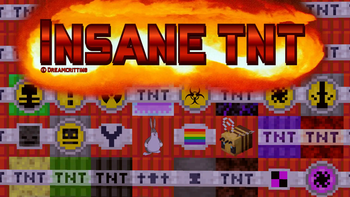
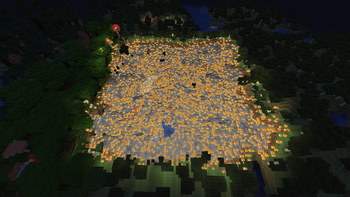
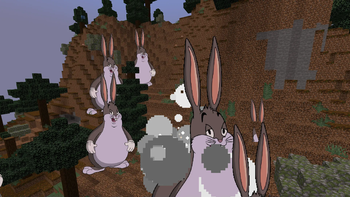
Adds lots of new TNT types, from huge explosions to showers of fire and Big Chunguses
Screenshots
About this Mod
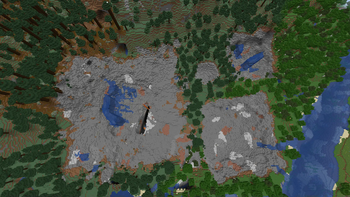
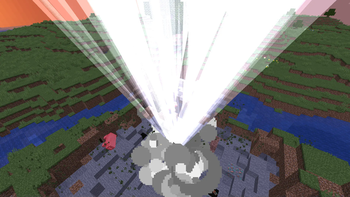
Adds lots of new TNT types, from huge explosions to showers of fire, lightning and more!
The larger TNTs may lag computers and crash multiplayer servers, don't go straight to setting a huge one off, test the smaller ones to see what your PC can handle.
All of these are craftable in survival, although I may need to work on the balancing.
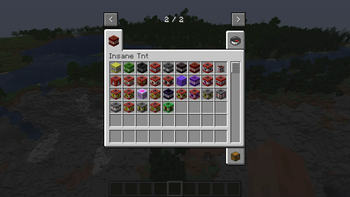
List of new TNTs:
Sponge TNT
Slime TNT
Night TNT
Arrow TNT
Volcano TNT
Super Volcano TNT
YTNT
Small TNT
Big Chungus TNT
Gay TNT
BNT
Gay TNT
Meteor TNT
Wither TNT
Magic Slime TNT
Glitch TNT
Spread TNT
Mini Nuke
Nuke
Crystal TNT
Virus TNT
Respawn TNT
Storm TNT
Super Storm TNT
Mega Nuke
Super Spread TNT
High Explosive TNT
Lightning TNT
Focused Lightning TNT
Sunstorm TNT
Titan Nuke
Anvil TNT
Kraken Nuke
Ultra Nuke Super
Sunstorm TNT
Chungus Nuke
Buff TNT World Dissolver
Ultra World Dissolver
Transformation TNT
Copyright claims will be sent to websites attempting to reupload this without permission.
Available Versions
How to Install Insane TNT on Your Server
Order Server
Order a Minecraft Java server with at least 3 GB RAM (4 GB recommended).
Set fabric Loader
In the panel under "Egg", select the fabric loader and matching Minecraft version (1.21.1).
Install Mod
Open the mod browser in the dashboard and search for "Insane TNT". Click "Install" – done! Alternatively, upload the .jar via SFTP to the /mods folder.
Compatibility
Mod Loaders
Minecraft Versions
1.21.1, 1.20.1, 1.19.2 (+1 more)
Server-side
✓ RequiredRecommended RAM
4 GB(min. 3 GB)Frequently Asked Questions
Insane TNT server crashes on startup – what to do?
Most common cause: wrong fabric version or insufficient RAM. Check the server log (latest.log) for "OutOfMemoryError" or "Mixin" errors. With Mado Hosting: ensure at least 3 GB RAM is allocated and the loader matches the mod version (1.21.1). You can switch loaders with one click in the panel.
Is Insane TNT compatible with fabric and forge and neoforge?
Insane TNT officially supports fabric, forge, neoforge for Minecraft 1.21.1, 1.20.1, 1.19.2. Note: Forge and Fabric mods are NOT cross-compatible – pick one loader and stick with it. The Mado dashboard automatically detects incompatible loader combinations.
Server lagging with Insane TNT – how to optimize performance?
Recommended RAM: 4 GB (per 8 players). Use /spark profiler to check if Insane TNT consumes the most tick time. Common fixes: reduce server view-distance to 8-10, install "performant" or "starlight" as supplementary mods on Forge. With Mado Hosting, your server runs on NVMe SSDs with dedicated CPU cores for minimal latency.
Similar Mods




![[TaCZ] Timeless and Classics Zero](https://cdn.modrinth.com/data/SzzJttH8/fd27766d2bb8390d284696b1dbd358f87e081439_96.webp)

Rent Modded Server
Install Insane TNT with just one click on your server.