
insolines-options
A utility mod for Turkish players featuring a custom ESC menu, F8 shortcut, Armor HUD, and built-in recipe viewer.
Screenshots


About this Mod
Insolines Options
Insolines Options is a utility mod specifically designed for the Turkish Minecraft community. It enhances the user interface and adds several quality-of-life features to improve your gameplay experience, especially on servers.
🛠 Key Features:
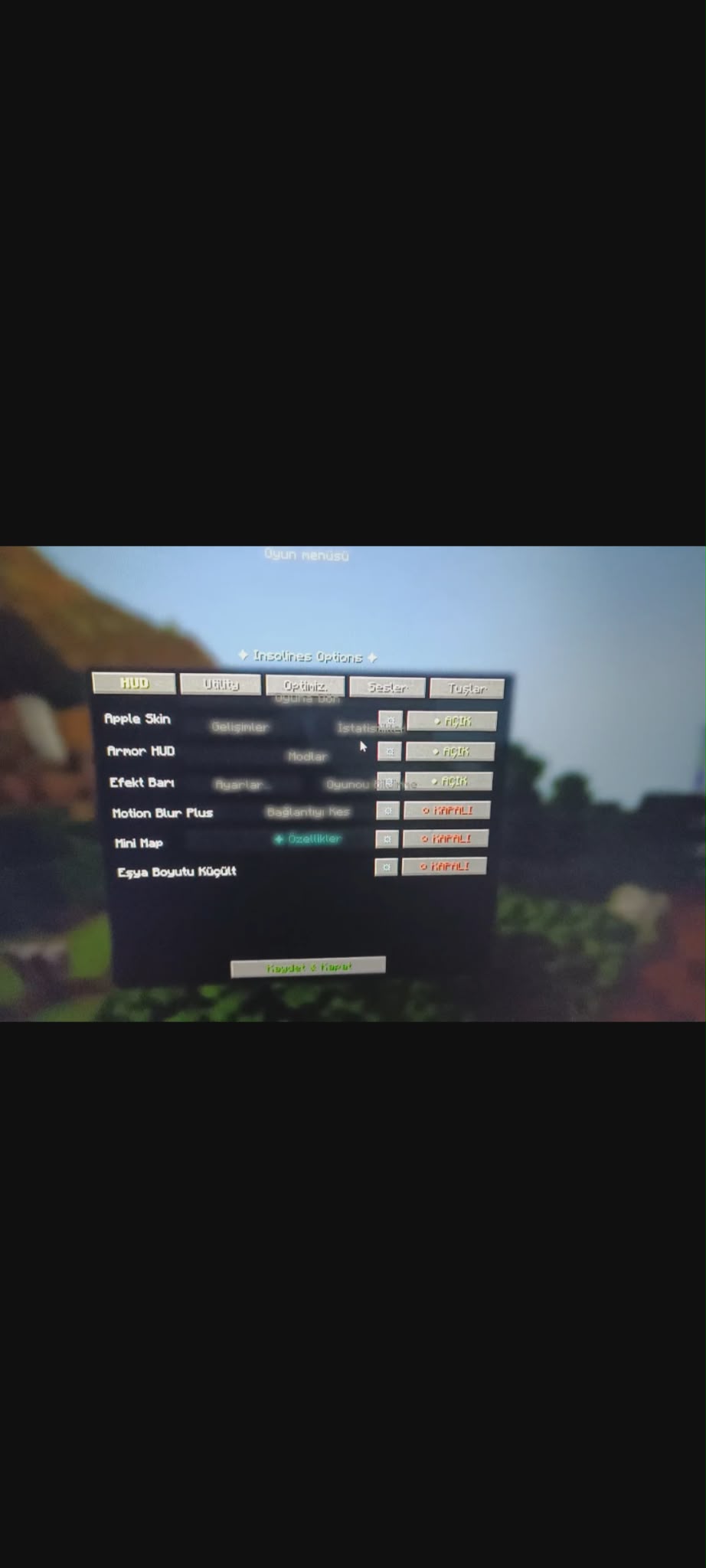
Custom Menu: Access the special features menu by pressing the "Özellikler" button in the ESC menu (available on servers) or by pressing the F8 key anywhere.
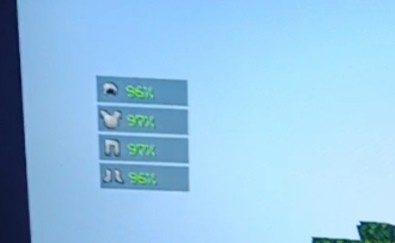
Armor HUD: Track your armor status on your screen. You can customize its position using X and Y coordinates.
Item Stats: View the durability of the item in your hand as a percentage.
Item Resizer: Adjust the visual size of items for a better field of view.
Optimization Settings: Includes small-scale optimization tweaks to help stabilize your FPS without changing the game's core feel.
Anti-AFK: A simple toggle to prevent getting kicked from servers while you are away.
Recipe Viewer (Crafter): A built-in guide that shows you exactly which materials (e.g., "3 tahta, 2 çubuk") are needed to craft items.
🌍 Language & Regional Info:
This mod is primarily developed for Turkish players. While some technical terms like "Optimize" or "Anti-AFK" are universal, most of the interface and crafting descriptions are in Turkish. This makes it the perfect companion for players who prefer their tools in their native language.
🚀 Future Plans:
Please note that this is an early version of the mod. I am actively working on it, and many more features and visual improvements will be added in future updates.
Available Versions
How to Install insolines-options on Your Server
Order Server
Order a Minecraft Java server with at least 3 GB RAM (4 GB recommended).
Set fabric Loader
In the panel under "Egg", select the fabric loader and matching Minecraft version (1.21.11).
Install Mod
Open the mod browser in the dashboard and search for "insolines-options". Click "Install" – done! Alternatively, upload the .jar via SFTP to the /mods folder.
Compatibility
Mod Loaders
Minecraft Versions
1.21.11, 1.21.10, 1.21.9 (+4 more)
Server-side
~ OptionalRecommended RAM
4 GB(min. 3 GB)Frequently Asked Questions
insolines-options server crashes on startup – what to do?
Most common cause: wrong fabric version or insufficient RAM. Check the server log (latest.log) for "OutOfMemoryError" or "Mixin" errors. With Mado Hosting: ensure at least 3 GB RAM is allocated and the loader matches the mod version (1.21.11). You can switch loaders with one click in the panel.
Is insolines-options compatible with fabric?
insolines-options officially supports fabric for Minecraft 1.21.11, 1.21.10, 1.21.9. The Mado dashboard automatically detects incompatible loader combinations.
Server lagging with insolines-options – how to optimize performance?
Recommended RAM: 4 GB (per 8 players). Use /spark profiler to check if insolines-options consumes the most tick time. Common fixes: reduce server view-distance to 8-10, install "performant" or "starlight" as supplementary mods on Forge. With Mado Hosting, your server runs on NVMe SSDs with dedicated CPU cores for minimal latency.
Similar Mods




![[TaCZ] Timeless and Classics Zero](https://cdn.modrinth.com/data/SzzJttH8/fd27766d2bb8390d284696b1dbd358f87e081439_96.webp)

Rent Modded Server
Install insolines-options with just one click on your server.