
Insomnia
Prevents you from sleeping while simultaneously making fun of you.
Screenshots
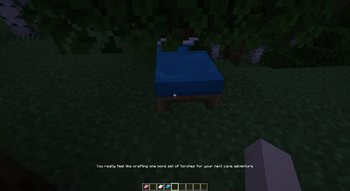
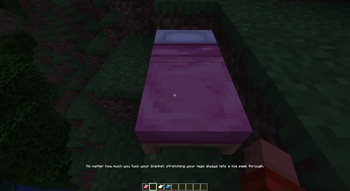
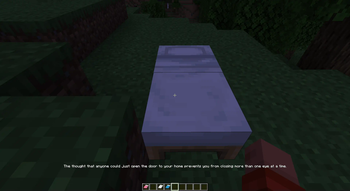
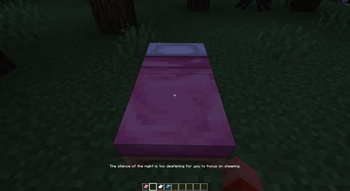
About this Mod
Insomnia
Mostly prevents you from sleeping. Messages are configurable and data-driven.
Note: Setting the spawn point with beds is not modified.
Why don't you look at the Gallery and have a look at some of the included messages? Don't worry, there will still be plenty to explore yourself!
What it actually does
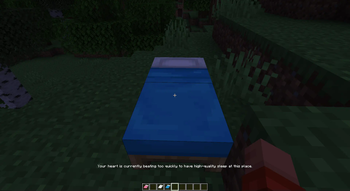
This mod displays one of the included messages (dependent on world seed, bed position and day count) when clicking on a bed. If the message is configured to it will also prevent you from sleeping entirely.The mod itself can work server-side only as well if the necessary translations are provided by a resourcepack on the client.
Modpack creator info
Data file
- Location:
data/insomnia/keys.json - Format: json object of translation key to boolean value whether this key prevents sleep
- Example:
{
  "translation_key": "true",
  "translation_key_allows_sleep": "false"
 }
Translation file
This is just the normal translation behavior of the game. There should already be sufficient documentation about this on the internet, but in case you require help feel free to join the discord and ask in the #insomnia channel.
Default Messages
In case you'd like to override the default messages either provide new ones with the same ideas or remove them by mapping their value in the data file to null
Available Versions
How to Install Insomnia on Your Server
Order Server
Order a Minecraft Java server with at least 3 GB RAM (4 GB recommended).
Set fabric Loader
In the panel under "Egg", select the fabric loader and matching Minecraft version (26.2-rc-2).
Install Mod
Open the mod browser in the dashboard and search for "Insomnia". Click "Install" – done! Alternatively, upload the .jar via SFTP to the /mods folder.
Compatibility
Mod Loaders
Minecraft Versions
26.2-rc-2, 26.2-rc-1, 26.1.1 (+14 more)
Server-side
✓ RequiredRecommended RAM
4 GB(min. 3 GB)Frequently Asked Questions
Insomnia server crashes on startup – what to do?
Most common cause: wrong fabric version or insufficient RAM. Check the server log (latest.log) for "OutOfMemoryError" or "Mixin" errors. With Mado Hosting: ensure at least 3 GB RAM is allocated and the loader matches the mod version (26.2-rc-2). You can switch loaders with one click in the panel.
Is Insomnia compatible with fabric and quilt?
Insomnia officially supports fabric, quilt for Minecraft 26.2-rc-2, 26.2-rc-1, 26.1.1. The Mado dashboard automatically detects incompatible loader combinations.
Server lagging with Insomnia – how to optimize performance?
Recommended RAM: 4 GB (per 8 players). Use /spark profiler to check if Insomnia consumes the most tick time. Common fixes: reduce server view-distance to 8-10, install "performant" or "starlight" as supplementary mods on Forge. With Mado Hosting, your server runs on NVMe SSDs with dedicated CPU cores for minimal latency.
Similar Mods




Rent Modded Server
Install Insomnia with just one click on your server.