
Inspect Animations
Inspect your items with cool animations!
Screenshots
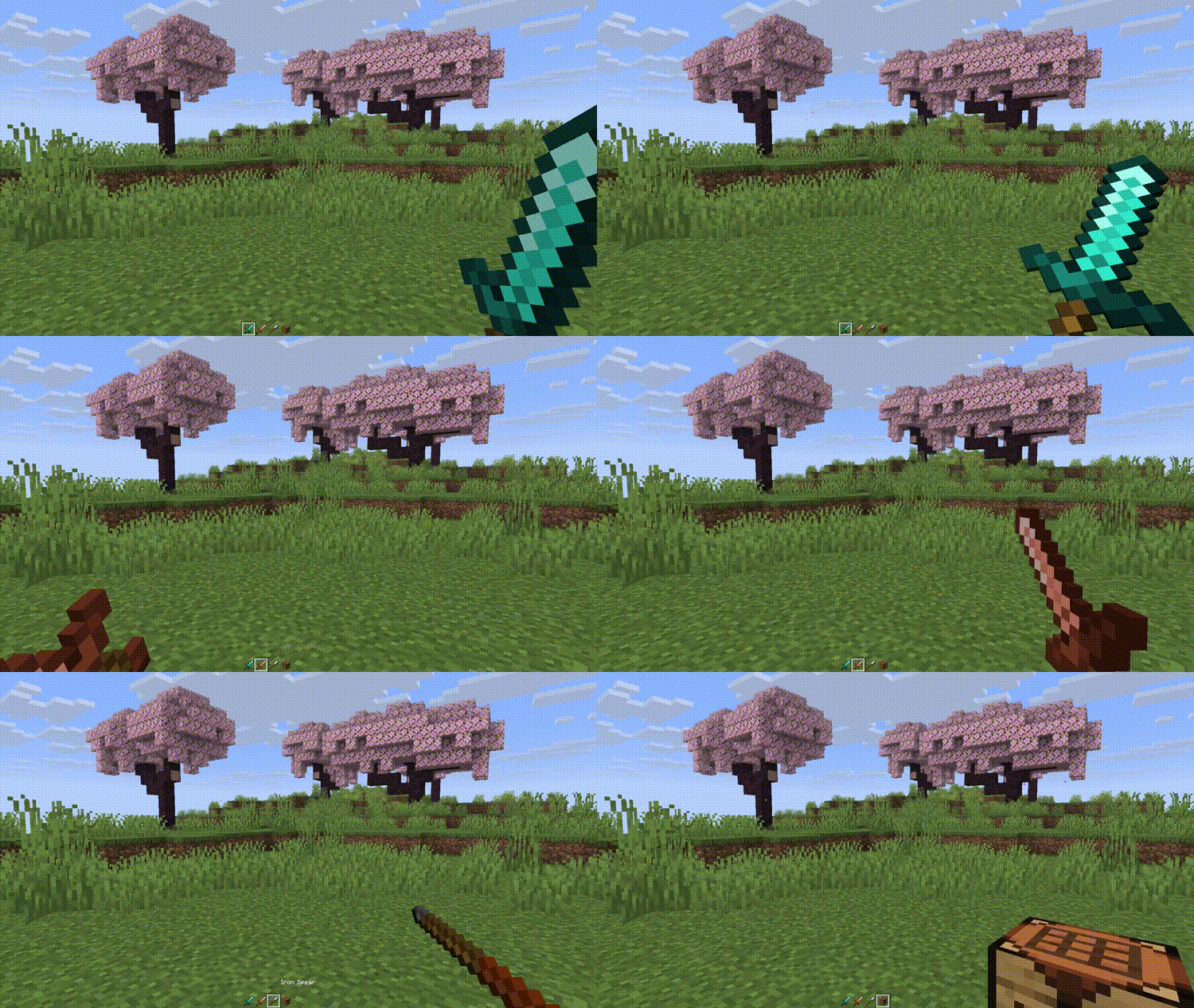
About this Mod
Inspect Animations
Inspect Animations adds new animations for items, inspired by the inspect feature from counterstrike.
Animations
| Animation | |
|---|---|
| Turn | Classic counterstrike inspect animation. |
| Toss | Toss the item up in the air and catch it. |
| Flourish | Twirl the item back and forth like flourishing a sword. |
| Flip | Flip the item around in your hand. |
Keybinds
Press [R] to play the selected animation.
Hold [SHIFT] and press [R] to cycle through the available animations.
Multiplayer
Use the gamerule inspect_radius to change the distance from which other players will receive animation packets.
Use the gamerule send_inspections to enable/disable sending animations to players. When setting from false to true, players already in the server will need to re-join to apply changes.
Configuration
Use Mod Menu to configure the mod:
- Animations can be removed from the cycling option
- Animation duration can be changed
- Some animations can have their number of loops changed
There are a few experimental options:
- Select specific animations for items and item tags
- Select a specific animation for all blocks
- Maximum Delta: Try changing this value if the animation does not play smoothly or skips during lag spikes
Translation
Most of my downloads come from countries where English is not the primary language! If you want to help translate any of my mods to your language, you can go to https://translate.soundsofthesun.net/projects and sign in with github to contribute!
Available Versions
How to Install Inspect Animations on Your Server
Order Server
Order a Minecraft Java server with at least 3 GB RAM (4 GB recommended).
Set fabric Loader
In the panel under "Egg", select the fabric loader and matching Minecraft version (26.1.2).
Install Mod
Open the mod browser in the dashboard and search for "Inspect Animations". Click "Install" – done! Alternatively, upload the .jar via SFTP to the /mods folder.
Compatibility
Mod Loaders
Minecraft Versions
26.1.2, 26.1.1, 26.1 (+4 more)
Server-side
~ OptionalRecommended RAM
4 GB(min. 3 GB)Frequently Asked Questions
Inspect Animations server crashes on startup – what to do?
Most common cause: wrong fabric version or insufficient RAM. Check the server log (latest.log) for "OutOfMemoryError" or "Mixin" errors. With Mado Hosting: ensure at least 3 GB RAM is allocated and the loader matches the mod version (26.1.2). You can switch loaders with one click in the panel.
Is Inspect Animations compatible with fabric?
Inspect Animations officially supports fabric for Minecraft 26.1.2, 26.1.1, 26.1. The Mado dashboard automatically detects incompatible loader combinations.
Server lagging with Inspect Animations – how to optimize performance?
Recommended RAM: 4 GB (per 8 players). Use /spark profiler to check if Inspect Animations consumes the most tick time. Common fixes: reduce server view-distance to 8-10, install "performant" or "starlight" as supplementary mods on Forge. With Mado Hosting, your server runs on NVMe SSDs with dedicated CPU cores for minimal latency.
Similar Mods




![[TaCZ] Timeless and Classics Zero](https://cdn.modrinth.com/data/SzzJttH8/fd27766d2bb8390d284696b1dbd358f87e081439_96.webp)

Rent Modded Server
Install Inspect Animations with just one click on your server.