
Inventory Bogosorter
The inventory sorter mod that rules them all (at least on 1.12.2). This mod aims to replace the popular Inventorytweaks mods while adding more features.
Screenshots
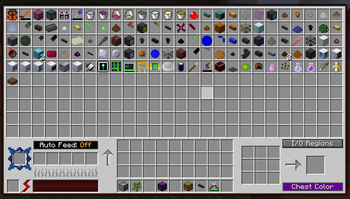
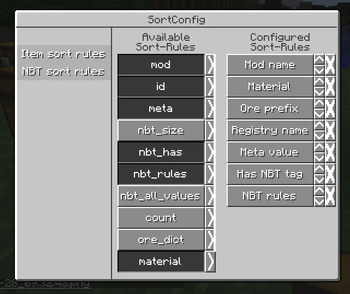
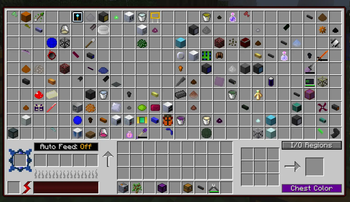
About this Mod
A new inventory sorter with a good API.
It simple allows the user to sort their inventory by clicking the scroll wheel in a gui (configurable).
The player inventory can be sorted in (almost) all GUI's. (Exceptions are mods with custom GUI libraries were slots are incompatible with vanilla slots.)
Supported Mods: Click here
Features:
- sorting supported inventories according to configured sort rules
- configure sort rules in a gui
- auto refill items in hotbar when used up (f.e. blocks, foods or tools)
- swap tools when almost broken
- hotbar columns scrolling
Planned:
- sort profiles
Why is this named Bogo Sorter?
Bogo Sort is in data science the most ineffecient way to sort something. I use the name as a joke. I do NOT use bogo sort to sort the inventory (most of the time).
How to use:
- Press K to open the config menu (configurable)
- Press Scroll wheel to sort a inventory while hovering over a slot (configurable)
- Press CTRL + LMB over a item to transfer a single item (like shift click but only for a single item)
- Press CTRL + RMB over a item to transfer a single item into a new slot (same as above but will use a an empty slot)
- Press Space + LMB to transfer the whole inventory
- Press Alt + LMB to transfer all items of the same type (refering to the item below the mouse)
- Press Space + Q to throw the whole inventory into the world
- Press Alt + Q to throw all items of the same type (refering to the item below the mouse)
- Hold Alt and Scroll to scroll through the current inventory column. The items of the column will visually appear on the screen
Available Versions
How to Install Inventory Bogosorter on Your Server
Order Server
Order a Minecraft Java server with at least 3 GB RAM (4 GB recommended).
Set forge Loader
In the panel under "Egg", select the forge loader and matching Minecraft version (1.12.2).
Install Mod
Open the mod browser in the dashboard and search for "Inventory Bogosorter". Click "Install" – done! Alternatively, upload the .jar via SFTP to the /mods folder.
Compatibility
Mod Loaders
Minecraft Versions
1.12.2
Server-side
✓ RequiredRecommended RAM
4 GB(min. 3 GB)Frequently Asked Questions
Inventory Bogosorter server crashes on startup – what to do?
Most common cause: wrong forge version or insufficient RAM. Check the server log (latest.log) for "OutOfMemoryError" or "Mixin" errors. With Mado Hosting: ensure at least 3 GB RAM is allocated and the loader matches the mod version (1.12.2). You can switch loaders with one click in the panel.
Is Inventory Bogosorter compatible with forge?
Inventory Bogosorter officially supports forge for Minecraft 1.12.2. The Mado dashboard automatically detects incompatible loader combinations.
Server lagging with Inventory Bogosorter – how to optimize performance?
Recommended RAM: 4 GB (per 8 players). Use /spark profiler to check if Inventory Bogosorter consumes the most tick time. Common fixes: reduce server view-distance to 8-10, install "performant" or "starlight" as supplementary mods on Forge. With Mado Hosting, your server runs on NVMe SSDs with dedicated CPU cores for minimal latency.
Similar Mods



Rent Modded Server
Install Inventory Bogosorter with just one click on your server.