
Inv Hud
Displays armor durability and food count as an in-game HUD overlay.
Screenshots
About this Mod
InvHud — Inventory Status HUD for Minecraft 1.20.1
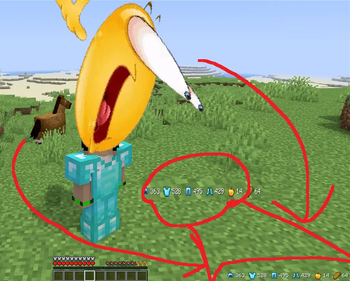
InvHud is a lightweight Fabric mod that adds a clean, unobtrusive HUD overlay to your Minecraft game screen. At a glance — hence the name — you can instantly see the condition of your equipped armor and the food you're carrying, without ever opening your inventory.
The overlay displays each piece of armor (helmet, chestplate, leggings, boots) alongside its remaining durability, color-coded for urgency: white when healthy, orange when below 50%, and red when critically low at under 25%. Food items from your inventory are shown with their stack count, so you always know when it's time to restock before heading into a fight.
The HUD is fully configurable through Mod Menu. You can anchor it to any corner of the screen, switch between horizontal and vertical layout, adjust padding from the screen edges, and toggle armor or food display independently.
Glance is built with Fabric API, integrates seamlessly with Mod Menu and Cloth Config, and is designed to stay out of your way — it automatically hides when the debug screen is open and scales correctly with any GUI scale setting.
No bloat, no performance impact. Just the information you need, exactly where you want it.
Needs
Fabric API &
Cloth Config
Optional
Mod Menu
Available Versions
How to Install Inv Hud on Your Server
Order Server
Order a Minecraft Java server with at least 3 GB RAM (4 GB recommended).
Set fabric Loader
In the panel under "Egg", select the fabric loader and matching Minecraft version (1.21.5).
Install Mod
Open the mod browser in the dashboard and search for "Inv Hud". Click "Install" – done! Alternatively, upload the .jar via SFTP to the /mods folder.
Compatibility
Mod Loaders
Minecraft Versions
1.21.5, 1.21.4, 1.21.3 (+9 more)
Server-side
✗ UnsupportedRecommended RAM
4 GB(min. 3 GB)Frequently Asked Questions
Inv Hud server crashes on startup – what to do?
Most common cause: wrong fabric version or insufficient RAM. Check the server log (latest.log) for "OutOfMemoryError" or "Mixin" errors. With Mado Hosting: ensure at least 3 GB RAM is allocated and the loader matches the mod version (1.21.5). You can switch loaders with one click in the panel.
Is Inv Hud compatible with fabric?
Inv Hud officially supports fabric for Minecraft 1.21.5, 1.21.4, 1.21.3. The Mado dashboard automatically detects incompatible loader combinations.
Server lagging with Inv Hud – how to optimize performance?
Recommended RAM: 4 GB (per 8 players). Use /spark profiler to check if Inv Hud consumes the most tick time. Common fixes: reduce server view-distance to 8-10, install "performant" or "starlight" as supplementary mods on Forge. With Mado Hosting, your server runs on NVMe SSDs with dedicated CPU cores for minimal latency.
Similar Mods




Rent Modded Server
Install Inv Hud with just one click on your server.