
InvSearch
InvSearch is a fully client-sided Fabric and NeoForge mod that indexes your storage chests locally and lets you search them in-game or through an embedded web dashboard.
Screenshots
About this Mod
InvSearch - Minecraft storage search
Find any item in your base before your patience despawns.
InvSearch is a fully client-sided Minecraft storage search mod for Fabric and NeoForge that indexes your chests, groups stored items, shows where every result is located, and helps you walk straight to the right container. It works in singleplayer and on multiplayer servers without needing the server to install anything. It includes an in-game storage GUI and an embedded web dashboard hosted directly by Minecraft, so you can search your storage without running a separate web app.
What It Does
Large bases are fun until every chest becomes a mystery box. InvSearch turns your storage room into a searchable inventory network. Open storage around your base, let the mod build its local client-side index, then search by item name to see where everything is stored.
Storage Dashboard
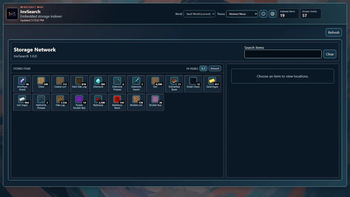
The embedded dashboard shows grouped stored items, item counts, sorting controls, and the current indexed chest total. You can sort stored items alphabetically or by amount, then choose an item to inspect its locations.
In-Game Storage GUI
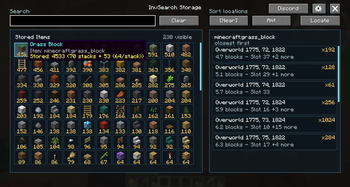
InvSearch also includes a Minecraft client GUI, so you can browse your storage without leaving the game. Open it with the default I hotkey or /InvS gui, then search items, click results, inspect chest locations, use Locate, adjust settings, and open the community Discord directly from the mod UI.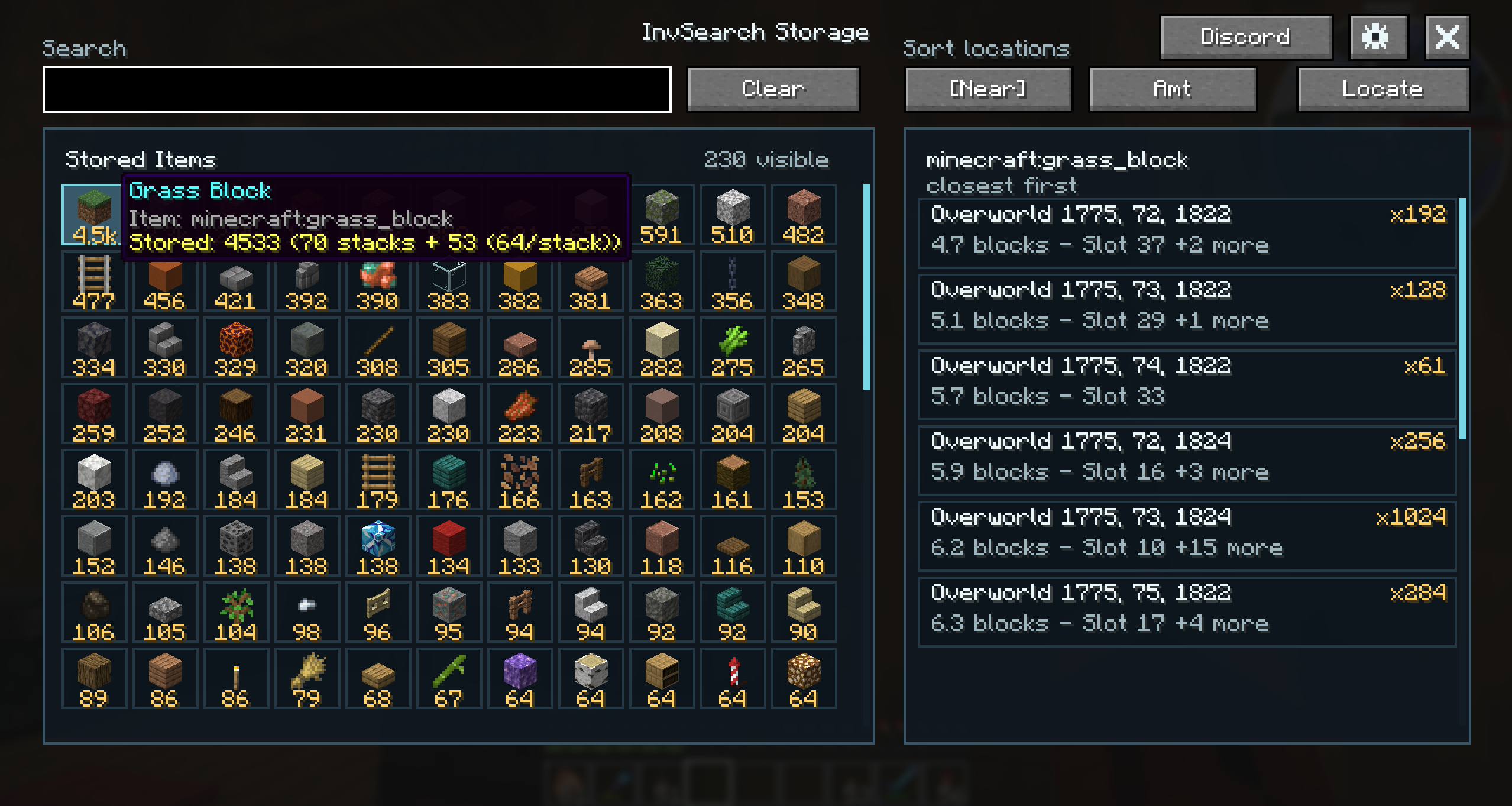
Exact Chest Locations
Selecting an item opens its location list. InvSearch shows the chest location, distance from the player, amount stored, enchantment details when relevant, and a Locate button for the exact chest.
Highlights And Locator Bar
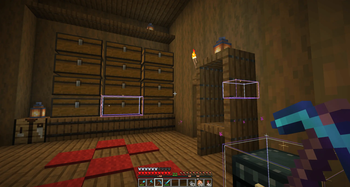
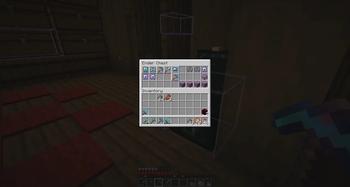
Search results can highlight matching chests in-world. Matching chests can also appear on Minecraft's locator bar, helping you find storage even from far away. When you press Locate, old highlights are cleared so the selected chest is easier to identify.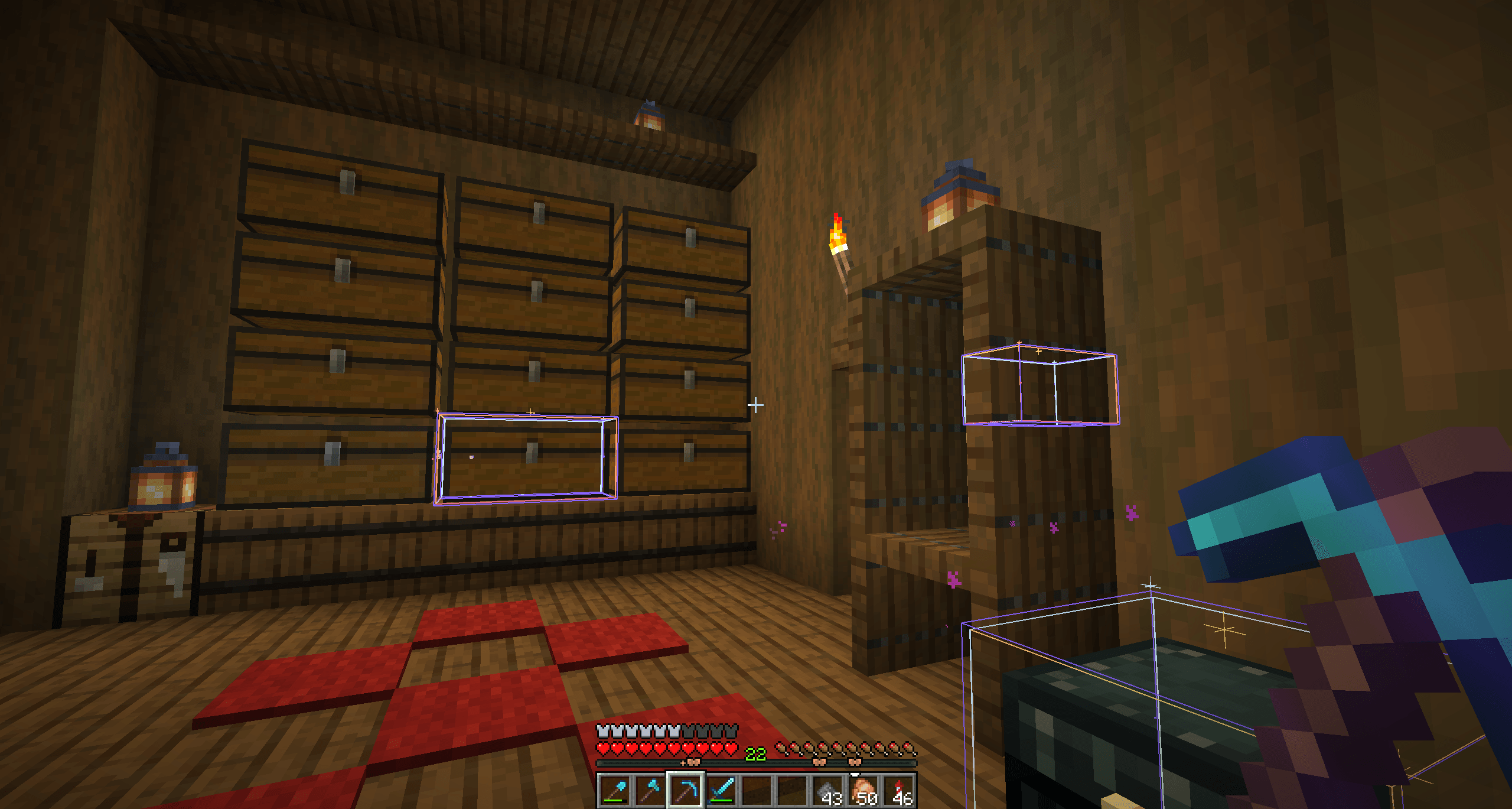
Key Features
Fully client-sided, no server install required
Works in singleplayer and on multiplayer servers
Fabric and NeoForge support
In-game storage GUI
Embedded web dashboard hosted by Minecraft
In-world chest highlights
Minecraft locator bar markers
Enchantment-aware tool variants
/InvS command alias
I hotkey to open the storage GUI
Backspace clear-search hotkey
How It Works
Open storage around your base so InvSearch can build its local client-side index.
Search from the in-game GUI, dashboard, commands, or hotkeys.
Follow the highlight, locator bar marker, distance readout, or Locate button to the right chest.
Commands
/InvS gui opens the in-game storage GUI.
/InvS search dirt searches for matching stored items.
/InvS search dirt! fills the search bar and uses the exact/closest-result suffix behavior.
/InvS search clear clears the current search.
Hotkeys
I opens the in-game storage GUI by default. Backspace clears the search by default. Both are grouped under InvSearch in Minecraft's keybind settings.
Community
InvSearch includes community links for Discord on webUI dashboard, and in-game GUI.
Credits
InvSearch is made by Masteraapjes (AapeWorks).
Available Versions
How to Install InvSearch on Your Server
Order Server
Order a Minecraft Java server with at least 3 GB RAM (4 GB recommended).
Set fabric Loader
In the panel under "Egg", select the fabric loader and matching Minecraft version (26.2).
Install Mod
Open the mod browser in the dashboard and search for "InvSearch". Click "Install" – done! Alternatively, upload the .jar via SFTP to the /mods folder.
Compatibility
Mod Loaders
Minecraft Versions
26.2, 26.1.2
Server-side
✗ UnsupportedRecommended RAM
4 GB(min. 3 GB)Frequently Asked Questions
InvSearch server crashes on startup – what to do?
Most common cause: wrong fabric version or insufficient RAM. Check the server log (latest.log) for "OutOfMemoryError" or "Mixin" errors. With Mado Hosting: ensure at least 3 GB RAM is allocated and the loader matches the mod version (26.2). You can switch loaders with one click in the panel.
Is InvSearch compatible with fabric and neoforge?
InvSearch officially supports fabric, neoforge for Minecraft 26.2, 26.1.2. The Mado dashboard automatically detects incompatible loader combinations.
Server lagging with InvSearch – how to optimize performance?
Recommended RAM: 4 GB (per 8 players). Use /spark profiler to check if InvSearch consumes the most tick time. Common fixes: reduce server view-distance to 8-10, install "performant" or "starlight" as supplementary mods on Forge. With Mado Hosting, your server runs on NVMe SSDs with dedicated CPU cores for minimal latency.
Similar Mods






Rent Modded Server
Install InvSearch with just one click on your server.