
Item tool
This is a simple client-side mod that fetches data by reading the nbt tag and displays it
About this Mod
Introduce
First and foremost, heartfelt thanks to Fallen for the amazing mod template.
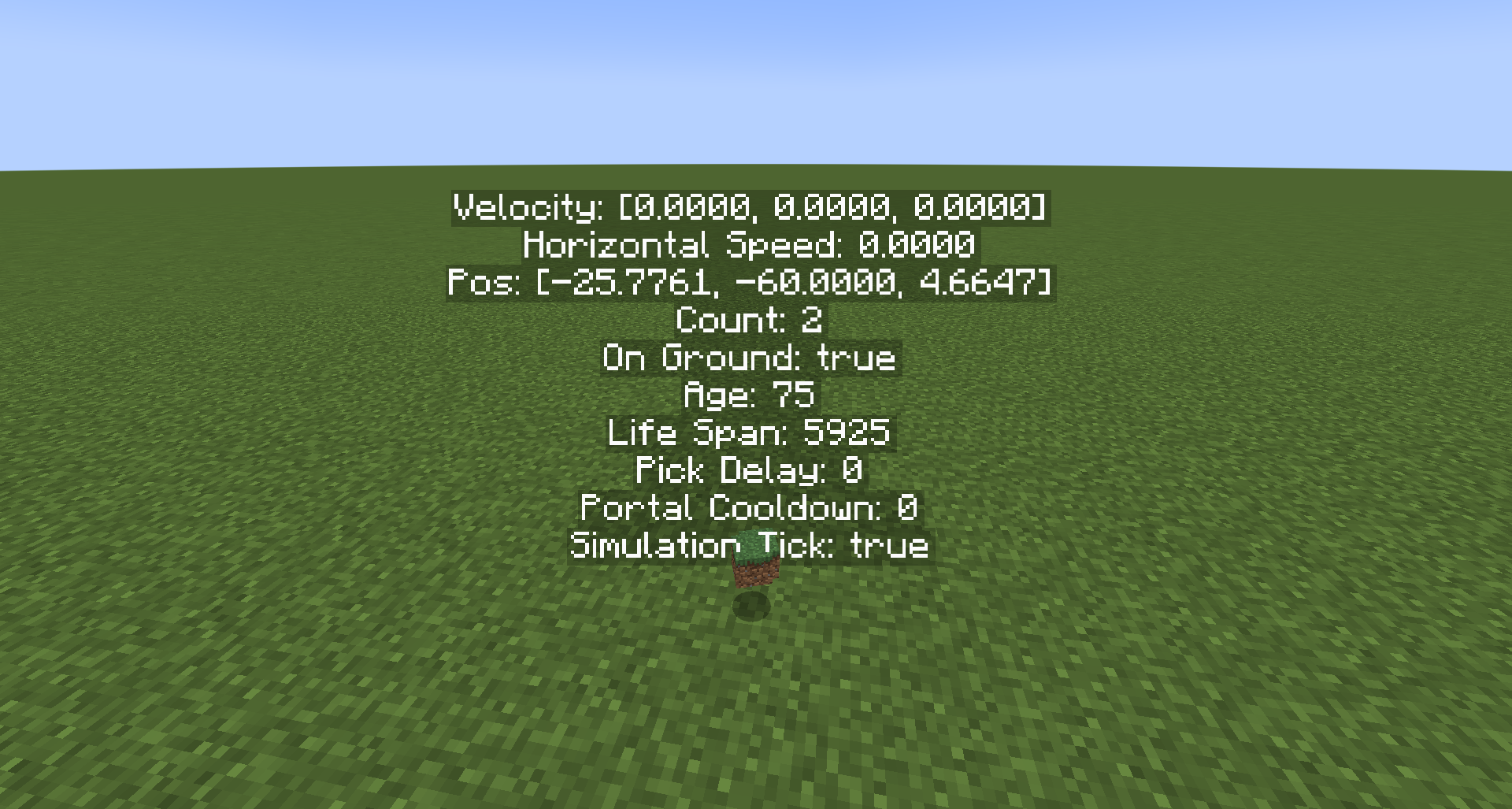
This is a client-side mod that displays various data about item entities. Since it works by parsing the item entity's data, you need to have permission level 2 or higher to use it.
This is my first attempt at developing a relatively complete mod. I apologize for any shortcomings, and I hope this mod can be helpful to you.
Features
Displays the velocity (x/y/z) of the item entity
Displays the horizontal speed (x and z components) of the item entity
Shows the stack count of the item entity
Indicates whether the item entity is in contact with the ground
Displays the item entity's age (time since spawning)
Shows the remaining lifespan of the item entity (vanilla item entities despawn after 6000 gt)
Displays the item entity's pickup delay
Shows the item entity's portal cooldown
Indicates whether the item entity is being processed in the current tick (the game may skip simulate item entities in some ticks)
Available Versions
How to Install Item tool on Your Server
Order Server
Order a Minecraft Java server with at least 3 GB RAM (4 GB recommended).
Set fabric Loader
In the panel under "Egg", select the fabric loader and matching Minecraft version (1.21.10).
Install Mod
Open the mod browser in the dashboard and search for "Item tool". Click "Install" – done! Alternatively, upload the .jar via SFTP to the /mods folder.
Compatibility
Mod Loaders
Minecraft Versions
1.21.10, 1.21.9, 1.21.8 (+15 more)
Server-side
✗ UnsupportedRecommended RAM
4 GB(min. 3 GB)Frequently Asked Questions
Item tool server crashes on startup – what to do?
Most common cause: wrong fabric version or insufficient RAM. Check the server log (latest.log) for "OutOfMemoryError" or "Mixin" errors. With Mado Hosting: ensure at least 3 GB RAM is allocated and the loader matches the mod version (1.21.10). You can switch loaders with one click in the panel.
Is Item tool compatible with fabric?
Item tool officially supports fabric for Minecraft 1.21.10, 1.21.9, 1.21.8. The Mado dashboard automatically detects incompatible loader combinations.
Server lagging with Item tool – how to optimize performance?
Recommended RAM: 4 GB (per 8 players). Use /spark profiler to check if Item tool consumes the most tick time. Common fixes: reduce server view-distance to 8-10, install "performant" or "starlight" as supplementary mods on Forge. With Mado Hosting, your server runs on NVMe SSDs with dedicated CPU cores for minimal latency.
Similar Mods





Rent Modded Server
Install Item tool with just one click on your server.