
ItemEditor
In-game item editor with GUI, attributes and text formatting
Screenshots
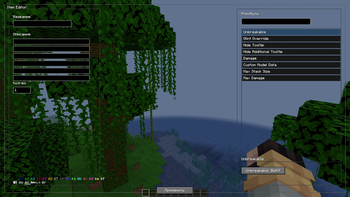
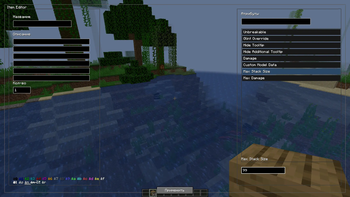
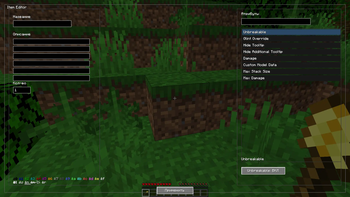
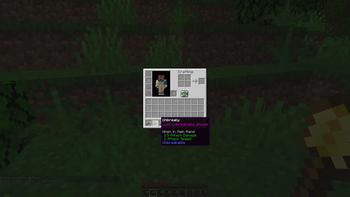
About this Mod
ItemEditor is a client-side Fabric mod for Minecraft that allows you to quickly and easily edit items directly in-game through a graphical interface.
No more setting up servers, typing long commands, or using external plugins — now you can create custom items in just a few seconds.
⚙️ Features
- 🧱 Edit the item in your hand
- ✏️ Change item name with full
&color and formatting support - 📜 Customize item lore (description)
- 🔢 Modify item count
- 🔍 Search through attributes
🧪 Attributes
Supports core item attributes:
- Unbreakable
- Glint Override
- Hide Tooltip
- Hide Additional Tooltip
- Damage
- Custom Model Data
- Max Stack Size
- Max Damage
🎨 Text Formatting
Supports standard & formatting codes:
- Colors:
&0–&f - Bold:
&l - Italic:
&o - Underline:
&n - Strikethrough:
&m - Obfuscated:
&k - Reset:
&r
⚡ How to Use
- Hold an item in your hand
- Press the key (default: K)
- Open the editor GUI
- Modify the item
- Click "Apply"
🌐 Compatibility
- Works as a client-side mod
- Does not require installation on the server
- Requires operator (OP) permissions to modify items
⚠️ Important
Items with excessive data may cause performance issues or even chunk corruption.
The mod will warn you when approaching unsafe limits.
💡 Use Cases
- Creating custom items
- Testing mechanics
- Map making and mini-games
- Server administration
🚀 Planned Features
- Potion effects editor
- Attribute modifiers
- Presets system
- Expanded attribute categories
Made with ❤️ by SmeshnoStudio
Available Versions
How to Install ItemEditor on Your Server
Order Server
Order a Minecraft Java server with at least 3 GB RAM (4 GB recommended).
Set fabric Loader
In the panel under "Egg", select the fabric loader and matching Minecraft version (1.21.1).
Install Mod
Open the mod browser in the dashboard and search for "ItemEditor". Click "Install" – done! Alternatively, upload the .jar via SFTP to the /mods folder.
Compatibility
Mod Loaders
Minecraft Versions
1.21.1
Server-side
✗ UnsupportedRecommended RAM
4 GB(min. 3 GB)Frequently Asked Questions
ItemEditor server crashes on startup – what to do?
Most common cause: wrong fabric version or insufficient RAM. Check the server log (latest.log) for "OutOfMemoryError" or "Mixin" errors. With Mado Hosting: ensure at least 3 GB RAM is allocated and the loader matches the mod version (1.21.1). You can switch loaders with one click in the panel.
Is ItemEditor compatible with fabric?
ItemEditor officially supports fabric for Minecraft 1.21.1. The Mado dashboard automatically detects incompatible loader combinations.
Server lagging with ItemEditor – how to optimize performance?
Recommended RAM: 4 GB (per 8 players). Use /spark profiler to check if ItemEditor consumes the most tick time. Common fixes: reduce server view-distance to 8-10, install "performant" or "starlight" as supplementary mods on Forge. With Mado Hosting, your server runs on NVMe SSDs with dedicated CPU cores for minimal latency.
Similar Mods






Rent Modded Server
Install ItemEditor with just one click on your server.